

Search




 Arabic
 French
 Spanish
 Portuguese
 Deutsch
 Turkish
 Dutch
Dutch
 Italiano
 Russian
 Romaian
 Portuguese (Brazil)
 Greek
Greek
Recent Updates
-
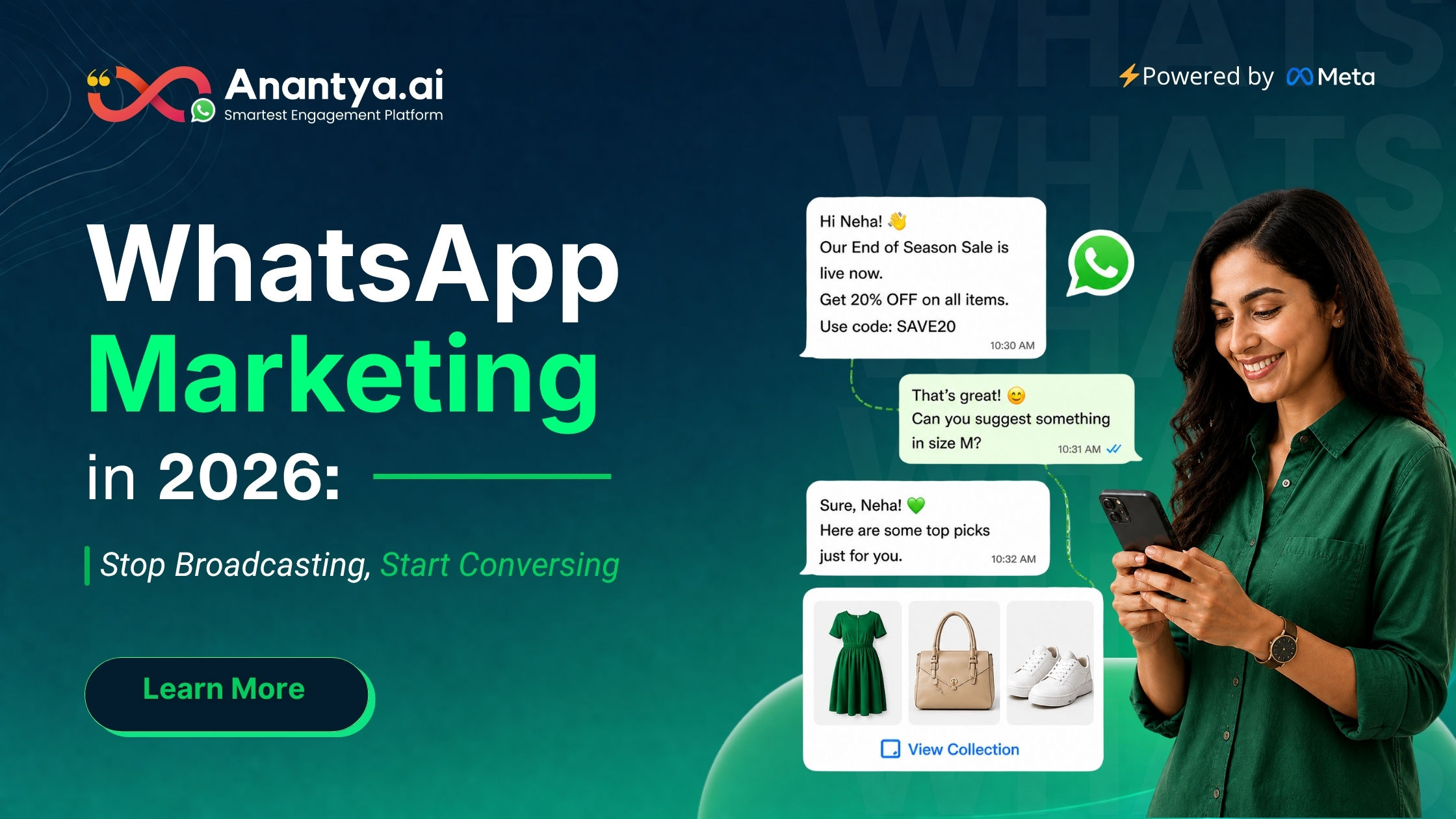
WhatsApp Marketing 2026: Stop Broadcasting, Start Talking
Businesses are slowly realizing that old marketing methods — email blasts, generic ads, random social posts — just don’t get the same engagement they used to. This is exactly why WhatsApp marketing is growing so fast. It’s not just another trend. It’s a real shift in how brands talk to their customers.
What Is WhatsApp Marketing, and Why Are Businesses Rushing to It?
Think about it. When was the last time you actually read an entire email newsletter? Or clicked on a banner ad? Now think about the last time a WhatsApp message popped up. You probably checked it right away.
That one difference explains a lot. Email open rates are stuck at around 20%. Organic reach on social media keeps shrinking, and paid ads keep getting more expensive. Meanwhile, messages sent on WhatsApp get opened almost every time — close to 98% — and most people read them within minutes.
Put simply, WhatsApp marketing means reaching your customer where they already spend their time — with messages they actually want to read, instead of ones they scroll past.
It’s Not Just Broadcasting — It’s a Full Journey
A lot of companies treat WhatsApp like a fancier version of SMS. They grab their entire contact list and send the same message to everyone. That’s the biggest mistake you can make.
A good WhatsApp marketing strategy thinks about the whole customer journey, not just one blast. It usually covers five key pieces:
The Right Mix of Bots and Humans A WhatsApp chatbot can easily handle common questions, qualify leads, and collect basic details. But when things get more complicated, the conversation should move to a real person instantly, along with the full chat history — so the customer doesn’t have to repeat themselves.
What You Get With the WhatsApp Business API
The basic WhatsApp Business app works fine for small businesses handling a few chats manually. But as a business grows, its limits become obvious — you can’t run big automations, and you can’t connect it to your CRM or online store.
The WhatsApp Business API solves all of that:
Automation Based on Behavior: Instead of just sending messages on a schedule, the API can trigger messages based on what a customer actually does — like starting a delivery sequence right after a purchase, or sending a re-engagement message if someone’s gone quiet for a while.
WhatsApp broadcasting matters too. When the right message goes to the right group of people at the right time, it becomes a really effective way to share new offers, updates, or announcements. But it only works well when the list is properly segmented — sending the same message to everyone rarely gets good results.
How Messaging Is Driving Real Business Growth
The brands growing fastest on WhatsApp right now haven’t found some secret trick. They’ve simply accepted that customers want conversations, not campaigns — and they’ve built their entire approach around that idea.
Real growth comes down to three things: the right tools, the right strategy, and consistent execution. The WhatsApp Business API gives you the infrastructure, but it’s the strategy — whether that’s Click to WhatsApp Ads, smart broadcasting, or the right balance of automation and human touch — that actually makes it work.
Conclusion
By 2026, WhatsApp marketing isn’t just a “nice to have” anymore — it’s become a core part of how businesses communicate. Brands that keep treating it like just another broadcast tool will slowly fall behind. The ones taking a conversation-first approach, with smart automation, proper segmentation, and the right mix of bots and humans, are the ones seeing the strongest engagement and conversions.
Whether it’s bringing in new leads through Click to WhatsApp Ads or keeping existing customers engaged through smart broadcasting, the real difference always comes down to strategy, not just the tool itself. If you’re serious about using WhatsApp for your business, now is a good time to rethink your approach.
For more information kindly read the full blog - https://anantya.ai/blog/conversational-whatsapp-marketing/WhatsApp Marketing 2026: Stop Broadcasting, Start Talking Businesses are slowly realizing that old marketing methods — email blasts, generic ads, random social posts — just don’t get the same engagement they used to. This is exactly why WhatsApp marketing is growing so fast. It’s not just another trend. It’s a real shift in how brands talk to their customers. What Is WhatsApp Marketing, and Why Are Businesses Rushing to It? Think about it. When was the last time you actually read an entire email newsletter? Or clicked on a banner ad? Now think about the last time a WhatsApp message popped up. You probably checked it right away. That one difference explains a lot. Email open rates are stuck at around 20%. Organic reach on social media keeps shrinking, and paid ads keep getting more expensive. Meanwhile, messages sent on WhatsApp get opened almost every time — close to 98% — and most people read them within minutes. Put simply, WhatsApp marketing means reaching your customer where they already spend their time — with messages they actually want to read, instead of ones they scroll past. It’s Not Just Broadcasting — It’s a Full Journey A lot of companies treat WhatsApp like a fancier version of SMS. They grab their entire contact list and send the same message to everyone. That’s the biggest mistake you can make. A good WhatsApp marketing strategy thinks about the whole customer journey, not just one blast. It usually covers five key pieces: The Right Mix of Bots and Humans A WhatsApp chatbot can easily handle common questions, qualify leads, and collect basic details. But when things get more complicated, the conversation should move to a real person instantly, along with the full chat history — so the customer doesn’t have to repeat themselves. What You Get With the WhatsApp Business API The basic WhatsApp Business app works fine for small businesses handling a few chats manually. But as a business grows, its limits become obvious — you can’t run big automations, and you can’t connect it to your CRM or online store. The WhatsApp Business API solves all of that: Automation Based on Behavior: Instead of just sending messages on a schedule, the API can trigger messages based on what a customer actually does — like starting a delivery sequence right after a purchase, or sending a re-engagement message if someone’s gone quiet for a while. WhatsApp broadcasting matters too. When the right message goes to the right group of people at the right time, it becomes a really effective way to share new offers, updates, or announcements. But it only works well when the list is properly segmented — sending the same message to everyone rarely gets good results. How Messaging Is Driving Real Business Growth The brands growing fastest on WhatsApp right now haven’t found some secret trick. They’ve simply accepted that customers want conversations, not campaigns — and they’ve built their entire approach around that idea. Real growth comes down to three things: the right tools, the right strategy, and consistent execution. The WhatsApp Business API gives you the infrastructure, but it’s the strategy — whether that’s Click to WhatsApp Ads, smart broadcasting, or the right balance of automation and human touch — that actually makes it work. Conclusion By 2026, WhatsApp marketing isn’t just a “nice to have” anymore — it’s become a core part of how businesses communicate. Brands that keep treating it like just another broadcast tool will slowly fall behind. The ones taking a conversation-first approach, with smart automation, proper segmentation, and the right mix of bots and humans, are the ones seeing the strongest engagement and conversions. Whether it’s bringing in new leads through Click to WhatsApp Ads or keeping existing customers engaged through smart broadcasting, the real difference always comes down to strategy, not just the tool itself. If you’re serious about using WhatsApp for your business, now is a good time to rethink your approach. For more information kindly read the full blog - https://anantya.ai/blog/conversational-whatsapp-marketing/0 Comments 0 Shares 4K Views 0 Reviews1
-
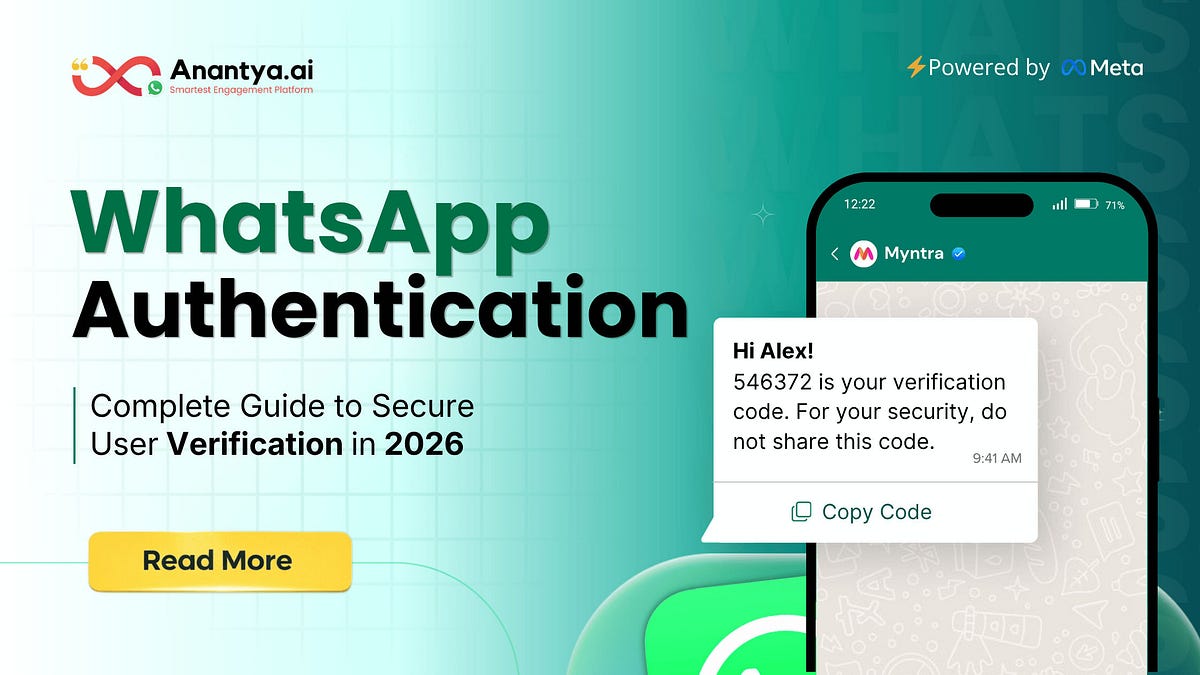
WhatsApp Authentication: The 2026 Standard for User Verification
Here's a number most founders never look at: how **** revenue quietly disappears every month because an OTP simply never arrived. Not a failed payment, not cart abandonment in the usual sense — just a boring, invisible delivery failure.
A user signs up, enters their number, and waits. The SMS takes 40 seconds instead of 5, or it never shows up at all. They refresh, try again, maybe hit resend, and eventually just close the tab. On your dashboard, this doesn't register as "OTP failed." It shows up as "incomplete registration" — the real cause buried somewhere in the funnel.
This is exactly why WhatsApp Authentication has moved from "nice-to-have" to something closer to a revenue protection strategy in 2026.
What Is WhatsApp Authentication?
At its core, WhatsApp Authentication is a way of verifying a user's identity by sending a one-time password (or similar verification prompt) through WhatsApp instead of traditional SMS. It runs on the WhatsApp Business API, which sends pre-approved, structured message templates directly to a user's WhatsApp number.
This isn't limited to plain OTPs either. The same infrastructure powers login verification, transaction approvals, account recovery, two-factor authentication, and flagging logins from unfamiliar devices.
How the Verification Flow Actually Works
Users enter their phone number on a signup, login, or checkout screen.
The backend calls the WhatsApp OTP API, usually through a Business Solution Provider (BSP), specifying the approved template and generating a time-bound code.
A well-built system also includes an automatic SMS fallback: if the WhatsApp message doesn't deliver or isn't opened within a set window, the system quietly switches to SMS so no user gets stuck.
Why Businesses Are Making the Switch
A handful of numbers explain most of this shift. WhatsApp messages see open rates around 98%, compared to 85-90% for SMS and barely 25-30% for email. More importantly, they're typically opened within 90 seconds — which matters a lot when your OTP has a 10-minute expiry window.
There's also a trust dimension that's easy to underestimate. A verified, branded WhatsApp message feels fundamentally different from an SMS sent from a random alphanumeric sender ID — something users have learned to be wary of. And because WhatsApp OTPs are tied to a device-level account rather than just a SIM card, they're harder to intercept through SIM-swap or SS7-style attacks, which meaningfully lowers fraud exposure compared to SMS.
Summary
This guide walked through what WhatsApp Authentication actually is, how the verification flow works end to end, and why delivery speed, open rates, and trust make it a meaningfully stronger option than SMS OTP for most businesses. We compared the two side by side, looked at where WhatsApp Authentication is already proving valuable — e-commerce, fintech, healthcare, EdTech, SaaS, travel, and logistics — and covered the common challenges (delivery failures, non-WhatsApp users, integration complexity, compliance) along with practical fixes for each.
For more information kindly read the full blog - https://aaftabalfa.medium.com/whatsapp-authentication-the-2026-standard-for-user-verification-01e154ba8d0f?sharedUserId=aaftabalfaWhatsApp Authentication: The 2026 Standard for User Verification Here's a number most founders never look at: how **** revenue quietly disappears every month because an OTP simply never arrived. Not a failed payment, not cart abandonment in the usual sense — just a boring, invisible delivery failure. A user signs up, enters their number, and waits. The SMS takes 40 seconds instead of 5, or it never shows up at all. They refresh, try again, maybe hit resend, and eventually just close the tab. On your dashboard, this doesn't register as "OTP failed." It shows up as "incomplete registration" — the real cause buried somewhere in the funnel. This is exactly why WhatsApp Authentication has moved from "nice-to-have" to something closer to a revenue protection strategy in 2026. What Is WhatsApp Authentication?At its core, WhatsApp Authentication is a way of verifying a user's identity by sending a one-time password (or similar verification prompt) through WhatsApp instead of traditional SMS. It runs on the WhatsApp Business API, which sends pre-approved, structured message templates directly to a user's WhatsApp number. This isn't limited to plain OTPs either. The same infrastructure powers login verification, transaction approvals, account recovery, two-factor authentication, and flagging logins from unfamiliar devices. How the Verification Flow Actually WorksUsers enter their phone number on a signup, login, or checkout screen. The backend calls the WhatsApp OTP API, usually through a Business Solution Provider (BSP), specifying the approved template and generating a time-bound code. A well-built system also includes an automatic SMS fallback: if the WhatsApp message doesn't deliver or isn't opened within a set window, the system quietly switches to SMS so no user gets stuck. Why Businesses Are Making the SwitchA handful of numbers explain most of this shift. WhatsApp messages see open rates around 98%, compared to 85-90% for SMS and barely 25-30% for email. More importantly, they're typically opened within 90 seconds — which matters a lot when your OTP has a 10-minute expiry window. There's also a trust dimension that's easy to underestimate. A verified, branded WhatsApp message feels fundamentally different from an SMS sent from a random alphanumeric sender ID — something users have learned to be wary of. And because WhatsApp OTPs are tied to a device-level account rather than just a SIM card, they're harder to intercept through SIM-swap or SS7-style attacks, which meaningfully lowers fraud exposure compared to SMS. SummaryThis guide walked through what WhatsApp Authentication actually is, how the verification flow works end to end, and why delivery speed, open rates, and trust make it a meaningfully stronger option than SMS OTP for most businesses. We compared the two side by side, looked at where WhatsApp Authentication is already proving valuable — e-commerce, fintech, healthcare, EdTech, SaaS, travel, and logistics — and covered the common challenges (delivery failures, non-WhatsApp users, integration complexity, compliance) along with practical fixes for each. For more information kindly read the full blog - https://aaftabalfa.medium.com/whatsapp-authentication-the-2026-standard-for-user-verification-01e154ba8d0f?sharedUserId=aaftabalfa0 Comments 0 Shares 5K Views 0 Reviews -
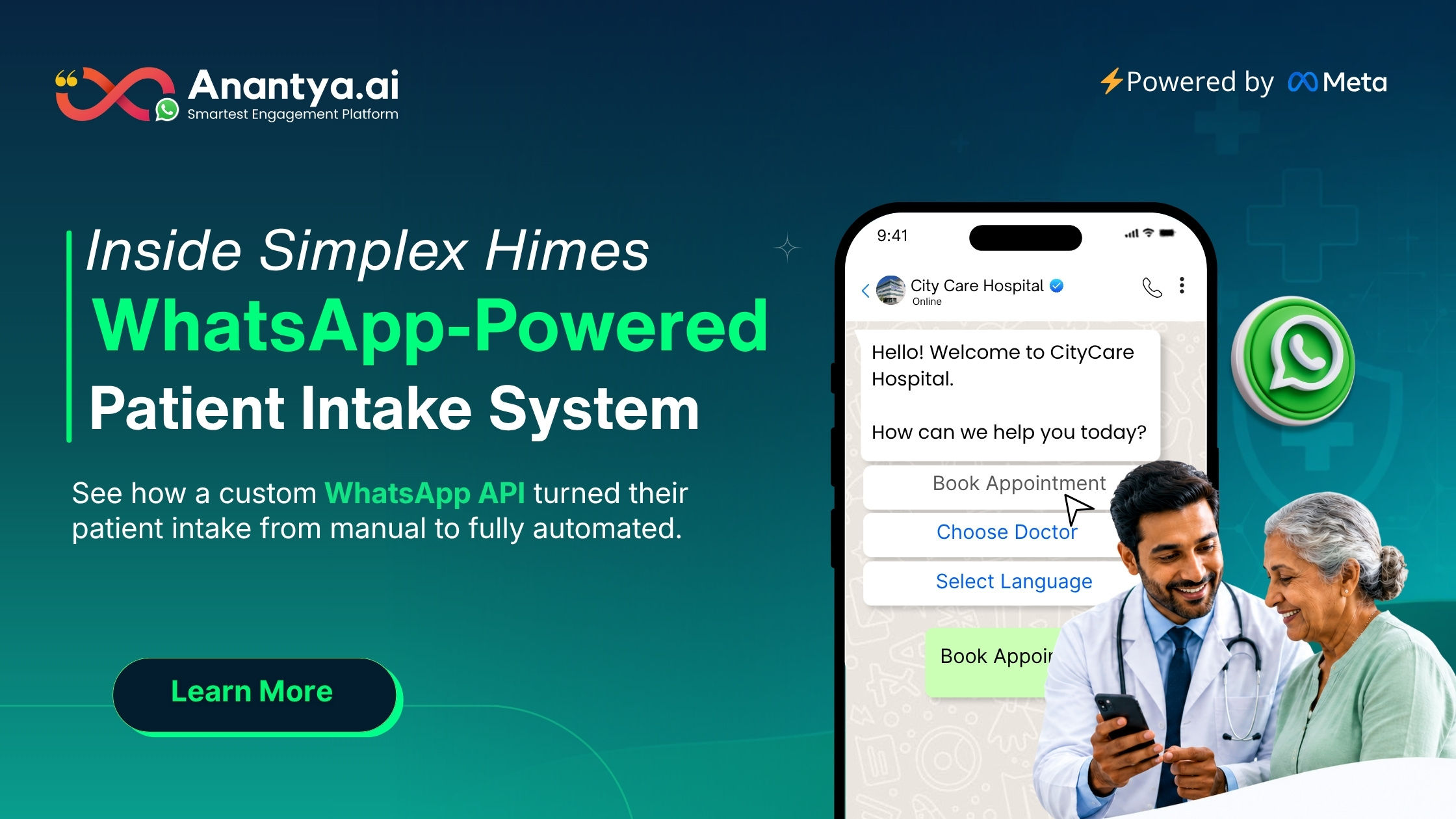
How a Simple WhatsApp Chatbot Solved a Big Problem for Hospitals
When people talk about better healthcare, they usually talk about new machines, better medicines, or skilled doctors. Nobody talks about the front desk. But the front desk is where a patient's journey actually begins, and if that first step is broken, everything after it suffers too.
This is exactly the problem that came up for Simplex Himes, an IT service company working with hospitals across the Middle East and Africa. Their software was doing a great job of managing hospital operations from the inside. But there was one weak point they could not ignore: the appointment booking process.
The Real Problem Was Never Medical Care
Simplex Himes worked with hospitals that had strong medical teams and good internal systems. The doctors were skilled. The treatment was solid. So where was the issue?
It was in the small, everyday moments before a patient even reached the hospital.
Simplex Himes understood something important here. This was never a medical problem. It was a communication problem. Their software could handle everything happening inside the hospital, but the very first door a patient walked through was still stuck.
Why WhatsApp Was the Right Answer
When Simplex Himes approached Anantya, they had one clear requirement. The solution had to work without any training. Patients should not need to download a new app, sign up for an account, or learn how to use a new system.
The answer was simpler than expected. It was already sitting on almost every patient's phone.
Here is how the entire process was designed, step by step:
Step 1: The patient starts the conversation. A patient simply sends a WhatsApp message to the hospital's official business number. No app download. No new login.
Step 2: The chatbot asks simple questions The chatbot asks a few easy questions. What is your name? Which department do you need? What time works best for you? The tone feels like a normal conversation, not a form.
Step 3: Real-time slot checking through custom APIs This is where the real technical work happened. Anantya built a custom API connection between the WhatsApp chatbot and the hospital's existing appointment system. So when a patient picks a time, the bot checks live availability right away and confirms the booking instantly.
Step 4: Instant confirmation on WhatsApp As soon as the slot is booked, the patient gets a confirmation message with all the details. The doctor's name, the department, the time, and any instructions before the visit.
The best part is that none of the hospital's existing systems had to be replaced. Anantya simply built a bridge that connected WhatsApp to what was already working.
Building This Was Not as Easy as It Sounds
Two big challenges came up during this project.
The first challenge was purely technical. Hospital management systems are usually closed off on purpose. They are built for internal, secure use, not for outside connections. So creating a safe and reliable custom API that could talk to the hospital's system without disturbing anything else took careful planning. The Anantya team mapped out the entire data flow before writing a single line of code, making sure every booking made through WhatsApp matched perfectly with the hospital's internal calendar.
What Changed After the Chatbot Went Live
The results showed up quickly, and they were noticeable.
Booking time dropped a lot. What used to take multiple phone calls and manual notes now happened in a single WhatsApp chat, often finished in under three minutes.
Hospital staff felt the change too. The front desk stopped being a stressful bottleneck. It finally became what it was always meant to be, a place of care instead of a place of friction.
For more information kindly read the full blog - https://anantya.ai/blog/whatsapp-chatbot-for-hospitals-case-study/
How a Simple WhatsApp Chatbot Solved a Big Problem for Hospitals When people talk about better healthcare, they usually talk about new machines, better medicines, or skilled doctors. Nobody talks about the front desk. But the front desk is where a patient's journey actually begins, and if that first step is broken, everything after it suffers too. This is exactly the problem that came up for Simplex Himes, an IT service company working with hospitals across the Middle East and Africa. Their software was doing a great job of managing hospital operations from the inside. But there was one weak point they could not ignore: the appointment booking process. The Real Problem Was Never Medical CareSimplex Himes worked with hospitals that had strong medical teams and good internal systems. The doctors were skilled. The treatment was solid. So where was the issue? It was in the small, everyday moments before a patient even reached the hospital. Simplex Himes understood something important here. This was never a medical problem. It was a communication problem. Their software could handle everything happening inside the hospital, but the very first door a patient walked through was still stuck. Why WhatsApp Was the Right AnswerWhen Simplex Himes approached Anantya, they had one clear requirement. The solution had to work without any training. Patients should not need to download a new app, sign up for an account, or learn how to use a new system. The answer was simpler than expected. It was already sitting on almost every patient's phone. Here is how the entire process was designed, step by step: Step 1: The patient starts the conversation. A patient simply sends a WhatsApp message to the hospital's official business number. No app download. No new login. Step 2: The chatbot asks simple questions The chatbot asks a few easy questions. What is your name? Which department do you need? What time works best for you? The tone feels like a normal conversation, not a form. Step 3: Real-time slot checking through custom APIs This is where the real technical work happened. Anantya built a custom API connection between the WhatsApp chatbot and the hospital's existing appointment system. So when a patient picks a time, the bot checks live availability right away and confirms the booking instantly. Step 4: Instant confirmation on WhatsApp As soon as the slot is booked, the patient gets a confirmation message with all the details. The doctor's name, the department, the time, and any instructions before the visit. The best part is that none of the hospital's existing systems had to be replaced. Anantya simply built a bridge that connected WhatsApp to what was already working. Building This Was Not as Easy as It SoundsTwo big challenges came up during this project. The first challenge was purely technical. Hospital management systems are usually closed off on purpose. They are built for internal, secure use, not for outside connections. So creating a safe and reliable custom API that could talk to the hospital's system without disturbing anything else took careful planning. The Anantya team mapped out the entire data flow before writing a single line of code, making sure every booking made through WhatsApp matched perfectly with the hospital's internal calendar. What Changed After the Chatbot Went LiveThe results showed up quickly, and they were noticeable. Booking time dropped a lot. What used to take multiple phone calls and manual notes now happened in a single WhatsApp chat, often finished in under three minutes. Hospital staff felt the change too. The front desk stopped being a stressful bottleneck. It finally became what it was always meant to be, a place of care instead of a place of friction. For more information kindly read the full blog - https://anantya.ai/blog/whatsapp-chatbot-for-hospitals-case-study/0 Comments 0 Shares 5K Views 0 Reviews -
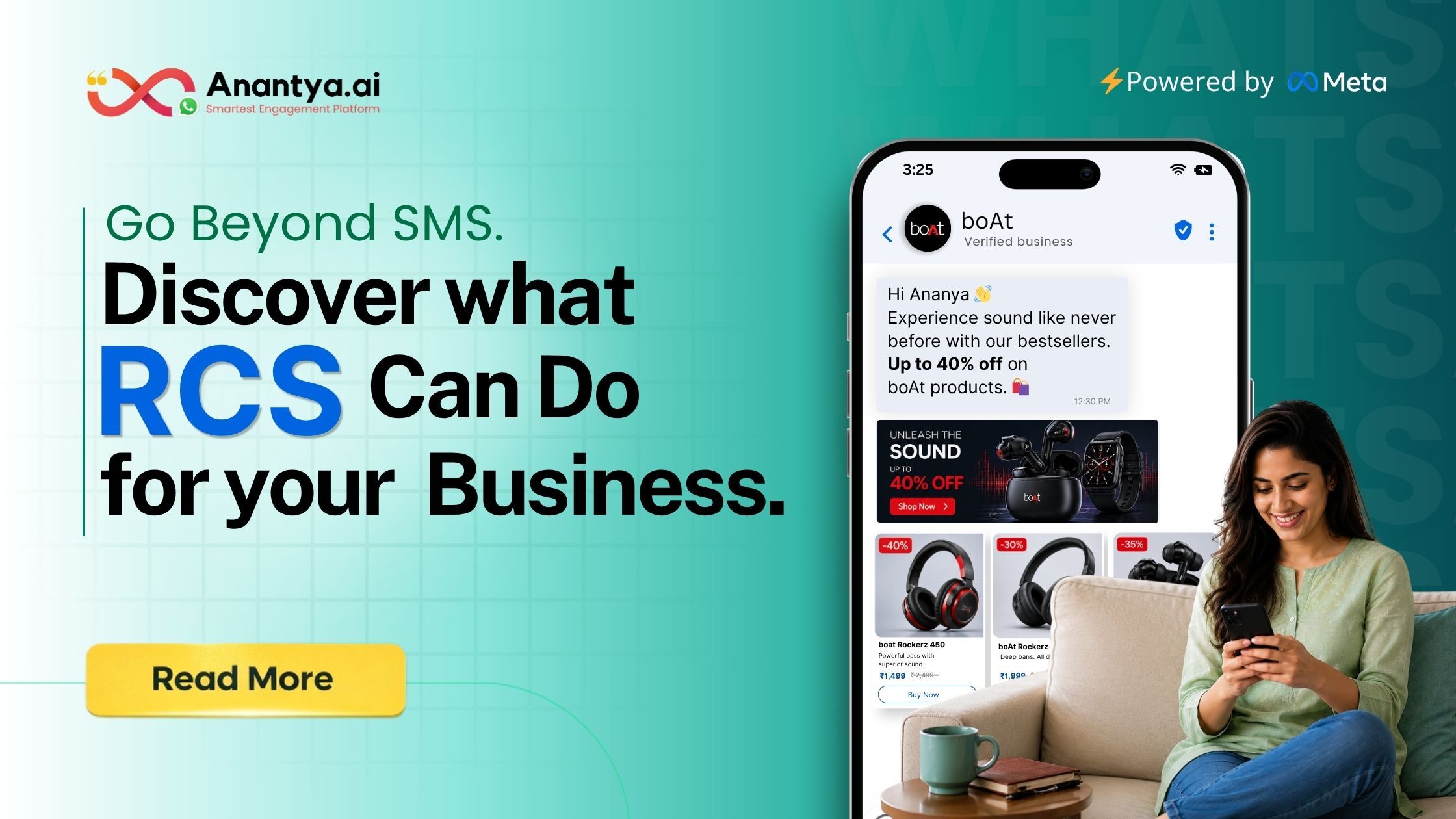
RCS Messaging: What It Is, How It Works, and Why Businesses Are Switching to It
If you have used a smartphone in the last couple of years, chances are you have already seen RCS in action without realising it. Maybe you noticed that texts from a friend started showing "typing…" indicators, or that a photo you sent didn't look grainy and compressed like it used to on regular SMS. That shift is the quiet rollout of RCS, and it has slowly changed the way people — and businesses — talk to each other over text.
In this blog, we will break down RCS messaging in plain language: what the term actually stands for, how it came about, what makes it different from old-school SMS, and how it stacks up against WhatsApp Business API, which many businesses in India and abroad already use. We will also talk about SMS fallback, a concept that quietly holds the whole system together.
RCS Meaning: What Does RCS Stand For?
RCS stands for Rich Communication Services. It is a messaging protocol, meaning a set of technical rules that decide how messages travel between two phones. Think of SMS as a very basic postcard — text only, limited characters, no delivery confirmation worth mentioning. RCS, on the other hand, works more like a modern chat app, but it lives inside your phone's default messaging app instead of a separate download.
The RCS meaning goes a bit deeper than just "better texting," though. It was designed by the telecom industry itself, through an organisation called the GSMA (GSM Association), to bring SMS up to date with what internet-based chat apps had already been offering for years — read receipts, typing indicators, group chats, high-resolution media sharing, and more.
A Short History: How and When Did RCS Come About
RCS was not built overnight. The idea started taking shape around 2007-2008, when telecom operators realised that plain SMS was falling behind apps like early instant messengers. The GSMA later took over standardising it under what is called the "Universal Profile," which basically means every carrier and phone maker agrees to follow the same rulebook so RCS messages work the same way regardless of network.
What Is RCS Messaging, Practically Speaking?
So what changes for an everyday user or a business sending messages? RCS messaging allows:
High-resolution photos and videos instead of compressed, blurry SMS media
Read receipts and "typing…" indicators
Group chats with names and shared media
Longer messages without the old 160-character SMS limit
Rich, interactive elements for businesses — buttons, carousels, verified sender badges
That last point matters a lot for companies. Under RCS Business Messaging, brands can send messages that look and feel closer to a mini-app inside a chat thread — a delivery update with a tracking button, a promotional carousel of products, or a verified business name and logo instead of a random ten-digit number. This is a big shift from plain transactional SMS, which most people barely glance at anymore.
RCS Service for Businesses: Where Does It Fit?
The RCS service model for businesses works somewhat like WhatsApp Business messaging, but it runs through the carrier network and the phone's native messaging app rather than a separate installed application. That means customers don't need to download anything new — they simply see a richer message inside the app they already use to text.
Businesses that adopt RCS typically use it for order confirmations, delivery tracking, appointment reminders, OTPs, and promotional campaigns, all with the added benefit of a verified sender identity, which helps cut down on the spam and phishing worries that plain SMS from unknown numbers usually triggers.
Conclusion: Bringing It All Together
RCS, or Rich Communication Services, is essentially SMS's long-overdue upgrade — built by the telecom industry to bring modern chat features like read receipts, typing indicators, high-quality media, and verified business branding into the default messaging app on your phone. It started slowly around 2008, gained real momentum through Android and Google's Jibe platform, and picked up serious pace once Apple joined in with RCS support on iPhones from late 2024 onward, followed by end-to-end encryption for cross-platform chats.
For more information kindly read the full blog - https://anantya.ai/blog/what-is-rcs-messaging/RCS Messaging: What It Is, How It Works, and Why Businesses Are Switching to It If you have used a smartphone in the last couple of years, chances are you have already seen RCS in action without realising it. Maybe you noticed that texts from a friend started showing "typing…" indicators, or that a photo you sent didn't look grainy and compressed like it used to on regular SMS. That shift is the quiet rollout of RCS, and it has slowly changed the way people — and businesses — talk to each other over text. In this blog, we will break down RCS messaging in plain language: what the term actually stands for, how it came about, what makes it different from old-school SMS, and how it stacks up against WhatsApp Business API, which many businesses in India and abroad already use. We will also talk about SMS fallback, a concept that quietly holds the whole system together. RCS Meaning: What Does RCS Stand For?RCS stands for Rich Communication Services. It is a messaging protocol, meaning a set of technical rules that decide how messages travel between two phones. Think of SMS as a very basic postcard — text only, limited characters, no delivery confirmation worth mentioning. RCS, on the other hand, works more like a modern chat app, but it lives inside your phone's default messaging app instead of a separate download. The RCS meaning goes a bit deeper than just "better texting," though. It was designed by the telecom industry itself, through an organisation called the GSMA (GSM Association), to bring SMS up to date with what internet-based chat apps had already been offering for years — read receipts, typing indicators, group chats, high-resolution media sharing, and more. A Short History: How and When Did RCS Come AboutRCS was not built overnight. The idea started taking shape around 2007-2008, when telecom operators realised that plain SMS was falling behind apps like early instant messengers. The GSMA later took over standardising it under what is called the "Universal Profile," which basically means every carrier and phone maker agrees to follow the same rulebook so RCS messages work the same way regardless of network. What Is RCS Messaging, Practically Speaking?So what changes for an everyday user or a business sending messages? RCS messaging allows: High-resolution photos and videos instead of compressed, blurry SMS media Read receipts and "typing…" indicators Group chats with names and shared media Longer messages without the old 160-character SMS limit Rich, interactive elements for businesses — buttons, carousels, verified sender badges That last point matters a lot for companies. Under RCS Business Messaging, brands can send messages that look and feel closer to a mini-app inside a chat thread — a delivery update with a tracking button, a promotional carousel of products, or a verified business name and logo instead of a random ten-digit number. This is a big shift from plain transactional SMS, which most people barely glance at anymore. RCS Service for Businesses: Where Does It Fit?The RCS service model for businesses works somewhat like WhatsApp Business messaging, but it runs through the carrier network and the phone's native messaging app rather than a separate installed application. That means customers don't need to download anything new — they simply see a richer message inside the app they already use to text. Businesses that adopt RCS typically use it for order confirmations, delivery tracking, appointment reminders, OTPs, and promotional campaigns, all with the added benefit of a verified sender identity, which helps cut down on the spam and phishing worries that plain SMS from unknown numbers usually triggers. Conclusion: Bringing It All TogetherRCS, or Rich Communication Services, is essentially SMS's long-overdue upgrade — built by the telecom industry to bring modern chat features like read receipts, typing indicators, high-quality media, and verified business branding into the default messaging app on your phone. It started slowly around 2008, gained real momentum through Android and Google's Jibe platform, and picked up serious pace once Apple joined in with RCS support on iPhones from late 2024 onward, followed by end-to-end encryption for cross-platform chats. For more information kindly read the full blog - https://anantya.ai/blog/what-is-rcs-messaging/0 Comments 0 Shares 5K Views 0 Reviews -
WhatsApp Usernames Are Here: What the Update Means for Users and Businesses
For years, a phone number has been the entry point to every WhatsApp interaction. Saving a contact, joining a group, or messaging a business usually meant sharing a personal number first.
WhatsApp usernames are set to change that system.
Meta has announced that people and businesses can reserve unique usernames before the feature rolls out more widely later in 2026. Once active, a username will allow someone to start a WhatsApp chat without seeing the other person’s phone number.
The update may look like a small profile change, but its impact could extend across privacy, brand identity, customer acquisition, and business messaging.
What Is a WhatsApp Username?
A WhatsApp username is a unique name linked to an account. It begins with the “@” symbol and works as an alternative way for people to find or contact someone on WhatsApp.
For example, a local bakery may choose a name such as @GreenOvenBakery instead of asking customers to save its phone number.
Usernames are optional. Phone numbers will continue to support account registration and other essential functions behind the scenes. However, users who enable a username will be able to keep their number hidden during a first-time interaction.
According to Meta’s official announcement, WhatsApp will not offer a public username directory or account suggestions. A person must know the exact username to contact an account. An optional username key can add another layer of control by requiring a code before a new contact can send a message.
Why Is WhatsApp Introducing Usernames?
Phone numbers were designed for calls, not digital identity. Yet they now connect people to bank accounts, login systems, delivery apps, government services, and personal records.
A WhatsApp username creates some distance between a public identity and a private phone number. A customer could contact a business for a product query without immediately disclosing personal contact information. Freelancers and creators could also share a memorable username across public profiles instead of posting their mobile numbers.
This approach brings WhatsApp closer to platforms such as Instagram and Telegram, where people commonly connect through handles rather than phone numbers.
How WhatsApp Usernames Could Change Business Messaging
The biggest benefit for businesses is simple: a username is easier to recognise and remember than a long number.
A customer may forget +91 98XXXXXXXX, but a name such as @BrandName is more likely to stay in memory. Businesses can also use the same or a similar identity across WhatsApp, Instagram, Facebook, websites, advertisements, packaging, and offline material.
The change does not remove the need for a structured WhatsApp Business API solution when a company manages messaging at scale. Automation, shared team access, message templates, CRM integration, consent management, and customer support workflows remain separate operational requirements.
A Username Is Not the Same as a Display Name
WhatsApp business accounts already use display names, which appear on profiles and inside chats. A display name identifies the business to customers, but it is not always unique.
A business username serves a different purpose. It is a unique identifier that customers can use to find or contact the account.
What Businesses Should Do Now
Businesses should first check whether username reservation is available on their account. Meta has said the feature will roll out gradually, so access may differ by country, device, and account type.
Once the option appears, the strongest choice will usually be the official brand name. Extra numbers, unusual spellings, and unnecessary symbols can make the username harder to remember and easier to mistype.
Teams should also review every place where the business phone number currently appears. Common examples include websites, social media bios, QR codes, paid ads, product packaging, email signatures, invoices, and printed material.
For more information kindly read the full blog - https://medium.com/@aaftabalfa/whatsapp-usernames-are-here-what-the-update-means-for-users-and-businesses-931df46144a9?sharedUserId=aaftabalfaWhatsApp Usernames Are Here: What the Update Means for Users and Businesses For years, a phone number has been the entry point to every WhatsApp interaction. Saving a contact, joining a group, or messaging a business usually meant sharing a personal number first. WhatsApp usernames are set to change that system. Meta has announced that people and businesses can reserve unique usernames before the feature rolls out more widely later in 2026. Once active, a username will allow someone to start a WhatsApp chat without seeing the other person’s phone number. The update may look like a small profile change, but its impact could extend across privacy, brand identity, customer acquisition, and business messaging. What Is a WhatsApp Username?A WhatsApp username is a unique name linked to an account. It begins with the “@” symbol and works as an alternative way for people to find or contact someone on WhatsApp. For example, a local bakery may choose a name such as @GreenOvenBakery instead of asking customers to save its phone number. Usernames are optional. Phone numbers will continue to support account registration and other essential functions behind the scenes. However, users who enable a username will be able to keep their number hidden during a first-time interaction. According to Meta’s official announcement, WhatsApp will not offer a public username directory or account suggestions. A person must know the exact username to contact an account. An optional username key can add another layer of control by requiring a code before a new contact can send a message. Why Is WhatsApp Introducing Usernames?Phone numbers were designed for calls, not digital identity. Yet they now connect people to bank accounts, login systems, delivery apps, government services, and personal records. A WhatsApp username creates some distance between a public identity and a private phone number. A customer could contact a business for a product query without immediately disclosing personal contact information. Freelancers and creators could also share a memorable username across public profiles instead of posting their mobile numbers. This approach brings WhatsApp closer to platforms such as Instagram and Telegram, where people commonly connect through handles rather than phone numbers. How WhatsApp Usernames Could Change Business MessagingThe biggest benefit for businesses is simple: a username is easier to recognise and remember than a long number. A customer may forget +91 98XXXXXXXX, but a name such as @BrandName is more likely to stay in memory. Businesses can also use the same or a similar identity across WhatsApp, Instagram, Facebook, websites, advertisements, packaging, and offline material. The change does not remove the need for a structured WhatsApp Business API solution when a company manages messaging at scale. Automation, shared team access, message templates, CRM integration, consent management, and customer support workflows remain separate operational requirements. A Username Is Not the Same as a Display NameWhatsApp business accounts already use display names, which appear on profiles and inside chats. A display name identifies the business to customers, but it is not always unique. A business username serves a different purpose. It is a unique identifier that customers can use to find or contact the account. What Businesses Should Do NowBusinesses should first check whether username reservation is available on their account. Meta has said the feature will roll out gradually, so access may differ by country, device, and account type. Once the option appears, the strongest choice will usually be the official brand name. Extra numbers, unusual spellings, and unnecessary symbols can make the username harder to remember and easier to mistype. Teams should also review every place where the business phone number currently appears. Common examples include websites, social media bios, QR codes, paid ads, product packaging, email signatures, invoices, and printed material. For more information kindly read the full blog - https://medium.com/@aaftabalfa/whatsapp-usernames-are-here-what-the-update-means-for-users-and-businesses-931df46144a9?sharedUserId=aaftabalfa0 Comments 0 Shares 4K Views 0 Reviews -
How Brands Can Use WhatsApp Marketing During the FIFA World Cup
Every four years, something strange happens in India. A country that doesn't even have a team in the tournament turns into one of the most emotionally invested football audiences on the planet. Office chats fill up with match predictions. Friends argue over Messi versus Ronaldo. Local cafes put up big screens and fill every table on match nights. For a few weeks, football becomes the biggest conversation in the room — even in homes that don't follow the sport the rest of the year.
For brands, this is not just a fun cultural moment to post about on Instagram. It's a genuine business opportunity. And the channel best suited to capture it isn't a billboard, a TV spot, or even a social media feed — it's WhatsApp, the app that's already open on almost every Indian phone, in the very same chats where fans are already talking about the match.
Why the World Cup Is Different From a Normal Campaign Window
Most marketing campaigns have to work hard to create urgency. The World Cup already comes with it built in. Matches happen on fixed dates and times. Knockout rounds raise the stakes. A final creates a shared, almost national mood. People aren't just watching passively — they're planning watch parties, placing food orders, betting on outcomes in friendly group chats, and shopping for jerseys of teams they've never even visited.
Why WhatsApp Fits This Moment Better Than Other Channels
Think about how people actually experience a big match. They're switching between the TV, their phone, a food delivery app, and three different group chats — often at the same time. Their attention is scattered, but their interest is high.
Email feels too slow for this. A push notification gets lost. A social media post competes with a thousand others in the same feed. WhatsApp, on the other hand, is where people are already talking to their friends about the match. A message from a brand doesn't feel like an ad interrupting them — it fits naturally into a space they're already checking every few minutes.
Practical Ways Brands Can Use WhatsApp Around the Tournament
Let fans choose what they want to hear about
Instead of sending every update to everyone, let users pick their favourite team, preferred language, and city right at the start of the conversation. A Brazil fan doesn't need updates about a match they don't care about, and someone only interested in the final doesn't want daily notifications for three weeks straight. This kind of preference-first approach protects the campaign from feeling like spam, because every message that follows is something the person actually asked to receive. It's a small step, but it's the difference between a list of engaged subscribers and a list of people waiting to hit "block."
Turn predictions into a game
People love being proven right, and football gives everyone an opinion to defend. A simple "who wins tonight" or "guess the scoreline" campaign, with a small reward like a discount code, loyalty points, or early access to a ****, keeps users coming **** before every big match. This is one of the easiest ways to create repeat engagement without repeat effort — the format stays the same, only the match changes. Over a full tournament, a brand can even build a leaderboard or reward users on a streak, which keeps people opening the chat match after match instead of just once.
The Takeaway
The World Cup will be watched on television screens, but for a lot of Indian audiences, it will actually be experienced through conversations — in group chats, over shared predictions, and in plans made for watch parties. Brands that understand this and meet customers where those conversations are already happening, through simple, timely, and useful WhatsApp messages, stand to gain a lot more than the ones simply shouting the loudest on social media. The tournament gives every brand the same window of attention; what separates the ones who benefit from it is how well they turn that attention into an actual conversation to know more about it read the full blog.
For more information kindly visit - https://anantya.ai/How Brands Can Use WhatsApp Marketing During the FIFA World Cup Every four years, something strange happens in India. A country that doesn't even have a team in the tournament turns into one of the most emotionally invested football audiences on the planet. Office chats fill up with match predictions. Friends argue over Messi versus Ronaldo. Local cafes put up big screens and fill every table on match nights. For a few weeks, football becomes the biggest conversation in the room — even in homes that don't follow the sport the rest of the year. For brands, this is not just a fun cultural moment to post about on Instagram. It's a genuine business opportunity. And the channel best suited to capture it isn't a billboard, a TV spot, or even a social media feed — it's WhatsApp, the app that's already open on almost every Indian phone, in the very same chats where fans are already talking about the match. Why the World Cup Is Different From a Normal Campaign Window Most marketing campaigns have to work hard to create urgency. The World Cup already comes with it built in. Matches happen on fixed dates and times. Knockout rounds raise the stakes. A final creates a shared, almost national mood. People aren't just watching passively — they're planning watch parties, placing food orders, betting on outcomes in friendly group chats, and shopping for jerseys of teams they've never even visited. Why WhatsApp Fits This Moment Better Than Other Channels Think about how people actually experience a big match. They're switching between the TV, their phone, a food delivery app, and three different group chats — often at the same time. Their attention is scattered, but their interest is high. Email feels too slow for this. A push notification gets lost. A social media post competes with a thousand others in the same feed. WhatsApp, on the other hand, is where people are already talking to their friends about the match. A message from a brand doesn't feel like an ad interrupting them — it fits naturally into a space they're already checking every few minutes. Practical Ways Brands Can Use WhatsApp Around the Tournament Let fans choose what they want to hear about Instead of sending every update to everyone, let users pick their favourite team, preferred language, and city right at the start of the conversation. A Brazil fan doesn't need updates about a match they don't care about, and someone only interested in the final doesn't want daily notifications for three weeks straight. This kind of preference-first approach protects the campaign from feeling like spam, because every message that follows is something the person actually asked to receive. It's a small step, but it's the difference between a list of engaged subscribers and a list of people waiting to hit "block." Turn predictions into a game People love being proven right, and football gives everyone an opinion to defend. A simple "who wins tonight" or "guess the scoreline" campaign, with a small reward like a discount code, loyalty points, or early access to a ****, keeps users coming **** before every big match. This is one of the easiest ways to create repeat engagement without repeat effort — the format stays the same, only the match changes. Over a full tournament, a brand can even build a leaderboard or reward users on a streak, which keeps people opening the chat match after match instead of just once. The TakeawayThe World Cup will be watched on television screens, but for a lot of Indian audiences, it will actually be experienced through conversations — in group chats, over shared predictions, and in plans made for watch parties. Brands that understand this and meet customers where those conversations are already happening, through simple, timely, and useful WhatsApp messages, stand to gain a lot more than the ones simply shouting the loudest on social media. The tournament gives every brand the same window of attention; what separates the ones who benefit from it is how well they turn that attention into an actual conversation to know more about it read the full blog. For more information kindly visit - https://anantya.ai/0 Comments 0 Shares 4K Views 0 Reviews -
Why Banks Are Quietly Moving Customer Conversations to WhatsApp
Most people don't think about banking until something needs their attention.
Their salary gets credited. A debit card is blocked after unusual activity. A KYC document expires. A loan application moves to the next stage.
For years, banks relied on SMS, emails, phone calls, and mobile applications to communicate these updates. Those channels still matter, but customer habits have changed. People ignore promotional emails, silence unknown calls, and often swipe away app notifications without reading them. Yet there is one app they continue to open multiple times every day, almost without thinking.
That app is WhatsApp.
For banks, NBFCs, insurance providers, and fintech companies, this shift is less about following a technology trend and more about meeting customers where they already are. Instead of asking people to check another portal or download another app, financial institutions are bringing routine conversations into a familiar space.
This is what WhatsApp banking looks like today. It is not about replacing internet banking or mobile banking. It is about making everyday communication simpler, faster, and easier to act on.
Banking Has Always Been About Communication
People often associate banks with transactions, loans, investments, and regulations. But beneath all of these services lies one constant need: communication.
A customer wants to know whether their loan application has been approved. A borrower wants a reminder before an EMI is due. Someone opening a new account wants to understand which documents are still missing. Another customer may simply want confirmation that a payment has been completed successfully.
When these messages arrive late, or not at all, frustration grows quickly.
Good banking communication is not about sending more notifications. It is about sending the right information at the right time through a channel people actually pay attention to.
That is why many financial institutions have started treating WhatsApp as a communication channel rather than just a messaging app.
What WhatsApp Banking Actually Means
The phrase WhatsApp banking can be misleading because it does not mean customers perform every banking activity inside WhatsApp.
Instead, it refers to the use of WhatsApp to support communication between financial institutions and their customers.
These conversations can include:
Account notifications
Transaction confirmations
Loan updates
Credit card statements
Insurance reminders
Customer support
Document requests
Payment alerts
Service updates
The actual banking systems continue to operate in the background. WhatsApp simply becomes the interface through which customers receive information and interact with the institution.
Think of it as the difference between visiting a bank branch to ask a question and receiving the same answer instantly through a secure conversation.
The service remains the same. The experience becomes more convenient.
Why Traditional Banking Messages Are Losing Attention
For decades, SMS was the default communication channel for banks.
It worked because customers received very few messages each day.
Today, the average smartphone receives notifications from shopping apps, food delivery services, social media platforms, streaming subscriptions, travel companies, and dozens of other businesses. Important banking messages often compete with hundreds of other notifications.
Email faces a similar challenge.
Many customers check their personal inbox only occasionally, while promotional emails make it difficult for important financial messages to stand out.
For more information kindly visit - https://anantya.ai/Why Banks Are Quietly Moving Customer Conversations to WhatsApp Most people don't think about banking until something needs their attention. Their salary gets credited. A debit card is blocked after unusual activity. A KYC document expires. A loan application moves to the next stage. For years, banks relied on SMS, emails, phone calls, and mobile applications to communicate these updates. Those channels still matter, but customer habits have changed. People ignore promotional emails, silence unknown calls, and often swipe away app notifications without reading them. Yet there is one app they continue to open multiple times every day, almost without thinking. That app is WhatsApp. For banks, NBFCs, insurance providers, and fintech companies, this shift is less about following a technology trend and more about meeting customers where they already are. Instead of asking people to check another portal or download another app, financial institutions are bringing routine conversations into a familiar space. This is what WhatsApp banking looks like today. It is not about replacing internet banking or mobile banking. It is about making everyday communication simpler, faster, and easier to act on. Banking Has Always Been About Communication People often associate banks with transactions, loans, investments, and regulations. But beneath all of these services lies one constant need: communication. A customer wants to know whether their loan application has been approved. A borrower wants a reminder before an EMI is due. Someone opening a new account wants to understand which documents are still missing. Another customer may simply want confirmation that a payment has been completed successfully. When these messages arrive late, or not at all, frustration grows quickly. Good banking communication is not about sending more notifications. It is about sending the right information at the right time through a channel people actually pay attention to. That is why many financial institutions have started treating WhatsApp as a communication channel rather than just a messaging app. What WhatsApp Banking Actually Means The phrase WhatsApp banking can be misleading because it does not mean customers perform every banking activity inside WhatsApp. Instead, it refers to the use of WhatsApp to support communication between financial institutions and their customers. These conversations can include: Account notifications Transaction confirmations Loan updates Credit card statements Insurance reminders Customer support Document requests Payment alerts Service updates The actual banking systems continue to operate in the background. WhatsApp simply becomes the interface through which customers receive information and interact with the institution. Think of it as the difference between visiting a bank branch to ask a question and receiving the same answer instantly through a secure conversation. The service remains the same. The experience becomes more convenient. Why Traditional Banking Messages Are Losing Attention For decades, SMS was the default communication channel for banks. It worked because customers received very few messages each day. Today, the average smartphone receives notifications from shopping apps, food delivery services, social media platforms, streaming subscriptions, travel companies, and dozens of other businesses. Important banking messages often compete with hundreds of other notifications. Email faces a similar challenge. Many customers check their personal inbox only occasionally, while promotional emails make it difficult for important financial messages to stand out. For more information kindly visit - https://anantya.ai/0 Comments 0 Shares 3K Views 0 Reviews
More Stories