
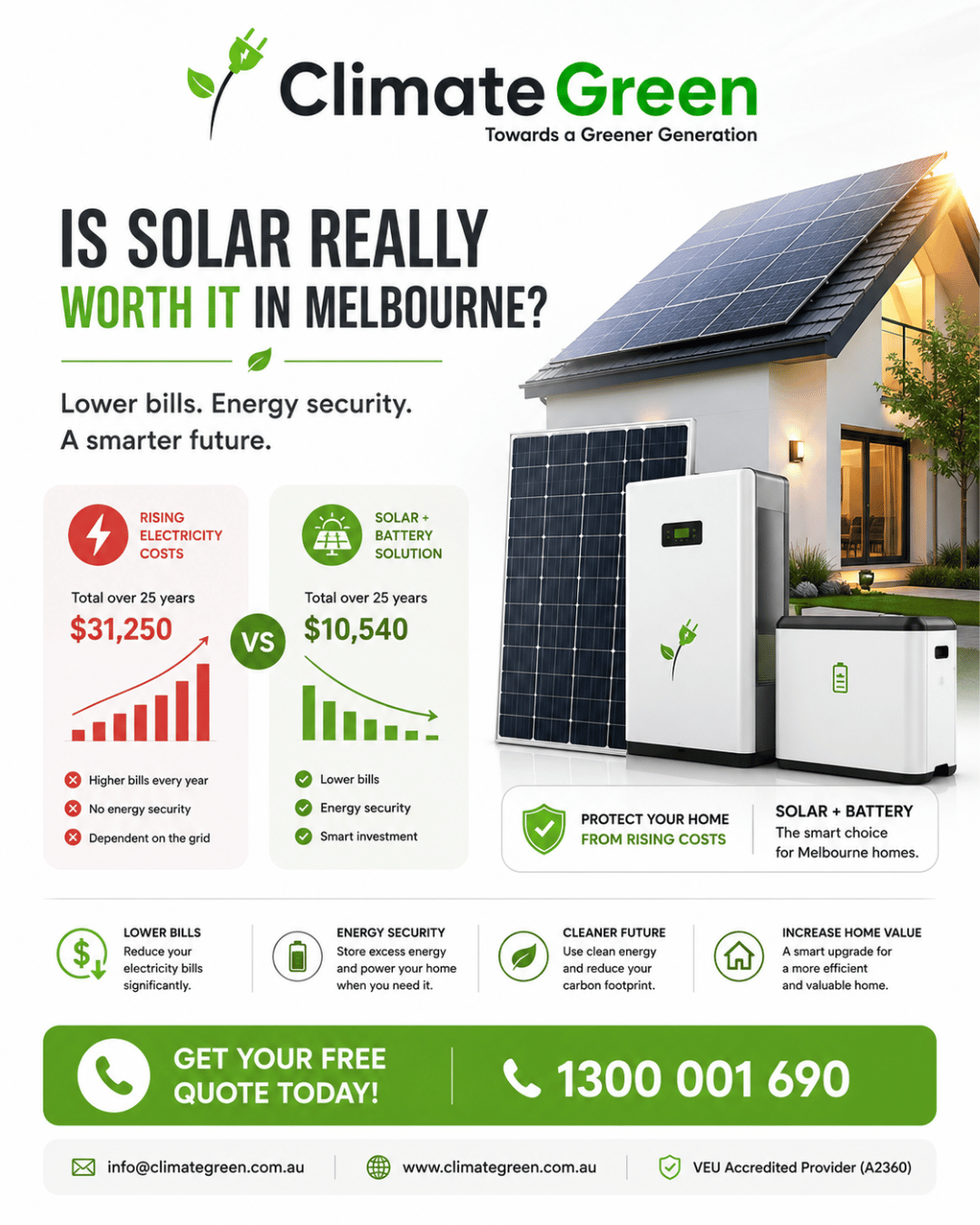
☀️ Is solar really worth it in Melbourne?
For many homeowners, the answer comes down to more than just saving on electricity bills. It's about creating a home that's more efficient, more comfortable and better prepared for the future.
By combining solar panels with battery storage, you can generate your own energy during the day, store what you don't use, and rely less on the grid when it matters most.
At Climate Green, we help Victorian homeowners find the right solution for their home—not a one-size-fits-all package.
Whether you're planning your first solar installation or looking to add battery storage, our experienced team is here to guide you every step of the way.
✔ Quality products from trusted brands
✔ Professional installation
✔ Government rebate guidance for eligible systems
✔ Local support you can rely on
📞 1300 001 690
📧 info@climategreen.com.au
🌐 www.climategreen.com.au
Take the next step towards a smarter, more energy-efficient home.
#ClimateGreen #SolarPanels #HomeBattery #SolarBattery #RenewableEnergy #MelbourneHomes #Victoria #EnergyEfficiency #CleanEnergy #LowerEnergyBills #SmartEnergy #SolarVictoria #VEU #SustainableLiving #FutureReadyHomes
For many homeowners, the answer comes down to more than just saving on electricity bills. It's about creating a home that's more efficient, more comfortable and better prepared for the future.
By combining solar panels with battery storage, you can generate your own energy during the day, store what you don't use, and rely less on the grid when it matters most.
At Climate Green, we help Victorian homeowners find the right solution for their home—not a one-size-fits-all package.
Whether you're planning your first solar installation or looking to add battery storage, our experienced team is here to guide you every step of the way.
✔ Quality products from trusted brands
✔ Professional installation
✔ Government rebate guidance for eligible systems
✔ Local support you can rely on
📞 1300 001 690
📧 info@climategreen.com.au
🌐 www.climategreen.com.au
Take the next step towards a smarter, more energy-efficient home.
#ClimateGreen #SolarPanels #HomeBattery #SolarBattery #RenewableEnergy #MelbourneHomes #Victoria #EnergyEfficiency #CleanEnergy #LowerEnergyBills #SmartEnergy #SolarVictoria #VEU #SustainableLiving #FutureReadyHomes
☀️ Is solar really worth it in Melbourne?
For many homeowners, the answer comes down to more than just saving on electricity bills. It's about creating a home that's more efficient, more comfortable and better prepared for the future.
By combining solar panels with battery storage, you can generate your own energy during the day, store what you don't use, and rely less on the grid when it matters most.
At Climate Green, we help Victorian homeowners find the right solution for their home—not a one-size-fits-all package.
Whether you're planning your first solar installation or looking to add battery storage, our experienced team is here to guide you every step of the way.
✔ Quality products from trusted brands
✔ Professional installation
✔ Government rebate guidance for eligible systems
✔ Local support you can rely on
📞 1300 001 690
📧 info@climategreen.com.au
🌐 www.climategreen.com.au
Take the next step towards a smarter, more energy-efficient home.
#ClimateGreen #SolarPanels #HomeBattery #SolarBattery #RenewableEnergy #MelbourneHomes #Victoria #EnergyEfficiency #CleanEnergy #LowerEnergyBills #SmartEnergy #SolarVictoria #VEU #SustainableLiving #FutureReadyHomes

 Arabic
 French
 Spanish
 Portuguese
 Deutsch
 Turkish
 Dutch
Dutch
 Italiano
 Russian
 Romaian
 Portuguese (Brazil)
 Greek
Greek