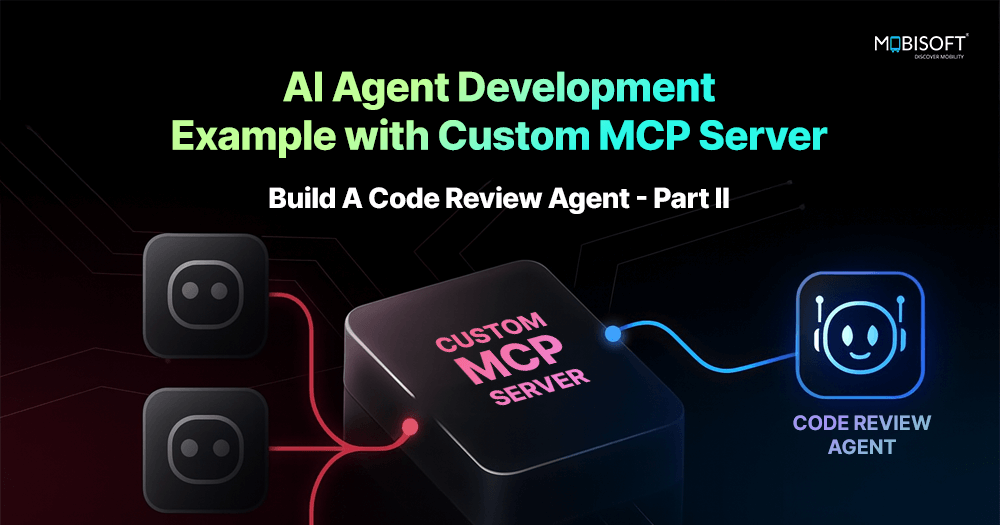
AI Agent Development Example with Custom MCP Server: Build A Code Review Agent – Part II
Welcome to Part 2!
Haven’t read Part I yet? Start here to understand how the AI-powered code review agent was built. We built all the core components for our AI agent example
Now in Part 2, we'll bring it all together by building the MCP server, configuring Claude Desktop, and testing our complete AI agent.
Table of Contents
Building the MCP Server
Configuring Claude Desktop
Testing Your Agent
Troubleshooting Common Issues
Next Steps
Building the MCP Server
Now we create the MCP server that ties everything together. This is the primary entry point through which Claude Desktop communicates.
What it does:
Exposes code review functionality as MCP tools, which Claude Desktop can call using natural language.
How it works:
Initializes FastMCP server with tool definitions
Each tool is decorated with @mcp.tool() to register it
Tools receive arguments, execute logic, and return JSON responses
Global state tracks active reviews for status queries
Available tools:
detect_tech: Identifies programming language from project file
get_available_checklists: Lists available YAML checklists
get_checklist: Retrieves specific checklist details
review_code: Executes full code review with progress tracking
get_review_status: Checks status of active/completed reviews
This process supports MCP server integration and helps streamline workflows in AI-powered software development.
Example tool implementation:
from mcp.server.fastmcp import FastMCP
mcp = FastMCP(name="Code Reviewer")
active_reviews = {}
@mcp.tool()
def detect_tech(project_path: str) -> str:
"""
Detect technology stack from a project file (e.g., package.json, pyproject.toml).
Args:
project_path: Absolute path to a project configuration file (not a directory)
Returns:
JSON string with detected technology, frameworks, and confidence
"""
try:
path = Path(project_path)
if path.is_dir():
return json.dumps({"error": "project_path must be a file, not a directory. ..."})
if not path.exists():
return json.dumps({"error": f"File does not exist: {project_path}", ...})
# Get the parent directory for detection
project_dir = str(path.parent)
result = detect_technology(project_dir)
return json.dumps(result, indent=2)
except Exception as e:
return json.dumps({"error": str(e), ...})
# Entry point
if __name__ == "__main__":
mcp.run()
Create the file:
Create main.py with the complete MCP server implementation, including all five tools:
detect_tech() (shown above as full example)
get_available_checklists() - Similar pattern, calls ChecklistEngine
get_checklist() - Similar pattern, loads and formats YAML
review_code() - Main review tool with progress callbacks
get_review_status() - Queries active_reviews dictionary
Note: Full implementation available in the GitHub repository.
After setting up your MCP server and exploring the available tools, learn how to integrate and test your MCP server setup with real-world AI agents through our expert MCP server development consultation services.
Read More: https://mobisoftinfotech.com/resources/blog/ai-development/ai-agent-development-mcp-server-integration-deployment
Welcome to Part 2!
Haven’t read Part I yet? Start here to understand how the AI-powered code review agent was built. We built all the core components for our AI agent example
Now in Part 2, we'll bring it all together by building the MCP server, configuring Claude Desktop, and testing our complete AI agent.
Table of Contents
Building the MCP Server
Configuring Claude Desktop
Testing Your Agent
Troubleshooting Common Issues
Next Steps
Building the MCP Server
Now we create the MCP server that ties everything together. This is the primary entry point through which Claude Desktop communicates.
What it does:
Exposes code review functionality as MCP tools, which Claude Desktop can call using natural language.
How it works:
Initializes FastMCP server with tool definitions
Each tool is decorated with @mcp.tool() to register it
Tools receive arguments, execute logic, and return JSON responses
Global state tracks active reviews for status queries
Available tools:
detect_tech: Identifies programming language from project file
get_available_checklists: Lists available YAML checklists
get_checklist: Retrieves specific checklist details
review_code: Executes full code review with progress tracking
get_review_status: Checks status of active/completed reviews
This process supports MCP server integration and helps streamline workflows in AI-powered software development.
Example tool implementation:
from mcp.server.fastmcp import FastMCP
mcp = FastMCP(name="Code Reviewer")
active_reviews = {}
@mcp.tool()
def detect_tech(project_path: str) -> str:
"""
Detect technology stack from a project file (e.g., package.json, pyproject.toml).
Args:
project_path: Absolute path to a project configuration file (not a directory)
Returns:
JSON string with detected technology, frameworks, and confidence
"""
try:
path = Path(project_path)
if path.is_dir():
return json.dumps({"error": "project_path must be a file, not a directory. ..."})
if not path.exists():
return json.dumps({"error": f"File does not exist: {project_path}", ...})
# Get the parent directory for detection
project_dir = str(path.parent)
result = detect_technology(project_dir)
return json.dumps(result, indent=2)
except Exception as e:
return json.dumps({"error": str(e), ...})
# Entry point
if __name__ == "__main__":
mcp.run()
Create the file:
Create main.py with the complete MCP server implementation, including all five tools:
detect_tech() (shown above as full example)
get_available_checklists() - Similar pattern, calls ChecklistEngine
get_checklist() - Similar pattern, loads and formats YAML
review_code() - Main review tool with progress callbacks
get_review_status() - Queries active_reviews dictionary
Note: Full implementation available in the GitHub repository.
After setting up your MCP server and exploring the available tools, learn how to integrate and test your MCP server setup with real-world AI agents through our expert MCP server development consultation services.
Read More: https://mobisoftinfotech.com/resources/blog/ai-development/ai-agent-development-mcp-server-integration-deployment
AI Agent Development Example with Custom MCP Server: Build A Code Review Agent – Part II
Welcome to Part 2!
Haven’t read Part I yet? Start here to understand how the AI-powered code review agent was built. We built all the core components for our AI agent example
Now in Part 2, we'll bring it all together by building the MCP server, configuring Claude Desktop, and testing our complete AI agent.
Table of Contents
Building the MCP Server
Configuring Claude Desktop
Testing Your Agent
Troubleshooting Common Issues
Next Steps
Building the MCP Server
Now we create the MCP server that ties everything together. This is the primary entry point through which Claude Desktop communicates.
What it does:
Exposes code review functionality as MCP tools, which Claude Desktop can call using natural language.
How it works:
Initializes FastMCP server with tool definitions
Each tool is decorated with @mcp.tool() to register it
Tools receive arguments, execute logic, and return JSON responses
Global state tracks active reviews for status queries
Available tools:
detect_tech: Identifies programming language from project file
get_available_checklists: Lists available YAML checklists
get_checklist: Retrieves specific checklist details
review_code: Executes full code review with progress tracking
get_review_status: Checks status of active/completed reviews
This process supports MCP server integration and helps streamline workflows in AI-powered software development.
Example tool implementation:
from mcp.server.fastmcp import FastMCP
mcp = FastMCP(name="Code Reviewer")
active_reviews = {}
@mcp.tool()
def detect_tech(project_path: str) -> str:
"""
Detect technology stack from a project file (e.g., package.json, pyproject.toml).
Args:
project_path: Absolute path to a project configuration file (not a directory)
Returns:
JSON string with detected technology, frameworks, and confidence
"""
try:
path = Path(project_path)
if path.is_dir():
return json.dumps({"error": "project_path must be a file, not a directory. ..."})
if not path.exists():
return json.dumps({"error": f"File does not exist: {project_path}", ...})
# Get the parent directory for detection
project_dir = str(path.parent)
result = detect_technology(project_dir)
return json.dumps(result, indent=2)
except Exception as e:
return json.dumps({"error": str(e), ...})
# Entry point
if __name__ == "__main__":
mcp.run()
Create the file:
Create main.py with the complete MCP server implementation, including all five tools:
detect_tech() (shown above as full example)
get_available_checklists() - Similar pattern, calls ChecklistEngine
get_checklist() - Similar pattern, loads and formats YAML
review_code() - Main review tool with progress callbacks
get_review_status() - Queries active_reviews dictionary
Note: Full implementation available in the GitHub repository.
After setting up your MCP server and exploring the available tools, learn how to integrate and test your MCP server setup with real-world AI agents through our expert MCP server development consultation services.
Read More: https://mobisoftinfotech.com/resources/blog/ai-development/ai-agent-development-mcp-server-integration-deployment
0 Reacties
0 aandelen
776 Views
0 voorbeeld

 English
 Arabic
 French
 Spanish
 Portuguese
 Deutsch
 Turkish
 Italiano
 Russian
 Romaian
 Portuguese (Brazil)
 Greek
Greek