
Sponsored
Introducing Anantya.ai, your trusted partner in business. We are here to help your company utilize the WhatsApp Business API effectively, providing you with intuitive features that will supercharge your WhatsApp Marketing efforts. Our platform offers Broadcasting to reach a wider audience, Automation for streamlining tasks, Live Chat for real-time interactions, WhatsApp Catalogues for showcasing products, and Click-to-WhatsApp Ads to drive targeted engagement. With Anantya.ai, you can make the most out of WhatsApp Business API and boost your business like never before.
Social Links
Search
Pinned Post
WhatsApp Business App v/s WhatsApp Business API: Which One’s Better?


Do you still think that WhatsApp can only be utilized for personal chats in 2025? Think again. WhatsApp might look like a normal messaging app, but for businesses, it’s the entire channel for communication. But the real surprise hits when they realise that WhatsApp isn’t just one powerful tool, but it comes with two powerful versions: WhatsApp Business App and WhatsApp Business API.

At first sight, both tools might trick businesses into believing that they offer the same set of features. But, a closer analysis reveals both are anything but similar. So, we’ll help you differentiate between both the tools so that you can clearly choose the one that fits your purpose.

WhatsApp Business App is the entry point for any small-scale business that is looking to step into the world of digital communication. This app is a free, standalone, mobile-based solution that allows business owners to manage their customer interactions without any hassle.

Meanwhile, the WhatsApp Business API is built for businesses that have outgrown the limits of basic regular apps. It elevates WhatsApp from a simple messaging tool to a complete communication infrastructure– enabling automated workflows, team-based chat management and bulk messaging that supports businesses to grow rapidly.

Let’s break down how both the tools differ from each other.

Differences between WhatsApp Business App and WhatsApp Business API

WhatsApp Business App

1. The app is ideal for small-scale businesses or local shops.
2. Can be accessed through a mobile app- download and use instantly.
3. The level of automation is very basic here (greetings and away messages)
4. The App is a free tool but it handles very less volume of messages.
5. Broadcasting is limited to 256 contacts only.
6. The App is not integrated with any software.

WhatsApp Business API

1. The API interface is ideal for medium to large enterprises, EdTech institutions.
2. It requires integration through a service provider.
3. API has a high, custom-based automation with chatbot support.
4. API is a paid platform but it handles a very high volume of messages every minute.
5. Broadcasting has no boundaries in API platforms.
6. API is integrated with CRM, ERP and dashboards.

Features of WhatsApp Business App

Quick Replies: The app saves time by instantly sending pre-set responses to common FAQs. This feature is perfect for small-scale businesses that need quick and smarter ways to stay connected with their customers.

Labels for Chats: The App allows users to categorize chats into new leads, pending orders and completed orders, so that they can stay organized without any complex tools.

Basic Catalog: Businesses can showcase their products/services inside the app, so that they can browse and engage instantly without leaving the chat.

Features of WhatsApp Business API

Chatbots & Automation: Smart chatbots can handle queries, share reminders, and render round-the-clock assistance so that no query goes unattended.

Multiple-Agent Support: Scale business conversations effortlessly with API, as it allows the entire team to manage chats across multiple devices.

Broadcast at Scale: Businesses can share promotional, informational or transactional messages to thousands within a click, that too with a personalized and human-touch.

Which tool should be chosen by a Small Business?

If you are a small business that is just starting out and handling a countable number of customer chats, the Business App is everything that you need to start with. It’s free, easy to use and a smart way to stay connected with your customers. But, the WhatsApp Business App has a few limitations. Though the App is a great choice for smaller teams, it becomes restrictive when your customer base expands.

That’s exactly when businesses level up with WhatsApp Business API– turning WhatsApp Business App limitations into timeless growth. The API benefits truly stand out, from muti-agent support to automated workflows, it helps businesses in managing conversations, send high-volume broadcasts and integrate CRMs to build a seamless customer journey.

If your business is growing and is ready to scale, leave traditional messaging behind and step into the world of automated and highly-converting customer journeys with Anantyaai. Here, you get an easy client onboarding, automated chatbots, campaign analytics and complete access to the API. Whether your aim is higher conversions or better customer engagement, Anantya has got your back.

Step into the future of customer interaction with Anantya today!

For more information kindly visit - https://anantya.ai/blog/whatsapp-business-app-vs-whatsapp-business-api/
WhatsApp Business App v/s WhatsApp Business API: Which One’s Better? Do you still think that WhatsApp can only be utilized for personal chats in 2025? Think again. WhatsApp might look like a normal messaging app, but for businesses, it’s the entire channel for communication. But the real surprise hits when they realise that WhatsApp isn’t just one powerful tool, but it comes with two powerful versions: WhatsApp Business App and WhatsApp Business API. At first sight, both tools might trick businesses into believing that they offer the same set of features. But, a closer analysis reveals both are anything but similar. So, we’ll help you differentiate between both the tools so that you can clearly choose the one that fits your purpose. WhatsApp Business App is the entry point for any small-scale business that is looking to step into the world of digital communication. This app is a free, standalone, mobile-based solution that allows business owners to manage their customer interactions without any hassle. Meanwhile, the WhatsApp Business API is built for businesses that have outgrown the limits of basic regular apps. It elevates WhatsApp from a simple messaging tool to a complete communication infrastructure– enabling automated workflows, team-based chat management and bulk messaging that supports businesses to grow rapidly. Let’s break down how both the tools differ from each other. Differences between WhatsApp Business App and WhatsApp Business API WhatsApp Business App 1. The app is ideal for small-scale businesses or local shops. 2. Can be accessed through a mobile app- download and use instantly. 3. The level of automation is very basic here (greetings and away messages) 4. The App is a free tool but it handles very less volume of messages. 5. Broadcasting is limited to 256 contacts only. 6. The App is not integrated with any software. WhatsApp Business API 1. The API interface is ideal for medium to large enterprises, EdTech institutions. 2. It requires integration through a service provider. 3. API has a high, custom-based automation with chatbot support. 4. API is a paid platform but it handles a very high volume of messages every minute. 5. Broadcasting has no boundaries in API platforms. 6. API is integrated with CRM, ERP and dashboards. Features of WhatsApp Business App Quick Replies: The app saves time by instantly sending pre-set responses to common FAQs. This feature is perfect for small-scale businesses that need quick and smarter ways to stay connected with their customers. Labels for Chats: The App allows users to categorize chats into new leads, pending orders and completed orders, so that they can stay organized without any complex tools. Basic Catalog: Businesses can showcase their products/services inside the app, so that they can browse and engage instantly without leaving the chat. Features of WhatsApp Business API Chatbots & Automation: Smart chatbots can handle queries, share reminders, and render round-the-clock assistance so that no query goes unattended. Multiple-Agent Support: Scale business conversations effortlessly with API, as it allows the entire team to manage chats across multiple devices. Broadcast at Scale: Businesses can share promotional, informational or transactional messages to thousands within a click, that too with a personalized and human-touch. Which tool should be chosen by a Small Business? If you are a small business that is just starting out and handling a countable number of customer chats, the Business App is everything that you need to start with. It’s free, easy to use and a smart way to stay connected with your customers. But, the WhatsApp Business App has a few limitations. Though the App is a great choice for smaller teams, it becomes restrictive when your customer base expands. That’s exactly when businesses level up with WhatsApp Business API– turning WhatsApp Business App limitations into timeless growth. The API benefits truly stand out, from muti-agent support to automated workflows, it helps businesses in managing conversations, send high-volume broadcasts and integrate CRMs to build a seamless customer journey. If your business is growing and is ready to scale, leave traditional messaging behind and step into the world of automated and highly-converting customer journeys with Anantyaai. Here, you get an easy client onboarding, automated chatbots, campaign analytics and complete access to the API. Whether your aim is higher conversions or better customer engagement, Anantya has got your back. Step into the future of customer interaction with Anantya today! For more information kindly visit - https://anantya.ai/blog/whatsapp-business-app-vs-whatsapp-business-api/

ANANTYA.AI
Whatsapp Business App vs Whatsapp Business API (2024)
Difference between the WhatsApp business app & whatsapp business API, Know which platform is best and fulfill your business requirements.
Like
1
0 Comments 0 Shares 815 Views 0 Reviews
Recent Updates
  • WhatsApp Analytics: Metrics That Actually Matter for Growth

    Are your Online Campaigns Failing?
    So you have invested in another online venture that's promised to increase your revenue by so and so. You shoot your target audience with ads, promos, and offers one after another. Some people respond, a few of them make a ****. But most of your campaigns are being ignored.

    Only if there was a way to have some insight into your customer’s experience with the offers and messages you send.

    Introducing WhatsApp Analytics, a feature that allows you to study customer behaviour. It’s a great tool for you to adjust your tactics to better engage with your clients. It’s not just about numbers — it’s about understanding how your audience reacts, engages, and converts.

    With the right whatsapp analytics, you can stop operating blindly and start making decisions backed by real interaction data.


    Metrics that matter initially
    If you are not aware of your campaign’s performance, how will you improvise? There is no room for hit-and-miss marketing anymore. Every decision is calculated to generate the most profit with the least amount of investment. Every ad to be targeted, every message to be delivered with intent.

    This enables you to not only target a specific audience, but to make them feel like you’re specially crafting your offers for them.

    This is where message metrics become your growth compass.

    Next time you’re planning a WhatsApp campaign, make sure to track these essential message metrics:


    Delivery Rate

    Did your message actually reach the customer? Low delivery may indicate invalid numbers, technical issues, or poor list hygiene.

    Read Rate

    Are users opening your messages? This reflects timing, relevance, and the effectiveness of your opening line.

    Reply Rate

    Are customers engaging in conversation? A read without reply signals interest without persuasion.

    CTR (Click-Through Rate)

    If your campaign includes links, are users clicking? This measures how compelling your offer truly is.

    Open Rate

    Are they even opening your texts?

    Response Rate

    How many recipients took any form of action — reply, click, or interaction?

    Conversion Rate

    The most critical outcome: how many interactions resulted in actual business results?

    Opt-Out Rate

    Are users unsubscribing? The most important message metric to help you stay relevant and keeps you from getting banned by Meta.

    Tracking these message metrics transforms Whatsapp campaigns into an insightful customer journey so you can determine the exact deal breaker point. Strong whatsapp analytics ensure you know exactly where users lose interest — and where they convert.

    Here are WhatsApp-specific KPIs that businesses must monitor:


    Customer Satisfaction (CSAT) Score
    Measured through post-chat surveys. Did the conversation actually solve the user’s problem?

    Average Conversation Length
    Too long may indicate confusion. Too short may signal disengagement.

    Campaign Success Rate
    Did the campaign achieve replies, conversions, or actions?

    Template Success Rate
    Are your templates getting approved by Meta and performing well in terms of getting responses or users report your messages as spam?

    Unlike email or social ads, WhatsApp KPIs focus on behaviour within conversations. That’s why whatsapp marketing analytics plays a crucial role — it connects engagement quality with business impact.


    How analytics improves ROI
    Without measurement, marketing becomes an expense. With whatsapp analytics, marketing becomes an investment.

    When you analyze whatsapp performance metrics, you can:

    1. Identify high-performing campaigns

    2. Drop ineffective messaging

    3. Optimize targeting and timing

    4. Improve personalization

    5. Reduce opt-outs

    6. Increase conversions


    Instead of sending more messages, you send smarter ones.

    For instance:

    If delivery is high but read rate is low → improve message preview

    If read rate is high but reply rate is low → refine CTA

    If replies are high but conversions are low → optimize sales flow


    Tracking with the Right Tools
    Imagine running a promotional campaign for a limited-time offer.


    A Worthy Iterative Process
    Growth is no longer about broadcasting louder. It’s about listening smarter.

    Businesses that leverage whatsapp analytics gain a decisive advantage — they understand customers, predict behaviour, and refine engagement continuously.

    Call Anantyaai to set up your WhatsApp Business Platform!

    For more information kindly visit - https://anantya.ai
    WhatsApp Analytics: Metrics That Actually Matter for Growth Are your Online Campaigns Failing? So you have invested in another online venture that's promised to increase your revenue by so and so. You shoot your target audience with ads, promos, and offers one after another. Some people respond, a few of them make a ****. But most of your campaigns are being ignored. Only if there was a way to have some insight into your customer’s experience with the offers and messages you send. Introducing WhatsApp Analytics, a feature that allows you to study customer behaviour. It’s a great tool for you to adjust your tactics to better engage with your clients. It’s not just about numbers — it’s about understanding how your audience reacts, engages, and converts. With the right whatsapp analytics, you can stop operating blindly and start making decisions backed by real interaction data. Metrics that matter initially If you are not aware of your campaign’s performance, how will you improvise? There is no room for hit-and-miss marketing anymore. Every decision is calculated to generate the most profit with the least amount of investment. Every ad to be targeted, every message to be delivered with intent. This enables you to not only target a specific audience, but to make them feel like you’re specially crafting your offers for them. This is where message metrics become your growth compass. Next time you’re planning a WhatsApp campaign, make sure to track these essential message metrics: Delivery Rate Did your message actually reach the customer? Low delivery may indicate invalid numbers, technical issues, or poor list hygiene. Read Rate Are users opening your messages? This reflects timing, relevance, and the effectiveness of your opening line. Reply Rate Are customers engaging in conversation? A read without reply signals interest without persuasion. CTR (Click-Through Rate) If your campaign includes links, are users clicking? This measures how compelling your offer truly is. Open Rate Are they even opening your texts? Response Rate How many recipients took any form of action — reply, click, or interaction? Conversion Rate The most critical outcome: how many interactions resulted in actual business results? Opt-Out Rate Are users unsubscribing? The most important message metric to help you stay relevant and keeps you from getting banned by Meta. Tracking these message metrics transforms Whatsapp campaigns into an insightful customer journey so you can determine the exact deal breaker point. Strong whatsapp analytics ensure you know exactly where users lose interest — and where they convert. Here are WhatsApp-specific KPIs that businesses must monitor: Customer Satisfaction (CSAT) Score Measured through post-chat surveys. Did the conversation actually solve the user’s problem? Average Conversation Length Too long may indicate confusion. Too short may signal disengagement. Campaign Success Rate Did the campaign achieve replies, conversions, or actions? Template Success Rate Are your templates getting approved by Meta and performing well in terms of getting responses or users report your messages as spam? Unlike email or social ads, WhatsApp KPIs focus on behaviour within conversations. That’s why whatsapp marketing analytics plays a crucial role — it connects engagement quality with business impact. How analytics improves ROI Without measurement, marketing becomes an expense. With whatsapp analytics, marketing becomes an investment. When you analyze whatsapp performance metrics, you can: 1. Identify high-performing campaigns 2. Drop ineffective messaging 3. Optimize targeting and timing 4. Improve personalization 5. Reduce opt-outs 6. Increase conversions Instead of sending more messages, you send smarter ones. For instance: If delivery is high but read rate is low → improve message preview If read rate is high but reply rate is low → refine CTA If replies are high but conversions are low → optimize sales flow Tracking with the Right Tools Imagine running a promotional campaign for a limited-time offer. A Worthy Iterative Process Growth is no longer about broadcasting louder. It’s about listening smarter. Businesses that leverage whatsapp analytics gain a decisive advantage — they understand customers, predict behaviour, and refine engagement continuously. Call Anantyaai to set up your WhatsApp Business Platform! For more information kindly visit - https://anantya.ai
    ANANTYA.AI
    Conversational Engagement Platform for Businesses | Anantya.ai
    Anantya.ai is your Smartest Conversational Engagement Platform for Marketing, Commerce and Support & get every channel on a single platform.
    Love
    1
    0 Comments 0 Shares 360 Views 0 Reviews
  • WhatsApp Privacy & Safety Requirements Every Business Needs

    WhatsApp Privacy & Safety requirements protect businesses from compliance violations and customer complaints. Understanding these essential rules helps maintain account health while building customer confidence. This guide explains spam definitions, consent protocols, data minimization, and security measures clearly. Anantya.ai offers reliable WhatsApp Privacy & Safety implementation with superior service quality. Learn about template approval processes, valid opt-in methods, third party data sharing rules, and regional compliance to create secure business messaging practices. Contact now!

    For more information kindly visit - https://anantya.ai/blog/whatsapp-privacy-safety-for-business/
    WhatsApp Privacy & Safety Requirements Every Business Needs WhatsApp Privacy & Safety requirements protect businesses from compliance violations and customer complaints. Understanding these essential rules helps maintain account health while building customer confidence. This guide explains spam definitions, consent protocols, data minimization, and security measures clearly. Anantya.ai offers reliable WhatsApp Privacy & Safety implementation with superior service quality. Learn about template approval processes, valid opt-in methods, third party data sharing rules, and regional compliance to create secure business messaging practices. Contact now! For more information kindly visit - https://anantya.ai/blog/whatsapp-privacy-safety-for-business/
    ANANTYA.AI
    WhatsApp Privacy & Safety for Business Guide | Anantya.ai
    WhatsApp privacy & safety for business explained with spam rules, consent, and compliance tips. Secure your account today with WhatsApp Business API.
    0 Comments 0 Shares 209 Views 0 Reviews
  • WhatsApp CRM Integration: Manage Leads Better in One Place

    Issue at hand: Excel and WhatsApp don't see eye to eye

    Forget about typing lead information manually, one by one, into your Excel sheets. If youre thinking about selling your services/products globally… how many people will you hire to clean your database and generate eligible prospects to follow up on?

    Imagine this. A new text pops up. “Hello”, and within seconds you get their number, name, and generalised location. A dedicated workflow that allows you to understand their intent, and guess what? Zero manual effort required.

    Anantyaai, a leading communication engagement platform in India, offers CRM integration and **** more to create a customized experience specifically tailored to your business.


    WhatsApp: From Conversations to Generating Leads

    Anyone running a business receives thousands of enquiries via phone calls and text messages every day. If you’re a successful business, this number might be in the millions.

    Enterprises use CRM systems to handle their lead journeys. Manually logging in the details- who is handling the leads, what's the progression looking like, and overall stats and analysis is done manually by the sales team.

    Combining WhatsApp’s familiarity to engage with customers while storing their required data automatically in your system is the basic ideology behind CRM Integration into WhatsApp for lead capturing.


    How lead syncing works

    A CRM integrated with a WhatsApp Business account acts as the control center for all customer conversations and lead activity. Instead of chats living in individual inboxes, every interaction is captured, organized, and tracked inside a single dashboard—making it easier for teams to respond, assign ownership, and follow up with context.

    Within this system, leads typically fall into two categories: inbound and outbound. Inbound leads are prospects who initiate contact by messaging your business on WhatsApp—often driven by ads, website links, or organic discovery.

    Outbound leads come from campaigns where businesses proactively reach out to potential customers to generate interest and conversions. A WhatsApp CRM brings both lead types together, allowing teams to manage journeys, measure performance, and move prospects smoothly from first message to conversion.


    Managing Pre-sales, Post-sales & After-hours

    Another major challenge teams face without CRM integration is simply keeping up with customer conversations. Messages get missed, follow-ups are delayed, and important context is lost as chats pile up across devices and team members.

    By capturing and organizing WhatsApp leads within a unified system, businesses can ensure faster response times, improved customer experiences, and better lead conversion outcomes. Be it healthcare, edtech, or e-commerce, Anantyaai is there to build the perfect automated environment to better manage WhatsApp leads in one place!


    Tools and Integrations Commonly Used for WhatsApp CRM

    To unlock the full potential of WhatsApp CRM, businesses commonly integrate tools such as HubSpot, Zoho CRM, Salesforce, Google Sheets, payment gateways, chatbot builders, and marketing automation platforms.

    This CRM integration ensures that customer data, chat history, and lead details flow seamlessly between systems, eliminating manual data entry and reducing response delays. By connecting WhatsApp Business with these tools, teams can capture leads instantly, assign ownership, and track every interaction from a single interface.


    The real WhatsApp CRM integration benefits show up when everything runs from a single dashboard—faster responses, better visibility, and smoother collaboration across teams. With Anantyaai, this CRM integration helps businesses scale customer engagement without adding manual effort, making WhatsApp CRM a powerful system for managing conversations and driving growth efficiently.


    FAQs

    What is WhatsApp CRM?

    WhatsApp CRM is the integration of WhatsApp with a CRM system to automatically capture, store, and manage customer conversations and lead data.


    What are the benefits of WhatsApp CRM integration?

    Key benefits include faster lead capture, improved follow-ups, better data accuracy, and centralized visibility across teams.


    How is WhatsApp supporting chat automation?

    Through WhatsApp Business API, businesses can automate replies, lead routing, and data syncing using predefined workflows.


    What are some use cases of WhatsApp CRM?

    Common use cases include sales lead management, customer support, automated follow-ups, campaign responses, and post-sales engagement.

    For more information kindly visit - https://anantya.ai/
    WhatsApp CRM Integration: Manage Leads Better in One Place Issue at hand: Excel and WhatsApp don't see eye to eye Forget about typing lead information manually, one by one, into your Excel sheets. If youre thinking about selling your services/products globally… how many people will you hire to clean your database and generate eligible prospects to follow up on? Imagine this. A new text pops up. “Hello”, and within seconds you get their number, name, and generalised location. A dedicated workflow that allows you to understand their intent, and guess what? Zero manual effort required. Anantyaai, a leading communication engagement platform in India, offers CRM integration and **** more to create a customized experience specifically tailored to your business. WhatsApp: From Conversations to Generating Leads Anyone running a business receives thousands of enquiries via phone calls and text messages every day. If you’re a successful business, this number might be in the millions. Enterprises use CRM systems to handle their lead journeys. Manually logging in the details- who is handling the leads, what's the progression looking like, and overall stats and analysis is done manually by the sales team. Combining WhatsApp’s familiarity to engage with customers while storing their required data automatically in your system is the basic ideology behind CRM Integration into WhatsApp for lead capturing. How lead syncing works A CRM integrated with a WhatsApp Business account acts as the control center for all customer conversations and lead activity. Instead of chats living in individual inboxes, every interaction is captured, organized, and tracked inside a single dashboard—making it easier for teams to respond, assign ownership, and follow up with context. Within this system, leads typically fall into two categories: inbound and outbound. Inbound leads are prospects who initiate contact by messaging your business on WhatsApp—often driven by ads, website links, or organic discovery. Outbound leads come from campaigns where businesses proactively reach out to potential customers to generate interest and conversions. A WhatsApp CRM brings both lead types together, allowing teams to manage journeys, measure performance, and move prospects smoothly from first message to conversion. Managing Pre-sales, Post-sales & After-hours Another major challenge teams face without CRM integration is simply keeping up with customer conversations. Messages get missed, follow-ups are delayed, and important context is lost as chats pile up across devices and team members. By capturing and organizing WhatsApp leads within a unified system, businesses can ensure faster response times, improved customer experiences, and better lead conversion outcomes. Be it healthcare, edtech, or e-commerce, Anantyaai is there to build the perfect automated environment to better manage WhatsApp leads in one place! Tools and Integrations Commonly Used for WhatsApp CRM To unlock the full potential of WhatsApp CRM, businesses commonly integrate tools such as HubSpot, Zoho CRM, Salesforce, Google Sheets, payment gateways, chatbot builders, and marketing automation platforms. This CRM integration ensures that customer data, chat history, and lead details flow seamlessly between systems, eliminating manual data entry and reducing response delays. By connecting WhatsApp Business with these tools, teams can capture leads instantly, assign ownership, and track every interaction from a single interface. The real WhatsApp CRM integration benefits show up when everything runs from a single dashboard—faster responses, better visibility, and smoother collaboration across teams. With Anantyaai, this CRM integration helps businesses scale customer engagement without adding manual effort, making WhatsApp CRM a powerful system for managing conversations and driving growth efficiently. FAQs What is WhatsApp CRM? WhatsApp CRM is the integration of WhatsApp with a CRM system to automatically capture, store, and manage customer conversations and lead data. What are the benefits of WhatsApp CRM integration? Key benefits include faster lead capture, improved follow-ups, better data accuracy, and centralized visibility across teams. How is WhatsApp supporting chat automation? Through WhatsApp Business API, businesses can automate replies, lead routing, and data syncing using predefined workflows. What are some use cases of WhatsApp CRM? Common use cases include sales lead management, customer support, automated follow-ups, campaign responses, and post-sales engagement. For more information kindly visit - https://anantya.ai/
    ANANTYA.AI
    Conversational Engagement Platform for Businesses | Anantya.ai
    Anantya.ai is your Smartest Conversational Engagement Platform for Marketing, Commerce and Support & get every channel on a single platform.
    0 Comments 0 Shares 479 Views 0 Reviews
  • WhatsApp Chatbot vs Live Agent: Which One to Use & When?

    In today’s episode of Which Sector Is Being Taken Over by AI, we got CRM! Businesses cannot afford to lose customers anymore, which requires making their services available round the clock. How does one achieve that without hiring a time-bound support team?

    WhatsApp Chatbots offer benefits such as reduced operational costs and full-time chat support for better customer engagement. This ensures that your clients are never left high and dry in their time of need, whether it’s 12 AM or PM.

    The major factor why businesses cannot fully rely on chat automation yet is its lack of understanding of human complexity. So how do businesses decide the level at which human intervention is necessary?


    Volume vs Value?
    Live Agents have an edge when it comes to handling complex issues that require human understanding. It shows how your business caters to the clients’ needs with empathy and sound judgement.

    Where a high amount of users with repetitive queries, such as status updates and product information, are concerned, chat automation is the way to go. SME’s and large corporations, from bakeries to banks, each

    sector needs certain amount of automation to run their business while keeping customer engagement and retention as a priority.


    Where WhatsApp Chatbots are taking over
    WhatsApp allows you to automate your business and ensure a smooth online user experience for your clients. It’s upto the business’ size and requirement, to what extent one must allow automation.

    With Anantya.ai’ s team, enterprises are building solutions tailored to their needs. A hassle-free flow of scaling gradually—starting with simple automation and evolving into more advanced workflows as needs grow.


    Level 1: Foundational Automation

    Answering FAQs such as pricing, store hours, service availability, and delivery timelines

    Handling customer enquiries outside business hours


    Level 2: Operational Automation

    Sending order confirmations, payment updates, and shipping notifications

    Booking or rescheduling appointments


    Level 3: Growth-Focused Automation

    Collecting and qualifying lead information through guided menus

    This structured approach allows businesses to adopt automation at their own pace— while maintaining control over customer experience at every stage.


    Why humans won’t be replaced… in this decade atleast
    Live agents become essential when customer conversations move beyond predefined flows. These interactions typically involve higher intent, greater complexity, or emotional sensitivity—areas where human judgment and adaptability matter most.


    High-Impact Live Agent Scenarios
    Handling complaints, escalations, and refund-related conversations

    Responding to custom pricing requests or negotiation-based enquiries

    Managing payment disputes or service-related issues

    Addressing sensitive or personal customer information

    Closing high-value, trust-driven sales conversations

    Building a long-term relationship resulting in customer loyalty.

    By stepping in at the right moments, live agents help preserve customer trust while ensuring complex issues are resolved effectively.


    Cost and Efficiency
    Aspects ChatBot Live Agent

    Availability - Instant Replies- 24*7, Limited to business hours

    Benefits - High-volume queries are handled at the snap of fingers , Offers an empathetic and deeper understanding of your client’s issues

    Constraints - Designed to operate within defined workflows, Most effective when engaged selectively for high-intent conversations

    Cost - Budget- Friendly for SMEs; around $30 to $150, Between $1,200 to $4000 is the average cost for hiring and training a CRM team

    Customer Response - Instant acknowledgement, task-focused conversations, Longer conversations, higher engagement and trust

    A confluence of technology and human expertise
    As far as the development of the perfect model is concerned, a hybrid chatbot-and-agent setup ensures efficiency without compromising customer experience.

    Fully optimise your operations with continuous availability by integrating chat automation. Enable WhatsApp chatbots to take care of high-volume repetitive queries and manage initial conversations with your clients. While Live Agents focus on solving more complex issues that requires human to human interaction.

    Results? A swift and meticulous approach towards exceptional CX.

    Don't bother with the question of its implementation. Ensure quick replies + high-value conversations among your clients for a positive brand experience with Anantyaai.

    For more information kindly visit - https://anantya.ai/automated-chatbot/
    WhatsApp Chatbot vs Live Agent: Which One to Use & When? In today’s episode of Which Sector Is Being Taken Over by AI, we got CRM! Businesses cannot afford to lose customers anymore, which requires making their services available round the clock. How does one achieve that without hiring a time-bound support team? WhatsApp Chatbots offer benefits such as reduced operational costs and full-time chat support for better customer engagement. This ensures that your clients are never left high and dry in their time of need, whether it’s 12 AM or PM. The major factor why businesses cannot fully rely on chat automation yet is its lack of understanding of human complexity. So how do businesses decide the level at which human intervention is necessary? Volume vs Value? Live Agents have an edge when it comes to handling complex issues that require human understanding. It shows how your business caters to the clients’ needs with empathy and sound judgement. Where a high amount of users with repetitive queries, such as status updates and product information, are concerned, chat automation is the way to go. SME’s and large corporations, from bakeries to banks, each sector needs certain amount of automation to run their business while keeping customer engagement and retention as a priority. Where WhatsApp Chatbots are taking over WhatsApp allows you to automate your business and ensure a smooth online user experience for your clients. It’s upto the business’ size and requirement, to what extent one must allow automation. With Anantya.ai’ s team, enterprises are building solutions tailored to their needs. A hassle-free flow of scaling gradually—starting with simple automation and evolving into more advanced workflows as needs grow. Level 1: Foundational Automation Answering FAQs such as pricing, store hours, service availability, and delivery timelines Handling customer enquiries outside business hours Level 2: Operational Automation Sending order confirmations, payment updates, and shipping notifications Booking or rescheduling appointments Level 3: Growth-Focused Automation Collecting and qualifying lead information through guided menus This structured approach allows businesses to adopt automation at their own pace— while maintaining control over customer experience at every stage. Why humans won’t be replaced… in this decade atleast Live agents become essential when customer conversations move beyond predefined flows. These interactions typically involve higher intent, greater complexity, or emotional sensitivity—areas where human judgment and adaptability matter most. High-Impact Live Agent Scenarios Handling complaints, escalations, and refund-related conversations Responding to custom pricing requests or negotiation-based enquiries Managing payment disputes or service-related issues Addressing sensitive or personal customer information Closing high-value, trust-driven sales conversations Building a long-term relationship resulting in customer loyalty. By stepping in at the right moments, live agents help preserve customer trust while ensuring complex issues are resolved effectively. Cost and Efficiency Aspects ChatBot Live Agent Availability - Instant Replies- 24*7, Limited to business hours Benefits - High-volume queries are handled at the snap of fingers , Offers an empathetic and deeper understanding of your client’s issues Constraints - Designed to operate within defined workflows, Most effective when engaged selectively for high-intent conversations Cost - Budget- Friendly for SMEs; around $30 to $150, Between $1,200 to $4000 is the average cost for hiring and training a CRM team Customer Response - Instant acknowledgement, task-focused conversations, Longer conversations, higher engagement and trust A confluence of technology and human expertise As far as the development of the perfect model is concerned, a hybrid chatbot-and-agent setup ensures efficiency without compromising customer experience. Fully optimise your operations with continuous availability by integrating chat automation. Enable WhatsApp chatbots to take care of high-volume repetitive queries and manage initial conversations with your clients. While Live Agents focus on solving more complex issues that requires human to human interaction. Results? A swift and meticulous approach towards exceptional CX. Don't bother with the question of its implementation. Ensure quick replies + high-value conversations among your clients for a positive brand experience with Anantyaai. For more information kindly visit - https://anantya.ai/automated-chatbot/
    ANANTYA.AI
    Whatsapp Chatbot for Business | No-Code Chatbot Builder
    Build Whatsapp Chatbot within a few minutes from Anantya.ai's no-code chatbot builder. You can automate chat between customers & Organisations.
    0 Comments 0 Shares 505 Views 0 Reviews
  • WhatsApp Notifications vs Promotional Messages: What’s Allowed?

    Businesses using WhatsApp for customer engagement often get stuck on one common question: the confusion between notification and promotion. Which messages function as notifications and which messages serve as promotions? More importantly; what’s actually allowed?

    With strict policies in place, misunderstanding the difference between whatsapp notifications and promotional messages can lead to rejected templates or even account restrictions. This guide breaks it down in simple terms, without jargon, so you know exactly what to send—and what not to.


    Why there’s so **** Confusion

    At first glance, all business messages on WhatsApp look similar. They’re sent to customers, they share information, and they often use message templates. But WhatsApp clearly separates informational communication from marketing.

    Many businesses accidentally send promotional content as whatsapp notifications, which is against whatsapp notification rules. The organization needs to understand every message's intention because this knowledge protects them from violations.


    What Are Transactional (Notification) Messages?

    Transactional messages also called notifications- are purely informational. Their purpose is to update the customer about something they’ve already opted into or initiated.

    Common examples of whatsapp notifications include:

    Order confirmations

    Payment receipts

    Shipping or delivery updates

    Appointment reminders

    Account or service alerts

    These messages are not meant to sell. They simply inform. As long as the content is relevant and expected, whatsapp notifications are allowed and usually approved quickly.

    To send them, businesses must use pre-approved message templates, especially when messaging customers outside the 24-hour window.


    What Counts as Promotional Messages?

    Promotional messages are designed to market, sell, or persuade. These messages aim to drive purchases, upsells, or engagement.

    Examples of promotional messages include:

    Discounts and special offers

    New product launches

    Festival or seasonal sales

    Re-engagement campaigns

    WhatsApp allows promotional messages, but under strict conditions. You must follow the promotional whatsapp messages policy, which includes proper user opt-in and approved message templates.

    Sending promotional content without consent or disguising it as whatsapp notifications is one of the most common mistakes businesses make.


    Template Approval: The Basics You Must Know

    Every business-initiated message on WhatsApp must use approved message templates. During approval, WhatsApp checks:

    Message intent (notification vs promotion)

    Language clarity

    No misleading claims

    Compliance with user consent

    For example, a shipping update is likely to be approved as a notification. But if you add a discount link to that same message, it may get rejected as a promotional violation.

    Understanding this approval process helps ensure your whatsapp notifications and promotional messages don’t get blocked.


    Examples: Allowed vs Blocked Messages

    Let’s make this clearer with real-world style examples.

    Allowed Messages

    “Your order #4567 has been shipped and will arrive tomorrow.”

    “Your payment was successful. Invoice attached.”

    These are clean whatsapp notifications with no marketing intent.

    Blocked Messages

    “Your order is shipped! Get 20% off your next purchase-shop now.”

    “Your account is active. Check out our premium plan today.”

    Even though these look informational, they mix promotion into notifications, which violates policy.

    Keeping promotional messages separate from whatsapp notifications is essential for approval.


    Why This Matters for Businesses

    Non-compliant messaging doesn’t just cause rejections, it can affect message delivery rates and even suspend your account. Following whatsapp notification rules protects your business and builds customer trust.

    Customers are more receptive when they know notifications are useful and promotions are sent responsibly. Clear separation improves engagement across both types of communication.


    Send Compliant Messages with Confidence

    Managing policies, approvals, and formats manually can get complicated. That’s where the right platform helps.

    Use compliant templates with Anantya to send approved message templates, follow policy automatically, and confidently deliver both whatsapp notifications and promotional messages, without the risk of rejection.

    When compliance is handled right, WhatsApp becomes one of the most reliable communication channels your business can use.

    For more information kindly visit - https://anantya.ai/
    WhatsApp Notifications vs Promotional Messages: What’s Allowed? Businesses using WhatsApp for customer engagement often get stuck on one common question: the confusion between notification and promotion. Which messages function as notifications and which messages serve as promotions? More importantly; what’s actually allowed? With strict policies in place, misunderstanding the difference between whatsapp notifications and promotional messages can lead to rejected templates or even account restrictions. This guide breaks it down in simple terms, without jargon, so you know exactly what to send—and what not to. Why there’s so **** Confusion At first glance, all business messages on WhatsApp look similar. They’re sent to customers, they share information, and they often use message templates. But WhatsApp clearly separates informational communication from marketing. Many businesses accidentally send promotional content as whatsapp notifications, which is against whatsapp notification rules. The organization needs to understand every message's intention because this knowledge protects them from violations. What Are Transactional (Notification) Messages? Transactional messages also called notifications- are purely informational. Their purpose is to update the customer about something they’ve already opted into or initiated. Common examples of whatsapp notifications include: Order confirmations Payment receipts Shipping or delivery updates Appointment reminders Account or service alerts These messages are not meant to sell. They simply inform. As long as the content is relevant and expected, whatsapp notifications are allowed and usually approved quickly. To send them, businesses must use pre-approved message templates, especially when messaging customers outside the 24-hour window. What Counts as Promotional Messages? Promotional messages are designed to market, sell, or persuade. These messages aim to drive purchases, upsells, or engagement. Examples of promotional messages include: Discounts and special offers New product launches Festival or seasonal sales Re-engagement campaigns WhatsApp allows promotional messages, but under strict conditions. You must follow the promotional whatsapp messages policy, which includes proper user opt-in and approved message templates. Sending promotional content without consent or disguising it as whatsapp notifications is one of the most common mistakes businesses make. Template Approval: The Basics You Must Know Every business-initiated message on WhatsApp must use approved message templates. During approval, WhatsApp checks: Message intent (notification vs promotion) Language clarity No misleading claims Compliance with user consent For example, a shipping update is likely to be approved as a notification. But if you add a discount link to that same message, it may get rejected as a promotional violation. Understanding this approval process helps ensure your whatsapp notifications and promotional messages don’t get blocked. Examples: Allowed vs Blocked Messages Let’s make this clearer with real-world style examples. Allowed Messages “Your order #4567 has been shipped and will arrive tomorrow.” “Your payment was successful. Invoice attached.” These are clean whatsapp notifications with no marketing intent. Blocked Messages “Your order is shipped! Get 20% off your next purchase-shop now.” “Your account is active. Check out our premium plan today.” Even though these look informational, they mix promotion into notifications, which violates policy. Keeping promotional messages separate from whatsapp notifications is essential for approval. Why This Matters for Businesses Non-compliant messaging doesn’t just cause rejections, it can affect message delivery rates and even suspend your account. Following whatsapp notification rules protects your business and builds customer trust. Customers are more receptive when they know notifications are useful and promotions are sent responsibly. Clear separation improves engagement across both types of communication. Send Compliant Messages with Confidence Managing policies, approvals, and formats manually can get complicated. That’s where the right platform helps. 👉 Use compliant templates with Anantya to send approved message templates, follow policy automatically, and confidently deliver both whatsapp notifications and promotional messages, without the risk of rejection. When compliance is handled right, WhatsApp becomes one of the most reliable communication channels your business can use. For more information kindly visit - https://anantya.ai/
    ANANTYA.AI
    Conversational Engagement Platform for Businesses | Anantya.ai
    Anantya.ai is your Smartest Conversational Engagement Platform for Marketing, Commerce and Support & get every channel on a single platform.
    0 Comments 0 Shares 380 Views 0 Reviews
  • Drive Sales Growth Using WhatsApp Business API Features

    WhatsApp Business API is a business communication tool that facilitates direct sales conversations and customer relationship building through messaging automation and personalization. Major benefits include increased conversion rates, simplified order processing, product catalog sharing, and payment integration capabilities. It particularly benefits e-commerce businesses, retail chains, direct-to-consumer brands, and sales-driven organizations looking to boost revenue. Anantya.ai provides comprehensive WhatsApp Business API services, enabling businesses to leverage WhatsApp marketing tools, commerce capabilities, and automated workflows that transform customer interactions into profitable business outcomes. Contact now!

    For more information kindly visit - https://anantya.ai/whatsapp-business-api/
    Drive Sales Growth Using WhatsApp Business API Features WhatsApp Business API is a business communication tool that facilitates direct sales conversations and customer relationship building through messaging automation and personalization. Major benefits include increased conversion rates, simplified order processing, product catalog sharing, and payment integration capabilities. It particularly benefits e-commerce businesses, retail chains, direct-to-consumer brands, and sales-driven organizations looking to boost revenue. Anantya.ai provides comprehensive WhatsApp Business API services, enabling businesses to leverage WhatsApp marketing tools, commerce capabilities, and automated workflows that transform customer interactions into profitable business outcomes. Contact now! For more information kindly visit - https://anantya.ai/whatsapp-business-api/
    0 Comments 0 Shares 264 Views 0 Reviews
  • The email support system worked just fine in the recent past. Customers sent a query, waited a few hours, and got a reply. But today however, that expectation has changed completely. Most customers now ask the same thing: “Why is the support so slow in responding?”

    Email support has become frustrating for customers and support teams because of three main issues which include inbox overload and long ticket queues and delayed response times. That’s exactly why more businesses are moving toward whatsapp customer support as their primary support channel.


    Why Email Feels Too Slow Today
    Email doesn’t work well for fast, two-way conversations as it was never meant for instant replies. Messages get buried, replies take time, and every follow-up adds more delay. This system just doesn’t work anymore, when it comes to urgent matters which require immediate attention.

    On the other hand, whatsapp customer support feels instant. Customers know their message has been delivered, and businesses can automate frequently asked questions or reply to complex issues in real time.

    This shift toward customer support chat is happening because in today’s fast paced world, nobody has the time to wait; people want quick answers, not long email threads.


    What Makes WhatsApp Better for Customer Support?
    WhatsApp is already part of everyday life, which makes it a natural choice for support. Customers don’t need to learn a new system or log into a portal, they just send a text, where they are comfortable and is also the most used app.

    Some clear benefits of whatsapp support include:


    Faster replies compared to email

    Higher message open rates

    Easy sharing of images, videos, and documents

    A more personal, conversational experience

    These whatsapp customer service benefits help businesses build trust. When support feels easy and friendly, customers are more likely to stay loyal. This is why whatsapp customer support is quickly replacing email for many brands.


    Live Chat vs Bot Support: What Works Better?
    One common question is whether support should be handled by humans or bots. The truth is, BOTH! Bot and manual replies, both have their own place and importance in whatsapp support.

    Live agents are best for complex problems, emotional conversations, or high-value customers. A real-time customer support chat with a human makes customers feel heard, understood and important.

    Bots, on the other hand, are perfect for repetitive tasks; order tracking, FAQs, appointment confirmations, or basic troubleshooting. With whatsapp support automation, businesses can reply instantly without increasing team size.

    The most effective setup is a mix of both. Bots handle the routine questions, and agents step in when needed. This balance keeps whatsapp customer support fast without losing the human touch.


    Response Time and Customer Satisfaction Go Hand in Hand
    Customer’s evaluation of support quality depends mainly on the turn around time, as in, how long it takes for them to receive a response to their query. Response time plays a huge role in how customers judge support quality. With email, first responses often take 12–24 hours, sometimes longer.

    With whatsapp customer support, they usually receive instant replies. Messages are seen faster, conversations flow naturally, and issues get resolved quicker. This directly improves customer satisfaction scores.

    A quick customer support chat can turn a frustrated customer into a loyal one. That’s something email struggles to achieve in today’s always-online world.


    What this Means for Small Businesses
    Small businesses often don’t have large customer support teams. Managing email tickets can quickly become overwhelming, leading to missed queries and unhappy customers.

    Whatsapp support is the most practical and proven solution. Even a simple setup helps businesses respond faster and manage more conversations without any extra effort. Automation can be added gradually as the business grows.

    By adopting whatsapp customer support, small businesses can offer professional, modern support without increasing their operational costs.


    Make Customer Support Faster with Anantyaai
    Customer expectations have changed, and email alone can’t keep up anymore. If you want faster responses, better conversations, and scalable support, WhatsApp is the right channel.

    Try WhatsApp support automation by Anantyaai and turn your whatsapp customer support into a smooth, always-available experience your customers will actually enjoy.

    For more information kindly visit - https://anantya.ai/
    The email support system worked just fine in the recent past. Customers sent a query, waited a few hours, and got a reply. But today however, that expectation has changed completely. Most customers now ask the same thing: “Why is the support so slow in responding?” Email support has become frustrating for customers and support teams because of three main issues which include inbox overload and long ticket queues and delayed response times. That’s exactly why more businesses are moving toward whatsapp customer support as their primary support channel. Why Email Feels Too Slow Today Email doesn’t work well for fast, two-way conversations as it was never meant for instant replies. Messages get buried, replies take time, and every follow-up adds more delay. This system just doesn’t work anymore, when it comes to urgent matters which require immediate attention. On the other hand, whatsapp customer support feels instant. Customers know their message has been delivered, and businesses can automate frequently asked questions or reply to complex issues in real time. This shift toward customer support chat is happening because in today’s fast paced world, nobody has the time to wait; people want quick answers, not long email threads. What Makes WhatsApp Better for Customer Support? WhatsApp is already part of everyday life, which makes it a natural choice for support. Customers don’t need to learn a new system or log into a portal, they just send a text, where they are comfortable and is also the most used app. Some clear benefits of whatsapp support include: Faster replies compared to email Higher message open rates Easy sharing of images, videos, and documents A more personal, conversational experience These whatsapp customer service benefits help businesses build trust. When support feels easy and friendly, customers are more likely to stay loyal. This is why whatsapp customer support is quickly replacing email for many brands. Live Chat vs Bot Support: What Works Better? One common question is whether support should be handled by humans or bots. The truth is, BOTH! Bot and manual replies, both have their own place and importance in whatsapp support. Live agents are best for complex problems, emotional conversations, or high-value customers. A real-time customer support chat with a human makes customers feel heard, understood and important. Bots, on the other hand, are perfect for repetitive tasks; order tracking, FAQs, appointment confirmations, or basic troubleshooting. With whatsapp support automation, businesses can reply instantly without increasing team size. The most effective setup is a mix of both. Bots handle the routine questions, and agents step in when needed. This balance keeps whatsapp customer support fast without losing the human touch. Response Time and Customer Satisfaction Go Hand in Hand Customer’s evaluation of support quality depends mainly on the turn around time, as in, how long it takes for them to receive a response to their query. Response time plays a huge role in how customers judge support quality. With email, first responses often take 12–24 hours, sometimes longer. With whatsapp customer support, they usually receive instant replies. Messages are seen faster, conversations flow naturally, and issues get resolved quicker. This directly improves customer satisfaction scores. A quick customer support chat can turn a frustrated customer into a loyal one. That’s something email struggles to achieve in today’s always-online world. What this Means for Small Businesses Small businesses often don’t have large customer support teams. Managing email tickets can quickly become overwhelming, leading to missed queries and unhappy customers. Whatsapp support is the most practical and proven solution. Even a simple setup helps businesses respond faster and manage more conversations without any extra effort. Automation can be added gradually as the business grows. By adopting whatsapp customer support, small businesses can offer professional, modern support without increasing their operational costs. Make Customer Support Faster with Anantyaai Customer expectations have changed, and email alone can’t keep up anymore. If you want faster responses, better conversations, and scalable support, WhatsApp is the right channel. Try WhatsApp support automation by Anantyaai and turn your whatsapp customer support into a smooth, always-available experience your customers will actually enjoy. For more information kindly visit - https://anantya.ai/
    ANANTYA.AI
    Conversational Engagement Platform for Businesses | Anantya.ai
    Anantya.ai is your Smartest Conversational Engagement Platform for Marketing, Commerce and Support & get every channel on a single platform.
    Love
    1
    0 Comments 0 Shares 435 Views 0 Reviews
  • WhatsApp Click-to-Chat Links: Use Cases & Setup Guide

    In today’s ever evolving, fast-paced digital world, customers don’t want to wait in long queues nor have the patience for delayed replies, they want instant conversations, because time is money. That’s where a WhatsApp Click-to-Chat link comes in. A simple whatsapp link allows users to start a conversation with your business in one tap, without saving your number and without hearing “You are next, please stay on the call, your call is important to us”. This click to whatsapp feature has become a powerful tool for sales, support, and marketing across industries.

    In this guide, we’ll break down how Click-to-Chat works, how to set it up, where to use it, and common mistakes to avoid for smooth operations.


    What Is a WhatsApp Click-to-Chat Link?
    A Click-to-Chat link is a specially created whatsapp link that directly opens your particular WhatsApp chat with a predefined message(which is optional but advised). When someone clicks the link, it redirects to WhatsApp on their device and automatically opens your chat window.

    This click to whatsapp method helps customers to reach and communicate with your business easily, which leads to better customer satisfaction and higher response performance. Your users have direct access to your business, which replaces the need for forms, emails & even unnecessary calls.


    Best Use Cases for Click-to-Chat Links
    Call-to-Chat links could be attached to almost every touch point customers present.


    1. Paid Ads

    One of the most effective strategies is using click to whatsapp ads use case campaigns on platforms like Meta and Google. Users click the ad and land directly in your WhatsApp chat, increasing lead quality.


    2. Social Media Bios

    Adding a whatsapp link to your Instagram or Facebook bio helps followers contact you instantly & stay in touch. It’s a low-effort, but high-impact placement.


    3. Websites & Landing Pages

    Embedding a chat link on your website, especially on product and pricing pages, reduces drop-offs and boosts conversions. Many brands also use floating WhatsApp buttons on their website for better visibility.

    In all these scenarios, click to whatsapp improves speed, trust, and engagement.


    How Click-to-Chat Works
    Click-to-Chat uses WhatsApp’s official URL format. Once clicked, the chat link redirects the users straight to the specific WhatsApp Chat (app or web).

    Here’s how the flow works:

    1. User clicks a whatsapp link on an ad, website, or profile

    2. WhatsApp opens immediately.

    3. The chat window appears with your business number or name.

    4. Conversation starts within seconds

    Because it’s fast and familiar, click to whatsapp consistently outperforms traditional contact methods for better customer support.


    Setup Steps: Manual & Tool-Based
    Setting up a Click-to-Chat link is simple, and there are two main ways to do it.

    1. Manual Setup

    You can use WhatsApp's regular URL structure to make your own chat link. This method works well for basic use cases but lacks tracking capabilities and analytic tools.

    Doing it manually is ideal if you just need a quick whatsapp click to chat setup without any other advanced features.


    2. Using Tools & Platforms

    Professional tools enable users to create customized links with their own brand name, which include pre-written messages and track performance. These tools also help manage multiple click to whatsapp campaigns across different channels.

    Using tools becomes essential when you’re running ads or handling high traffic.


    Common Mistakes to Avoid
    While Click-to-Chat is powerful, mistakes can reduce its effectiveness.


    Using the wrong number format in the whatsapp link

    Not testing the chat link on mobile and desktop

    Sending users to WhatsApp without a clear intent or message

    Ignoring tracking and attribution for click to whatsapp traffic

    Avoiding these issues can ensure a smooth user experience and higher conversion rates.


    Track & Convert More Leads with Anantya
    A basic link is just the beginning. To scale & grow better, you need insights like, who clicked, where they came from, and what converted. Anantya helps you create smart click to whatsapp links with full tracking, analytics, and CRM integration.

    Track leads with Anantya and turn every WhatsApp conversation into measurable growth.

    Visit - https://anantya.ai/
    WhatsApp Click-to-Chat Links: Use Cases & Setup Guide In today’s ever evolving, fast-paced digital world, customers don’t want to wait in long queues nor have the patience for delayed replies, they want instant conversations, because time is money. That’s where a WhatsApp Click-to-Chat link comes in. A simple whatsapp link allows users to start a conversation with your business in one tap, without saving your number and without hearing “You are next, please stay on the call, your call is important to us”. This click to whatsapp feature has become a powerful tool for sales, support, and marketing across industries. In this guide, we’ll break down how Click-to-Chat works, how to set it up, where to use it, and common mistakes to avoid for smooth operations. What Is a WhatsApp Click-to-Chat Link? A Click-to-Chat link is a specially created whatsapp link that directly opens your particular WhatsApp chat with a predefined message(which is optional but advised). When someone clicks the link, it redirects to WhatsApp on their device and automatically opens your chat window. This click to whatsapp method helps customers to reach and communicate with your business easily, which leads to better customer satisfaction and higher response performance. Your users have direct access to your business, which replaces the need for forms, emails & even unnecessary calls. Best Use Cases for Click-to-Chat Links Call-to-Chat links could be attached to almost every touch point customers present. 1. Paid Ads One of the most effective strategies is using click to whatsapp ads use case campaigns on platforms like Meta and Google. Users click the ad and land directly in your WhatsApp chat, increasing lead quality. 2. Social Media Bios Adding a whatsapp link to your Instagram or Facebook bio helps followers contact you instantly & stay in touch. It’s a low-effort, but high-impact placement. 3. Websites & Landing Pages Embedding a chat link on your website, especially on product and pricing pages, reduces drop-offs and boosts conversions. Many brands also use floating WhatsApp buttons on their website for better visibility. In all these scenarios, click to whatsapp improves speed, trust, and engagement. How Click-to-Chat Works Click-to-Chat uses WhatsApp’s official URL format. Once clicked, the chat link redirects the users straight to the specific WhatsApp Chat (app or web). Here’s how the flow works: 1. User clicks a whatsapp link on an ad, website, or profile 2. WhatsApp opens immediately. 3. The chat window appears with your business number or name. 4. Conversation starts within seconds Because it’s fast and familiar, click to whatsapp consistently outperforms traditional contact methods for better customer support. Setup Steps: Manual & Tool-Based Setting up a Click-to-Chat link is simple, and there are two main ways to do it. 1. Manual Setup You can use WhatsApp's regular URL structure to make your own chat link. This method works well for basic use cases but lacks tracking capabilities and analytic tools. Doing it manually is ideal if you just need a quick whatsapp click to chat setup without any other advanced features. 2. Using Tools & Platforms Professional tools enable users to create customized links with their own brand name, which include pre-written messages and track performance. These tools also help manage multiple click to whatsapp campaigns across different channels. Using tools becomes essential when you’re running ads or handling high traffic. Common Mistakes to Avoid While Click-to-Chat is powerful, mistakes can reduce its effectiveness. Using the wrong number format in the whatsapp link Not testing the chat link on mobile and desktop Sending users to WhatsApp without a clear intent or message Ignoring tracking and attribution for click to whatsapp traffic Avoiding these issues can ensure a smooth user experience and higher conversion rates. Track & Convert More Leads with Anantya A basic link is just the beginning. To scale & grow better, you need insights like, who clicked, where they came from, and what converted. Anantya helps you create smart click to whatsapp links with full tracking, analytics, and CRM integration. 👉 Track leads with Anantya and turn every WhatsApp conversation into measurable growth. Visit - https://anantya.ai/
    ANANTYA.AI
    Conversational Engagement Platform for Businesses | Anantya.ai
    Anantya.ai is your Smartest Conversational Engagement Platform for Marketing, Commerce and Support & get every channel on a single platform.
    0 Comments 0 Shares 370 Views 0 Reviews
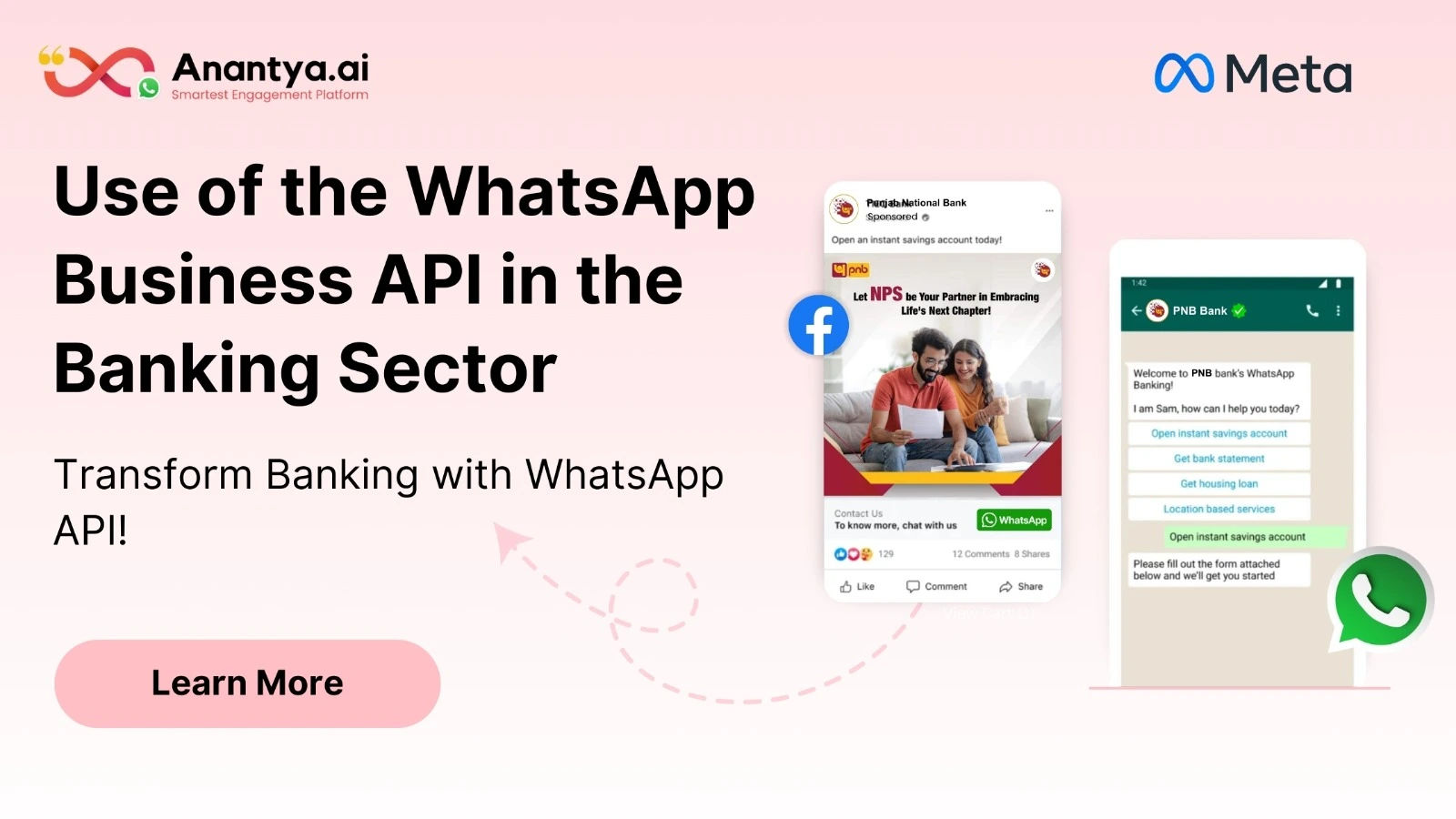
  • WhatsApp Business API Transforms Banking Customer Experience

    Financial institutions adopting WhatsApp Business API in banking gain significant competitive advantages in today's digital marketplace. This messaging solution facilitates instant customer support, promotional campaigns, and transaction notifications through one platform. The WhatsApp Business API in banking streamlines operations while providing customers with convenient access to services. Anantya.ai ensures banks implement this technology with proper security measures and compliance standards in place. Automated workflows handle frequently asked questions allowing human agents to focus on complex customer needs. The platform's high engagement rates make marketing campaigns more effective and cost efficient. Customers trust WhatsApp's familiar interface making them more comfortable sharing financial information and conducting transactions securely. Contact now!

    For more information kindly visit - https://anantya.ai/blog/whatsapp-business-api-for-banking-sector/
    WhatsApp Business API Transforms Banking Customer Experience Financial institutions adopting WhatsApp Business API in banking gain significant competitive advantages in today's digital marketplace. This messaging solution facilitates instant customer support, promotional campaigns, and transaction notifications through one platform. The WhatsApp Business API in banking streamlines operations while providing customers with convenient access to services. Anantya.ai ensures banks implement this technology with proper security measures and compliance standards in place. Automated workflows handle frequently asked questions allowing human agents to focus on complex customer needs. The platform's high engagement rates make marketing campaigns more effective and cost efficient. Customers trust WhatsApp's familiar interface making them more comfortable sharing financial information and conducting transactions securely. Contact now! For more information kindly visit - https://anantya.ai/blog/whatsapp-business-api-for-banking-sector/
    ANANTYA.AI
    How the WhatsApp Business API Transforms Banking Sector
    Discover how the WhatsApp Business API revolutionizes the banking sector with enhanced customer service and efficient communication. Learn about WhatsApp chatbot solutions tailored for banking.
    0 Comments 0 Shares 418 Views 0 Reviews
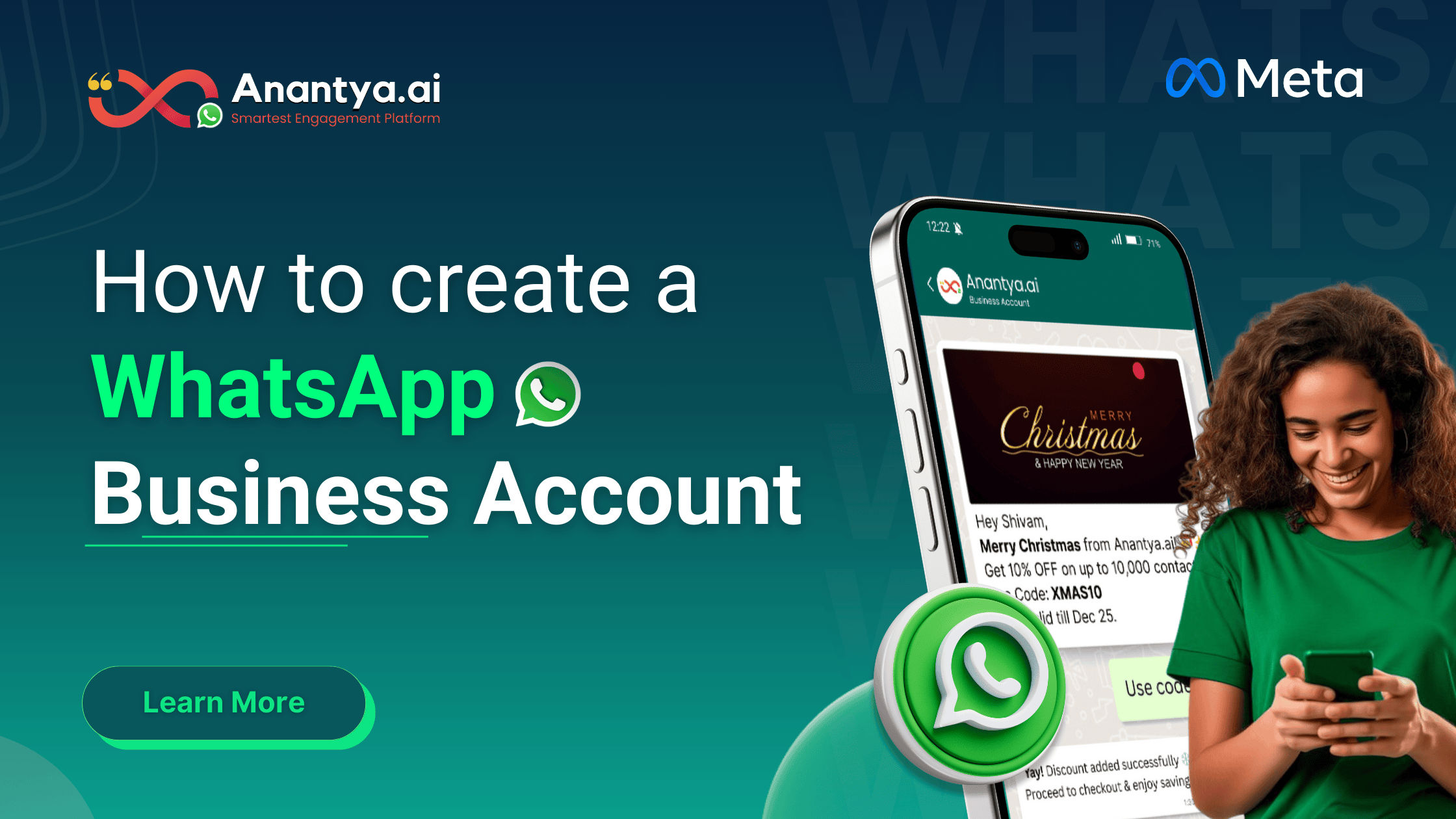
  • WhatsApp Business App Installation Without Any Hassle

    Hassle free WhatsApp Business app installation starts with understanding requirements and verification methods. This guide simplifies account creation and feature activation. Trust Anantya.ai for reliable WhatsApp Business app installation including product showcase setup, customer labeling systems, and secure two step verification for account protection. Contact now!

    For more information kindly visit - https://anantya.ai/blog/how-to-create-whatsapp-business-account/
    WhatsApp Business App Installation Without Any Hassle Hassle free WhatsApp Business app installation starts with understanding requirements and verification methods. This guide simplifies account creation and feature activation. Trust Anantya.ai for reliable WhatsApp Business app installation including product showcase setup, customer labeling systems, and secure two step verification for account protection. Contact now! For more information kindly visit - https://anantya.ai/blog/how-to-create-whatsapp-business-account/
    ANANTYA.AI
    How to Create WhatsApp Business Account | Step-by-Step Guide
    Create your WhatsApp Business account step-by-step. Learn setup, verification & catalog. For automation & API upgrade, switch to Anantya.ai Today.
    0 Comments 0 Shares 137 Views 0 Reviews
  • Free App v/s Paid API: WhatsApp Business Pricing Guide in 2025

    WhatsApp isn’t anymore for chats– it is the platform where customers expect businesses to meet them. From product inquiries, support questions to order updates and follow-ups, WhatsApp becomes the start and end point for every minor update. For businesses, it has become the fastest way to respond, build trust, and convert conversations into action.


    WhatsApp Business App Pricing
    When it comes to the WhatsApp Business pricing, it is available to download and use for free. This version is best for the businesses that are starting out and have a small customer base:

    Business profile (name, category, address, website)
    Quick replies for FAQs
    Labels to organize chats
    Automated greeting & away messages
    Product catalog (limited use)
    One-to-one conversations with customers.

    These features are a perfect fit when it comes to small shops, freelancers and home grown businesses that are managing a limited number of conversations everyday.

    But, there are restrictions that must be kept in mind. The broadcast messaging list is limited to 256 contacts at a time, and only to the users who have saved your number. When you look closely at WhatsApp business pricing benefits, the free app reveals its limitations. There’s no bulk outreach, no advanced automation, and every customer query needs a manual reply, one chat at a time.

    This works when volumes are low. But as your business grows and conversations multiply, these limitations start slowing you down. That’s where the problem solver steps in: WhatsApp Business API. Built for businesses that are scaling faster, API turns WhatsApp from a simple chatting tool to a powerful sales engine, enabling seamless automation.

    But once you see what the Business API can do, the next—and most important—question naturally follows:

    “How does the WhatsApp API pricing work, and what will it actually cost my business?”. Let’s get a better understanding about the Business API pricing.

    WhatsApp Business API Pricing
    The Business API is a paid version that works on a category-based conversation pricing model. Meta has officially transitioned from its previous 24-hour WhatsApp API pricing model to a per-message pricing model. The paid API model offers the following features:

    Automated Messaging & Chatbots
    Bulk Messaging & Templates
    Conversation-Based Pricing
    Rich Media Messaging
    CRM & Tool Integrations
    Advanced Analytics & Reporting


    Factors affecting WhatsApp API Pricing
    When it comes to pricing, WhatsApp doesn’t charge randomly — it charges based on real usage patterns. Here are the three major cost drivers every business should understand.

    Country: The country where your customers are located does matter for setting the whatsapp api pricing. WhatsApp sets different rates for different countries. For example, Conversations in India tend to be more affordable than in countries like UAE, US, etc.

    Message Type: The whatsapp API pricing is divided into marketing, utility, authentication and service categories. Marketing messages cost slightly higher than utility and authentication messages, whereas service messages are mostly free of cost.

    Volume: The amount of messages being sent affects the cost. Lesser the number of messages, higher is the cost and vice versa.

    Which option is cost-effective for small businesses?
    If you are running a small business, the most cost-effective WhatsApp option depends on how many conversations you handle and how fast you plan to grow. The free WhatsApp Business App works well for micro businesses and local stores that receive only a few customer messages each day. It’s easy to use and free, but everything is manual—no automation, no bulk messaging, and no scalability.


    At Anantya, we simplify your transition to the WhatsApp Business API by handling everything—from setup and approvals to automation, chatbots, and smart conversation flows.

    High inquiries, zero chaos. Switch to WhatsApp Business API with Anantya.ai and scale conversations effortlessly.

    https://anantya.ai/whatsapp-business-api/
    Free App v/s Paid API: WhatsApp Business Pricing Guide in 2025 WhatsApp isn’t anymore for chats– it is the platform where customers expect businesses to meet them. From product inquiries, support questions to order updates and follow-ups, WhatsApp becomes the start and end point for every minor update. For businesses, it has become the fastest way to respond, build trust, and convert conversations into action. WhatsApp Business App Pricing When it comes to the WhatsApp Business pricing, it is available to download and use for free. This version is best for the businesses that are starting out and have a small customer base: Business profile (name, category, address, website) Quick replies for FAQs Labels to organize chats Automated greeting & away messages Product catalog (limited use) One-to-one conversations with customers. These features are a perfect fit when it comes to small shops, freelancers and home grown businesses that are managing a limited number of conversations everyday. But, there are restrictions that must be kept in mind. The broadcast messaging list is limited to 256 contacts at a time, and only to the users who have saved your number. When you look closely at WhatsApp business pricing benefits, the free app reveals its limitations. There’s no bulk outreach, no advanced automation, and every customer query needs a manual reply, one chat at a time. This works when volumes are low. But as your business grows and conversations multiply, these limitations start slowing you down. That’s where the problem solver steps in: WhatsApp Business API. Built for businesses that are scaling faster, API turns WhatsApp from a simple chatting tool to a powerful sales engine, enabling seamless automation. But once you see what the Business API can do, the next—and most important—question naturally follows: “How does the WhatsApp API pricing work, and what will it actually cost my business?”. Let’s get a better understanding about the Business API pricing. WhatsApp Business API Pricing The Business API is a paid version that works on a category-based conversation pricing model. Meta has officially transitioned from its previous 24-hour WhatsApp API pricing model to a per-message pricing model. The paid API model offers the following features: Automated Messaging & Chatbots Bulk Messaging & Templates Conversation-Based Pricing Rich Media Messaging CRM & Tool Integrations Advanced Analytics & Reporting Factors affecting WhatsApp API Pricing When it comes to pricing, WhatsApp doesn’t charge randomly — it charges based on real usage patterns. Here are the three major cost drivers every business should understand. Country: The country where your customers are located does matter for setting the whatsapp api pricing. WhatsApp sets different rates for different countries. For example, Conversations in India tend to be more affordable than in countries like UAE, US, etc. Message Type: The whatsapp API pricing is divided into marketing, utility, authentication and service categories. Marketing messages cost slightly higher than utility and authentication messages, whereas service messages are mostly free of cost. Volume: The amount of messages being sent affects the cost. Lesser the number of messages, higher is the cost and vice versa. Which option is cost-effective for small businesses? If you are running a small business, the most cost-effective WhatsApp option depends on how many conversations you handle and how fast you plan to grow. The free WhatsApp Business App works well for micro businesses and local stores that receive only a few customer messages each day. It’s easy to use and free, but everything is manual—no automation, no bulk messaging, and no scalability. At Anantya, we simplify your transition to the WhatsApp Business API by handling everything—from setup and approvals to automation, chatbots, and smart conversation flows. High inquiries, zero chaos. Switch to WhatsApp Business API with Anantya.ai and scale conversations effortlessly. https://anantya.ai/whatsapp-business-api/
    ANANTYA.AI
    Whatsapp Business API Integration Platform | Anantya.ai
    Integrate your business with WhatsApp Business API. Enhance customer communication, automate messages, and boost engagement seamlessly on the same platform.
    0 Comments 0 Shares 613 Views 0 Reviews
  • Whatsapp Business API Integration Platform | Anantya.ai

    Integrate your business with WhatsApp Business API. Enhance customer communication, automate messages, and boost engagement seamlessly on the same platform.

    For more information kindly read this blog - https://aaftabalfa.medium.com/whatsafrom-support-to-sales-whatapp-business-api-for-growing-businesses-7943b15f6fb3
    Whatsapp Business API Integration Platform | Anantya.ai Integrate your business with WhatsApp Business API. Enhance customer communication, automate messages, and boost engagement seamlessly on the same platform. For more information kindly read this blog - https://aaftabalfa.medium.com/whatsafrom-support-to-sales-whatapp-business-api-for-growing-businesses-7943b15f6fb3
    0 Comments 0 Shares 229 Views 0 Reviews
More Stories
Pinlap https://www.pinlap.com