
Patrocinados
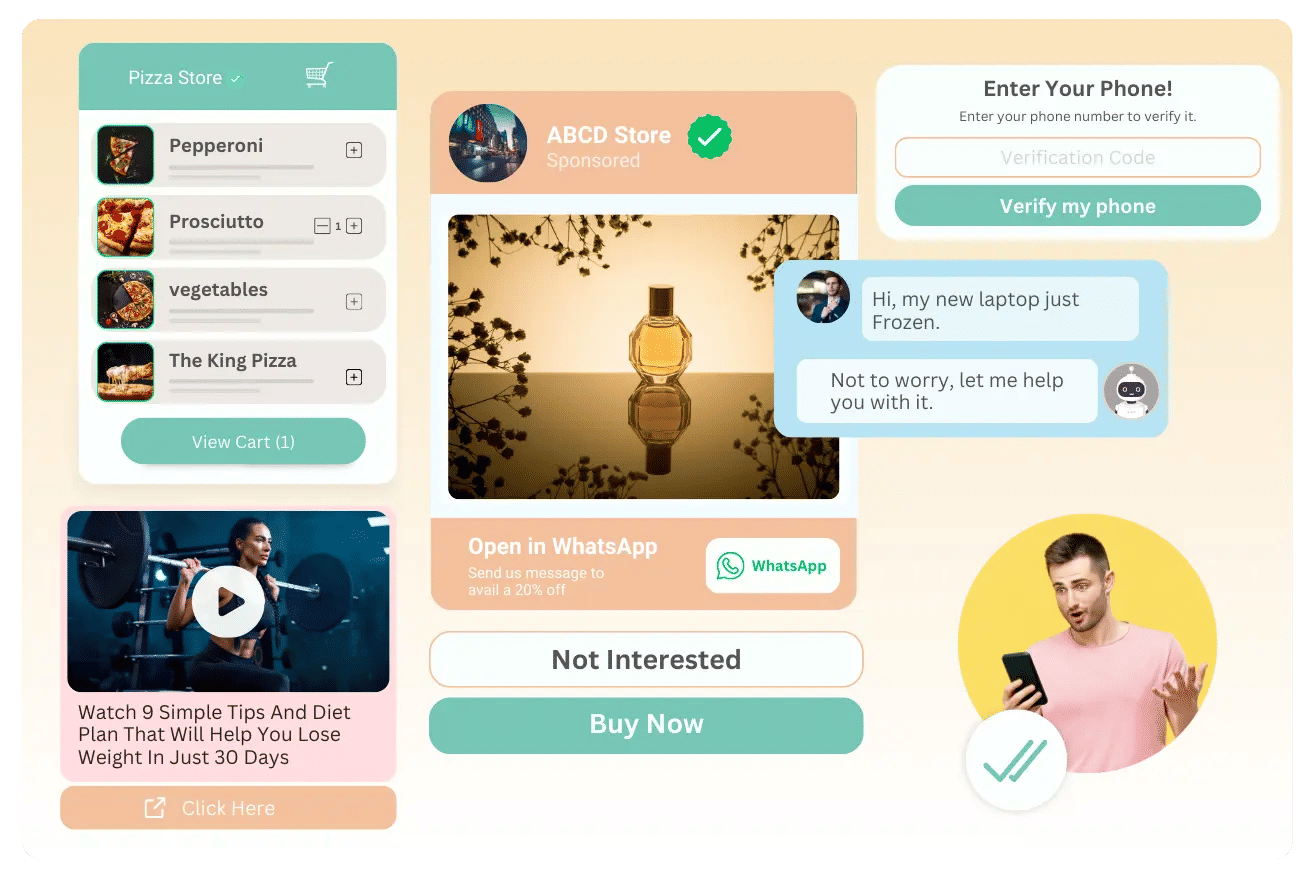
Introducing Anantya.ai, your trusted partner in business. We are here to help your company utilize the WhatsApp Business API effectively, providing you with intuitive features that will supercharge your WhatsApp Marketing efforts. Our platform offers Broadcasting to reach a wider audience, Automation for streamlining tasks, Live Chat for real-time interactions, WhatsApp Catalogues for showcasing products, and Click-to-WhatsApp Ads to drive targeted engagement. With Anantya.ai, you can make the most out of WhatsApp Business API and boost your business like never before.
Social Links
Buscar
Poste clavado
WhatsApp Business App v/s WhatsApp Business API: Which One’s Better?


Do you still think that WhatsApp can only be utilized for personal chats in 2025? Think again. WhatsApp might look like a normal messaging app, but for businesses, it’s the entire channel for communication. But the real surprise hits when they realise that WhatsApp isn’t just one powerful tool, but it comes with two powerful versions: WhatsApp Business App and WhatsApp Business API.

At first sight, both tools might trick businesses into believing that they offer the same set of features. But, a closer analysis reveals both are anything but similar. So, we’ll help you differentiate between both the tools so that you can clearly choose the one that fits your purpose.

WhatsApp Business App is the entry point for any small-scale business that is looking to step into the world of digital communication. This app is a free, standalone, mobile-based solution that allows business owners to manage their customer interactions without any hassle.

Meanwhile, the WhatsApp Business API is built for businesses that have outgrown the limits of basic regular apps. It elevates WhatsApp from a simple messaging tool to a complete communication infrastructure– enabling automated workflows, team-based chat management and bulk messaging that supports businesses to grow rapidly.

Let’s break down how both the tools differ from each other.

Differences between WhatsApp Business App and WhatsApp Business API

WhatsApp Business App

1. The app is ideal for small-scale businesses or local shops.
2. Can be accessed through a mobile app- download and use instantly.
3. The level of automation is very basic here (greetings and away messages)
4. The App is a free tool but it handles very less volume of messages.
5. Broadcasting is limited to 256 contacts only.
6. The App is not integrated with any software.

WhatsApp Business API

1. The API interface is ideal for medium to large enterprises, EdTech institutions.
2. It requires integration through a service provider.
3. API has a high, custom-based automation with chatbot support.
4. API is a paid platform but it handles a very high volume of messages every minute.
5. Broadcasting has no boundaries in API platforms.
6. API is integrated with CRM, ERP and dashboards.

Features of WhatsApp Business App

Quick Replies: The app saves time by instantly sending pre-set responses to common FAQs. This feature is perfect for small-scale businesses that need quick and smarter ways to stay connected with their customers.

Labels for Chats: The App allows users to categorize chats into new leads, pending orders and completed orders, so that they can stay organized without any complex tools.

Basic Catalog: Businesses can showcase their products/services inside the app, so that they can browse and engage instantly without leaving the chat.

Features of WhatsApp Business API

Chatbots & Automation: Smart chatbots can handle queries, share reminders, and render round-the-clock assistance so that no query goes unattended.

Multiple-Agent Support: Scale business conversations effortlessly with API, as it allows the entire team to manage chats across multiple devices.

Broadcast at Scale: Businesses can share promotional, informational or transactional messages to thousands within a click, that too with a personalized and human-touch.

Which tool should be chosen by a Small Business?

If you are a small business that is just starting out and handling a countable number of customer chats, the Business App is everything that you need to start with. It’s free, easy to use and a smart way to stay connected with your customers. But, the WhatsApp Business App has a few limitations. Though the App is a great choice for smaller teams, it becomes restrictive when your customer base expands.

That’s exactly when businesses level up with WhatsApp Business API– turning WhatsApp Business App limitations into timeless growth. The API benefits truly stand out, from muti-agent support to automated workflows, it helps businesses in managing conversations, send high-volume broadcasts and integrate CRMs to build a seamless customer journey.

If your business is growing and is ready to scale, leave traditional messaging behind and step into the world of automated and highly-converting customer journeys with Anantyaai. Here, you get an easy client onboarding, automated chatbots, campaign analytics and complete access to the API. Whether your aim is higher conversions or better customer engagement, Anantya has got your back.

Step into the future of customer interaction with Anantya today!

For more information kindly visit - https://anantya.ai/blog/whatsapp-business-app-vs-whatsapp-business-api/
WhatsApp Business App v/s WhatsApp Business API: Which One’s Better? Do you still think that WhatsApp can only be utilized for personal chats in 2025? Think again. WhatsApp might look like a normal messaging app, but for businesses, it’s the entire channel for communication. But the real surprise hits when they realise that WhatsApp isn’t just one powerful tool, but it comes with two powerful versions: WhatsApp Business App and WhatsApp Business API. At first sight, both tools might trick businesses into believing that they offer the same set of features. But, a closer analysis reveals both are anything but similar. So, we’ll help you differentiate between both the tools so that you can clearly choose the one that fits your purpose. WhatsApp Business App is the entry point for any small-scale business that is looking to step into the world of digital communication. This app is a free, standalone, mobile-based solution that allows business owners to manage their customer interactions without any hassle. Meanwhile, the WhatsApp Business API is built for businesses that have outgrown the limits of basic regular apps. It elevates WhatsApp from a simple messaging tool to a complete communication infrastructure– enabling automated workflows, team-based chat management and bulk messaging that supports businesses to grow rapidly. Let’s break down how both the tools differ from each other. Differences between WhatsApp Business App and WhatsApp Business API WhatsApp Business App 1. The app is ideal for small-scale businesses or local shops. 2. Can be accessed through a mobile app- download and use instantly. 3. The level of automation is very basic here (greetings and away messages) 4. The App is a free tool but it handles very less volume of messages. 5. Broadcasting is limited to 256 contacts only. 6. The App is not integrated with any software. WhatsApp Business API 1. The API interface is ideal for medium to large enterprises, EdTech institutions. 2. It requires integration through a service provider. 3. API has a high, custom-based automation with chatbot support. 4. API is a paid platform but it handles a very high volume of messages every minute. 5. Broadcasting has no boundaries in API platforms. 6. API is integrated with CRM, ERP and dashboards. Features of WhatsApp Business App Quick Replies: The app saves time by instantly sending pre-set responses to common FAQs. This feature is perfect for small-scale businesses that need quick and smarter ways to stay connected with their customers. Labels for Chats: The App allows users to categorize chats into new leads, pending orders and completed orders, so that they can stay organized without any complex tools. Basic Catalog: Businesses can showcase their products/services inside the app, so that they can browse and engage instantly without leaving the chat. Features of WhatsApp Business API Chatbots & Automation: Smart chatbots can handle queries, share reminders, and render round-the-clock assistance so that no query goes unattended. Multiple-Agent Support: Scale business conversations effortlessly with API, as it allows the entire team to manage chats across multiple devices. Broadcast at Scale: Businesses can share promotional, informational or transactional messages to thousands within a click, that too with a personalized and human-touch. Which tool should be chosen by a Small Business? If you are a small business that is just starting out and handling a countable number of customer chats, the Business App is everything that you need to start with. It’s free, easy to use and a smart way to stay connected with your customers. But, the WhatsApp Business App has a few limitations. Though the App is a great choice for smaller teams, it becomes restrictive when your customer base expands. That’s exactly when businesses level up with WhatsApp Business API– turning WhatsApp Business App limitations into timeless growth. The API benefits truly stand out, from muti-agent support to automated workflows, it helps businesses in managing conversations, send high-volume broadcasts and integrate CRMs to build a seamless customer journey. If your business is growing and is ready to scale, leave traditional messaging behind and step into the world of automated and highly-converting customer journeys with Anantyaai. Here, you get an easy client onboarding, automated chatbots, campaign analytics and complete access to the API. Whether your aim is higher conversions or better customer engagement, Anantya has got your back. Step into the future of customer interaction with Anantya today! For more information kindly visit - https://anantya.ai/blog/whatsapp-business-app-vs-whatsapp-business-api/

ANANTYA.AI
Whatsapp Business App vs Whatsapp Business API (2024)
Difference between the WhatsApp business app & whatsapp business API, Know which platform is best and fulfill your business requirements.
Like
1
0 Commentarios 0 Acciones 559 Views 0 Vista previa
Actualizaciones Recientes
  • Cracking WhatsApp Marketing Funnel: Turn Every Chat into a Customer

    Marketing in 2025 is no longer about reaching customers–it’s all about reaching them at the platform where they are spending hours everyday. With more than 2 billion active users, WhatsApp has now transformed into a powerful Sales channel. With a structured WhatsApp Marketing Funnel, businesses can turn initial browsers into their repeated customers.

    A WhatsApp Marketing Funnel, in simpler terms, is a structured pathway that businesses use to guide their customers from the awareness stage to making final purchase. It is a clear, step-by-step journey that guides customers from discovering your business to becoming a regular customer.


    Stages of WhatsApp Marketing Funnel

    Each and every stage of the marketing funnel plays an equally important role in guiding the customer journey, from the very first interaction. Let’s get a deep understanding about how each stage contributes to the growth of a business.


    Stage 1: Capture

    This is the initial stage where a business builds awareness about their product/service to the customers. At this stage, the focus is on attracting people who are interested in your business and giving them an easy way to start a conversation with them.


    Activities involved in this stage:

    Using Click-to-WhatsApp Ads on Facebook/Instagram.

    Scanning a QR Code in offline stores/events or over any packaging

    Adding a WhatsApp widget on your website

    Example:

    A skincare brand runs a social media ad, and places a “Get a free skin assessment” button at the bottom. When users click, they’re instantly directed to a WhatsApp chat, where the conversation begins and the lead is captured.


    Stage 2: Nurture

    Once a customer initiates conversation,it opens doors for businesses to build trust and guide them confidently throughout their buying journey. This is the stage that marks the beginning of impactful conversations.


    Activities involved in this stage:

    Sending valuable content related to the product such as product catalogs.

    Sharing ongoing offers with the customer to grab their attention.

    Using chatbots to answer initial queries and guide users.


    Example:

    After joining the chat, a customer asks about products for oily skin. The bot responds with a curated list of suitable serums, explains their benefits, and offers quick replies like “Show routines” or “Compare products” to help the customer explore confidently.


    Stage 3: Convert

    This stage refers to conversion of the prospects into paying customers.


    Activities involved in this stage:

    Reminding users for leaving their cart abandoned

    Sharing Catalogs with related products

    Including in-chat checkout links in your messages.

    Order confirmation messages.


    Example:

    A customer browses but doesn’t complete the checkout. A few hours later, they receive a gentle reminder: “Your personalized routine is waiting! Tap below to finish your order,” along with a checkout link and a small incentive like free shipping.


    Stage 4: Retain

    Retention is where long-term value is built. This stage ensures customers keep coming ****, turning one-time buyers into loyal repeat shoppers.


    Activities involved in this stage:

    Collecting feedback and review of the product post-purchase.

    Loyalty program reminders

    Personalized restock alerts

    New collection drops for VIP customers


    Example:

    For instance, a few days after their order is delivered, the customer receives a friendly prompt: “Hope you’re loving your new skincare! Rate our products on a scale of 1–5.

    Later, they sent messages early access to a new product line launched exclusively for repeat customers.


    Make the most of WhatsApp Marketing Funnel with Anantya’s smartest WhatsApp Automation.

    Want to build a powerful WhatsApp Marketing Funnel for your business? Anantyaai helps you capture leads, automate conversations, boost conversions, and retain customers—all on WhatsApp. If you want fast results with smart automation, the best choice is Anantyaai. Start your WhatsApp growth today!

    For more information kindly visit - https://anantya.ai/
    Cracking WhatsApp Marketing Funnel: Turn Every Chat into a Customer Marketing in 2025 is no longer about reaching customers–it’s all about reaching them at the platform where they are spending hours everyday. With more than 2 billion active users, WhatsApp has now transformed into a powerful Sales channel. With a structured WhatsApp Marketing Funnel, businesses can turn initial browsers into their repeated customers. A WhatsApp Marketing Funnel, in simpler terms, is a structured pathway that businesses use to guide their customers from the awareness stage to making final purchase. It is a clear, step-by-step journey that guides customers from discovering your business to becoming a regular customer. Stages of WhatsApp Marketing Funnel Each and every stage of the marketing funnel plays an equally important role in guiding the customer journey, from the very first interaction. Let’s get a deep understanding about how each stage contributes to the growth of a business. Stage 1: Capture This is the initial stage where a business builds awareness about their product/service to the customers. At this stage, the focus is on attracting people who are interested in your business and giving them an easy way to start a conversation with them. Activities involved in this stage: Using Click-to-WhatsApp Ads on Facebook/Instagram. Scanning a QR Code in offline stores/events or over any packaging Adding a WhatsApp widget on your website Example: A skincare brand runs a social media ad, and places a “Get a free skin assessment” button at the bottom. When users click, they’re instantly directed to a WhatsApp chat, where the conversation begins and the lead is captured. Stage 2: Nurture Once a customer initiates conversation,it opens doors for businesses to build trust and guide them confidently throughout their buying journey. This is the stage that marks the beginning of impactful conversations. Activities involved in this stage: Sending valuable content related to the product such as product catalogs. Sharing ongoing offers with the customer to grab their attention. Using chatbots to answer initial queries and guide users. Example: After joining the chat, a customer asks about products for oily skin. The bot responds with a curated list of suitable serums, explains their benefits, and offers quick replies like “Show routines” or “Compare products” to help the customer explore confidently. Stage 3: Convert This stage refers to conversion of the prospects into paying customers. Activities involved in this stage: Reminding users for leaving their cart abandoned Sharing Catalogs with related products Including in-chat checkout links in your messages. Order confirmation messages. Example: A customer browses but doesn’t complete the checkout. A few hours later, they receive a gentle reminder: “Your personalized routine is waiting! Tap below to finish your order,” along with a checkout link and a small incentive like free shipping. Stage 4: Retain Retention is where long-term value is built. This stage ensures customers keep coming ****, turning one-time buyers into loyal repeat shoppers. Activities involved in this stage: Collecting feedback and review of the product post-purchase. Loyalty program reminders Personalized restock alerts New collection drops for VIP customers Example: For instance, a few days after their order is delivered, the customer receives a friendly prompt: “Hope you’re loving your new skincare! Rate our products on a scale of 1–5. Later, they sent messages early access to a new product line launched exclusively for repeat customers. Make the most of WhatsApp Marketing Funnel with Anantya’s smartest WhatsApp Automation. Want to build a powerful WhatsApp Marketing Funnel for your business? Anantyaai helps you capture leads, automate conversations, boost conversions, and retain customers—all on WhatsApp. If you want fast results with smart automation, the best choice is Anantyaai. Start your WhatsApp growth today! For more information kindly visit - https://anantya.ai/
    ANANTYA.AI
    Conversational Engagement Platform for Businesses | Anantya.ai
    Anantya.ai is your Smartest Conversational Engagement Platform for Marketing, Commerce and Support & get every channel on a single platform.
    0 Commentarios 0 Acciones 122 Views 0 Vista previa
  • Mastering Template Messages: Best Practices and Ready-to-Use Examples

    EveryAnantyaaiday, customers receive an overwhelming number of messages, be it emails, notifications, ads or WhatsApp Messages. In this cluttered space, only those messages get noticed that are relevant and clear. This is why businesses need a more structured and a smarter way to communicate. And that’s exactly where templates help– offering clarity and speed across every customer interaction.

    Now, let’s get a clear understanding of these rules that must be kept in mind while framing these template messages.


    Rules for Template Messaging
    When it comes to drafting templates, it’s important to make them as simple, clear and customer-friendly as possible. The following set of rules are necessary to be followed while write a template message:

    Approval and use
    User opt-in: You can only send templates to users who have opted in to receive them.


    Pre-approval: All templates must be submitted to and approved by the platform (like WhatsApp) before they can be used.


    Purpose: Templates are required for business-initiated messages outside the 24-hour customer care window and are typically for transactional notifications like order confirmations or delivery alerts.


    Content restrictions
    No inappropriate content: Templates cannot contain offensive or threatening language, adult content, or promote restricted products like weapons or drugs.


    No sensitive data collection: You cannot use templates to collect sensitive personal information like credit card numbers.


    Examples of Pre-Approved Converting Templates:

    Objective of Template Message: Awareness
    Header(containing an image/videos/PDFs/graphics)

    Text: “Hi {{name}}, we’re excited to share that new collection is now live on our website!

    Explore fresh arrivals, updated styles, and curated picks designed just for you. Visit our website to know more.”

    Footer: Powered by {{company name}}

    CTA buttons:
    Visit Website(Redirecting to website)
    (Note: There can be up to 3 CTA buttons in a template, that can be redirected either to your website, any landing page or may be an opt-out button)

    Objective of Message: Marketing
    Header(containing an image/videos/PDFs/graphics)
    Text: Hi, {{name}}, enjoy an exclusive 20% discount on handpicked items from our latest collection.

    Limited availability — explore the curated range now:”

    Footer: Powered by {{Website link}}
    CTA buttons:
    Shop Now(Redirecting to website)
    (Note: There can be up to 3 CTA buttons in a template, that can be redirected either to your website, any landing page or may be an opt-out button)


    Objective of the Message: Authentication
    Header(containing an image/videos/PDFs/graphics)

    Text: “Hi {{name}}, your verification code is {{otp}}.
    Please enter this OTP to complete your login/transaction. Do not share this code with anyone for security reasons.”
    Footer: Powered by {{Website link}}


    Objective of the Message: Retargeting
    Header(containing an image/videos/PDFs/graphics)

    Text: “Hi {{name}}, noticed you were checking out some items recently. Still thinking about them?

    Here’s a quick reminder — your selected products are still available. Take another look and complete your order now!”

    Footer: Powered by {{Website link}}
    CTA buttons:

    Go to cart(Redirecting to the cart)
    Visit Website(Redirecting to website)
    (Note: There can be up to 3 CTA buttons in a template, that can be redirected either to your website, any landing page or may be an opt-out button)


    Objective of Template Message: Utility
    Header(containing an image/videos/PDFs/graphics)

    Text: “Hi {{customer_name}}, your order #{{order_id}} has been confirmed!

    We’ll notify you as soon as it’s packed and ready to ship.
    Need help? Reply Support anytime.

    Footer: Powered by {{Website link}}

    CTA buttons:
    Go to cart(Redirecting to the cart)
    Visit Website(Redirecting to website)

    (Note: There can be up to 3 CTA buttons in a template, that can be redirected either to your website, any landing page or may be an opt-out button)


    Objective of Message: Feedback Collection.
    Header(containing an image/videos/PDFs/graphics)

    Text: “Hi {{customer_name}}, we hope you’re enjoying your recent purchase from {{brand_name}}!

    Could you spare 10 seconds to share your experience? Your feedback helps us serve you better.

    Thank you for choosing us!”
    Footer: Powered by {{Website link}}

    CTA buttons:
    Share Feedback(Redirecting to a WhatsApp form for sharing feedback)

    Visit Website(Redirecting to website)

    Be it any form of template, marketing, utility or authentication, Anantya.ai brings everything together in one powerful dashboard.

    Get Ready to scale your Customer Journey with Anantya.ai Today!
    Mastering Template Messages: Best Practices and Ready-to-Use Examples EveryAnantyaaiday, customers receive an overwhelming number of messages, be it emails, notifications, ads or WhatsApp Messages. In this cluttered space, only those messages get noticed that are relevant and clear. This is why businesses need a more structured and a smarter way to communicate. And that’s exactly where templates help– offering clarity and speed across every customer interaction. Now, let’s get a clear understanding of these rules that must be kept in mind while framing these template messages. Rules for Template Messaging When it comes to drafting templates, it’s important to make them as simple, clear and customer-friendly as possible. The following set of rules are necessary to be followed while write a template message: Approval and use User opt-in: You can only send templates to users who have opted in to receive them. Pre-approval: All templates must be submitted to and approved by the platform (like WhatsApp) before they can be used. Purpose: Templates are required for business-initiated messages outside the 24-hour customer care window and are typically for transactional notifications like order confirmations or delivery alerts. Content restrictions No inappropriate content: Templates cannot contain offensive or threatening language, adult content, or promote restricted products like weapons or drugs. No sensitive data collection: You cannot use templates to collect sensitive personal information like credit card numbers. Examples of Pre-Approved Converting Templates: Objective of Template Message: Awareness Header(containing an image/videos/PDFs/graphics) Text: “Hi {{name}}, we’re excited to share that new collection is now live on our website! Explore fresh arrivals, updated styles, and curated picks designed just for you. Visit our website to know more.” Footer: Powered by {{company name}} CTA buttons: Visit Website(Redirecting to website) (Note: There can be up to 3 CTA buttons in a template, that can be redirected either to your website, any landing page or may be an opt-out button) Objective of Message: Marketing Header(containing an image/videos/PDFs/graphics) Text: Hi, {{name}}, enjoy an exclusive 20% discount on handpicked items from our latest collection. Limited availability — explore the curated range now:” Footer: Powered by {{Website link}} CTA buttons: Shop Now(Redirecting to website) (Note: There can be up to 3 CTA buttons in a template, that can be redirected either to your website, any landing page or may be an opt-out button) Objective of the Message: Authentication Header(containing an image/videos/PDFs/graphics) Text: “Hi {{name}}, your verification code is {{otp}}. Please enter this OTP to complete your login/transaction. Do not share this code with anyone for security reasons.” Footer: Powered by {{Website link}} Objective of the Message: Retargeting Header(containing an image/videos/PDFs/graphics) Text: “Hi {{name}}, noticed you were checking out some items recently. Still thinking about them? Here’s a quick reminder — your selected products are still available. Take another look and complete your order now!” Footer: Powered by {{Website link}} CTA buttons: Go to cart(Redirecting to the cart) Visit Website(Redirecting to website) (Note: There can be up to 3 CTA buttons in a template, that can be redirected either to your website, any landing page or may be an opt-out button) Objective of Template Message: Utility Header(containing an image/videos/PDFs/graphics) Text: “Hi {{customer_name}}, your order #{{order_id}} has been confirmed! 🎉 We’ll notify you as soon as it’s packed and ready to ship. Need help? Reply Support anytime. Footer: Powered by {{Website link}} CTA buttons: Go to cart(Redirecting to the cart) Visit Website(Redirecting to website) (Note: There can be up to 3 CTA buttons in a template, that can be redirected either to your website, any landing page or may be an opt-out button) Objective of Message: Feedback Collection. Header(containing an image/videos/PDFs/graphics) Text: “Hi {{customer_name}}, we hope you’re enjoying your recent purchase from {{brand_name}}! Could you spare 10 seconds to share your experience? Your feedback helps us serve you better. Thank you for choosing us!” Footer: Powered by {{Website link}} CTA buttons: Share Feedback(Redirecting to a WhatsApp form for sharing feedback) Visit Website(Redirecting to website) Be it any form of template, marketing, utility or authentication, Anantya.ai brings everything together in one powerful dashboard. Get Ready to scale your Customer Journey with Anantya.ai Today!
    Love
    1
    0 Commentarios 0 Acciones 505 Views 0 Vista previa
  • What Anantya.ai Does: The Complete Guide to Our WhatsApp API & Marketing Platform

    In today’s business world, customers prefer fast, simple, and personal communication. And almost every customer is already using WhatsApp. Anantya.ai helps businesses connect with their customers on the same platform where they are and comfortable with.

    This is exactly how Anantya.ai leverages WhatsApp and helps businesses grow beyond boundaries.

    Anantya.ai is the No. 1 end-to-end omnichannel WhatsApp API and marketing platform for small and medium-sized businesses, officially recognized as Meta’s Tech Partner.

    We help companies connect with their customers in the smartest and fastest way using the Official WhatsApp Business API.

    This blog explains everything we do, including our services, mission, vision, values, technology, global presence, and how we help businesses across the globe grow every day.

    Who We Are
    Anantya.ai is an IT Service and AI-driven communication company founded in 2023.
    We focus on one major thing:

    Helping businesses use WhatsApp to communicate, market, and support their customers at scale.

    From sending out automated campaigns to managing customer queries, we provide a complete WhatsApp communication system trusted by SMBs across the world.

    What We Do?
    Here is a simple explanation of how Anantya.ai helps businesses of various sectors and size automate and grow:

    1. WhatsApp Business API (Official Solution)
    Businesses can use our platform to send automated, personalized WhatsApp messages such as:
    Order updates


    Reminders


    Recover abandoned carts


    OTPs for authentication


    Alerts


    Notifications


    Receipts


    Promotions


    Offers


    New Product launches

    Everything happens programmatically, directly from the panel, without minimal human intervention, thus helping businesses save their human agents for more complex issues.

    2. WhatsApp Marketing Campaigns
    We help companies run:
    Bulk WhatsApp broadcasts for engagement


    Promotional campaigns for offer and updates


    Customer re-targeting campaigns


    New product announcement campaigns

    All delivered instantly to customers, with real-time analytics.


    3. AI-Powered WhatsApp Chatbots
    Our AI chatbot helps businesses:

    Answer customer questions instantly


    Solve common queries


    Collect leads


    Increase conversions


    Engage your customers with interactive features like buttons and flows


    Reduce manual workload

    These chatbots make conversations more natural, smart, and human-like.


    4. Multi-Agent Team Inbox
    We provide a shared WhatsApp panel with features like:
    Smart routing


    Assign chats and leads to agents


    Canned responses


    Customer tagging according to different categories


    Internal comments


    Conversation history


    Analytics dashboard


    Internal leads and chats transfering

    This helps teams communicate internally, reply faster and deliver better customer support.

    5. Customer Engagement Automation
    Businesses can create automated workflows like:
    Welcome or Out of office messages


    Abandoned cart reminders


    Feedback collection


    Appointment reminders


    Payment confirmations


    Lead nurturing


    Interactive chatbots

    These workflows help companies save time and increase conversions.


    Our Global Presence
    Anantya.ai operates globally with offices in:

    New *****, India (Headquarters)
    Complex, 20, Plaza-2, Central Square, Unit No.-3045, Manoharlal Khurana Marg, Bara Hindu Rao, *****, 110006
    Our fast-growing presence helps us serve customers in all regions, across Asia, Middle East, Africa, Europe, and more.

    Abu Dhabi, UAE
    P/162 Building No. 3, 6th floor - 608 Al Khazzaf St - Al Nahyan - E25 - Abu Dhabi - United Arab Emirates

    The Vision Behind Anantya.ai – Yashika Kothari (CEO & Founder)

    Anantya.ai is led by a young Founder & CEO, Miss Yashika Kothari.
    She studied Economics & Mathematics at Hansraj College and completed a Product Management program at the Indian School of Business.


    Her vision is very clear:

    “We want to make business communication simple, personal, and enjoyable. We are focusing more on Generative AI so conversations between businesses and customers feel more personal and natural to customers and less overwhelming to businesses. We aim to expand into new countries and help companies communicate better with minimal efforts.”

    Our Mission
    Our mission is to build the best platform for meaningful customer engagement.
    We want to help businesses:

    Communicate smarter


    Provide better support


    Increase customer satisfaction


    Build long-term relationships

    Our Values
    We strongly believe in:
    Simplicity


    Innovation


    Transparency


    Customer-first approach


    Global accessibility


    Customization

    These values help us deliver world-class and highly customizable technology at affordable prices and zero complexity.


    Company Details
    Name: Anantyaai Communications Pvt. Ltd. (Anantya.ai)
    Industry: IT Services & IT Consulting
    Founded: 2023
    Company Size: 11-50 employees
    Headquarters: New Delhi, India
    Global Office: Abu Dhabi, UAE
    What Anantya.ai Does: The Complete Guide to Our WhatsApp API & Marketing Platform In today’s business world, customers prefer fast, simple, and personal communication. And almost every customer is already using WhatsApp. Anantya.ai helps businesses connect with their customers on the same platform where they are and comfortable with. This is exactly how Anantya.ai leverages WhatsApp and helps businesses grow beyond boundaries. Anantya.ai is the No. 1 end-to-end omnichannel WhatsApp API and marketing platform for small and medium-sized businesses, officially recognized as Meta’s Tech Partner. We help companies connect with their customers in the smartest and fastest way using the Official WhatsApp Business API. This blog explains everything we do, including our services, mission, vision, values, technology, global presence, and how we help businesses across the globe grow every day. 🚀 Who We Are Anantya.ai is an IT Service and AI-driven communication company founded in 2023. We focus on one major thing: Helping businesses use WhatsApp to communicate, market, and support their customers at scale. From sending out automated campaigns to managing customer queries, we provide a complete WhatsApp communication system trusted by SMBs across the world. What We Do? Here is a simple explanation of how Anantya.ai helps businesses of various sectors and size automate and grow: 1. WhatsApp Business API (Official Solution) Businesses can use our platform to send automated, personalized WhatsApp messages such as: Order updates Reminders Recover abandoned carts OTPs for authentication Alerts Notifications Receipts Promotions Offers New Product launches Everything happens programmatically, directly from the panel, without minimal human intervention, thus helping businesses save their human agents for more complex issues. 2. WhatsApp Marketing Campaigns We help companies run: Bulk WhatsApp broadcasts for engagement Promotional campaigns for offer and updates Customer re-targeting campaigns New product announcement campaigns All delivered instantly to customers, with real-time analytics. 3. AI-Powered WhatsApp Chatbots Our AI chatbot helps businesses: Answer customer questions instantly Solve common queries Collect leads Increase conversions Engage your customers with interactive features like buttons and flows Reduce manual workload These chatbots make conversations more natural, smart, and human-like. 4. Multi-Agent Team Inbox We provide a shared WhatsApp panel with features like: Smart routing Assign chats and leads to agents Canned responses Customer tagging according to different categories Internal comments Conversation history Analytics dashboard Internal leads and chats transfering This helps teams communicate internally, reply faster and deliver better customer support. 5. Customer Engagement Automation Businesses can create automated workflows like: Welcome or Out of office messages Abandoned cart reminders Feedback collection Appointment reminders Payment confirmations Lead nurturing Interactive chatbots These workflows help companies save time and increase conversions. Our Global Presence Anantya.ai operates globally with offices in: New *****, India (Headquarters) Complex, 20, Plaza-2, Central Square, Unit No.-3045, Manoharlal Khurana Marg, Bara Hindu Rao, *****, 110006 Our fast-growing presence helps us serve customers in all regions, across Asia, Middle East, Africa, Europe, and more. Abu Dhabi, UAE P/162 Building No. 3, 6th floor - 608 Al Khazzaf St - Al Nahyan - E25 - Abu Dhabi - United Arab Emirates The Vision Behind Anantya.ai – Yashika Kothari (CEO & Founder) Anantya.ai is led by a young Founder & CEO, Miss Yashika Kothari. She studied Economics & Mathematics at Hansraj College and completed a Product Management program at the Indian School of Business. Her vision is very clear: “We want to make business communication simple, personal, and enjoyable. We are focusing more on Generative AI so conversations between businesses and customers feel more personal and natural to customers and less overwhelming to businesses. We aim to expand into new countries and help companies communicate better with minimal efforts.” Our Mission Our mission is to build the best platform for meaningful customer engagement. We want to help businesses: Communicate smarter Provide better support Increase customer satisfaction Build long-term relationships Our Values We strongly believe in: Simplicity Innovation Transparency Customer-first approach Global accessibility Customization These values help us deliver world-class and highly customizable technology at affordable prices and zero complexity. Company Details Name: Anantyaai Communications Pvt. Ltd. (Anantya.ai) Industry: IT Services & IT Consulting Founded: 2023 Company Size: 11-50 employees Headquarters: New Delhi, India Global Office: Abu Dhabi, UAE
    0 Commentarios 0 Acciones 264 Views 0 Vista previa
  • WhatsApp Automation for Support: Chatflows, Bots & Human Handoff


    Think of WhatsApp as a customer support highway– fast, running and always active. Bots are the traffic controllers that handle most of the queries smoothly and humans being the experts that step in, when the route gets jammed. Altogether, they keep everything moving without any traffic.


    That’s why businesses are opting for WhatsApp Automation as a support system– Bots for speed and humans for depth. Automated chatbot performs the basics tasks like greeting the customers, answering common queries, fetching order updates and carrying conversations smoothly. This saves the support team from burnouts and instead utilize their time for better purposes. When human intervention becomes necessary, a seamless handoff brings in a human agent instantly.


    So, how does all of this happen behind the scenes? All of this starts with a smart architecture that lets bot lead the conversations smartly and assign it to an agent as and when needed. This bot-to-agent flow makes the support faster, smoother and more consistent than ever.


    How does the Bot-to-Human Flow Works?
    Today’s WhatsApp support is built on a step-by-step system that blends automation with human intervention. Each layer makes conversation more smoother, quicker and personalized as per the user problem. Here’s how the architecture works:


    Step 1: Customer Initiates the Chat.
    This is the initial stage when a customer messages your business and starts the conversation. They enter an automated chatflow instantly. The customers may reach out to your business through:


    WhatsApp Number
    Click-to-WhatsApp Ads
    Any Ad Campaign
    Widget on website
    Broadcast messages shared by your business.
    Scanning any QR code on packaging or at any offline store.


    Step 2: Interaction With the Chatbot
    As soon as the customer messages your business, it is the chatbot that takes over the chat and responds instantly. The bot handles basic stuff like:


    Greeting the customer
    Understanding the purpose of the message(let say “order status”)
    Asking the necessary information(let say “Order ID")
    Giving quick solution based on the problem
    Asking for the data from backend if required


    Step 3: Decision Making
    The Chatbot has an added layer of intelligence that determines where it should continue with the chat or assign it to a human. This can be done when:


    Human request to talk to the agent
    Any complex issue is detected
    Bot is unable to understand user inputs


    Step 4: Assigning the Right Agent
    If it becomes essential for an agent to intervene, the system routes the chat to the appropriate agent. The conversation may be routed according to the:


    Department(eg. Marketing, sales, Billing, etc.)
    Agent skills
    Language preferences
    Priority customers


    Step 5: Human Support
    This is the final stage when a human takes over the chat. He takes over the chat with the essential details collected by the chatbot. Now, it’s up to the agent to resolve the query with quick replies, instant comments or sharing notes.


    Example of a Chatflow from Human-to-bot
    Here’s a sample chat between a bot and customer that is taken over by a human later on:


    Customer:“Where is my order?”
    Bot: “Sure! I can help you track your order. Please share your Order ID.”
    Customer:“ORD12987”
    Bot (API call): “Got it!


    Your order ORD12987 is currently Out for Delivery and will reach you by today, 7 PM.”
    Bot:“Would you like to:
    Contact the delivery partner
    Change delivery address
    Talk to a support agent”
    Customer: “Talk to an agent”
    Bot → Human Handoff:


    “Connecting you with a support specialist… (You won’t need to repeat anything!)”


    Agent Joins: “Hi there! I see your order is out for delivery. How can I help further?”


    This flow represents how WhatsApp Automation handles the bulk of routine queries while smoothly escalating complex issues to human agents. But the real impact becomes clear when you look at the key metrics that influence the measurable outcomes.


    Key Metrics
    Some of the metrics that measure the efficiency and quality of customer support interactions on platform are:


    Time to Resolution(TTR): TTR tracks how long it takes for a customer’s issue to be fully resolved, starting from the moment they raise a concern to the moment it’s closed.


    Customer Satisfaction Score(CSAT): CSAT captures how happy customers are with the support they receive. It’s usually measured through quick post-interaction surveys where users rate their experience.


    First Response Time (FRT): Measures how quickly a customer receives the first reply—whether from a bot or a human. Lower FRT shows your system is responsive and attentive from the very first touchpoint.

    For more information kindly visit - https://anantya.ai/
    WhatsApp Automation for Support: Chatflows, Bots & Human Handoff Think of WhatsApp as a customer support highway– fast, running and always active. Bots are the traffic controllers that handle most of the queries smoothly and humans being the experts that step in, when the route gets jammed. Altogether, they keep everything moving without any traffic. That’s why businesses are opting for WhatsApp Automation as a support system– Bots for speed and humans for depth. Automated chatbot performs the basics tasks like greeting the customers, answering common queries, fetching order updates and carrying conversations smoothly. This saves the support team from burnouts and instead utilize their time for better purposes. When human intervention becomes necessary, a seamless handoff brings in a human agent instantly. So, how does all of this happen behind the scenes? All of this starts with a smart architecture that lets bot lead the conversations smartly and assign it to an agent as and when needed. This bot-to-agent flow makes the support faster, smoother and more consistent than ever. How does the Bot-to-Human Flow Works? Today’s WhatsApp support is built on a step-by-step system that blends automation with human intervention. Each layer makes conversation more smoother, quicker and personalized as per the user problem. Here’s how the architecture works: Step 1: Customer Initiates the Chat. This is the initial stage when a customer messages your business and starts the conversation. They enter an automated chatflow instantly. The customers may reach out to your business through: WhatsApp Number Click-to-WhatsApp Ads Any Ad Campaign Widget on website Broadcast messages shared by your business. Scanning any QR code on packaging or at any offline store. Step 2: Interaction With the Chatbot As soon as the customer messages your business, it is the chatbot that takes over the chat and responds instantly. The bot handles basic stuff like: Greeting the customer Understanding the purpose of the message(let say “order status”) Asking the necessary information(let say “Order ID") Giving quick solution based on the problem Asking for the data from backend if required Step 3: Decision Making The Chatbot has an added layer of intelligence that determines where it should continue with the chat or assign it to a human. This can be done when: Human request to talk to the agent Any complex issue is detected Bot is unable to understand user inputs Step 4: Assigning the Right Agent If it becomes essential for an agent to intervene, the system routes the chat to the appropriate agent. The conversation may be routed according to the: Department(eg. Marketing, sales, Billing, etc.) Agent skills Language preferences Priority customers Step 5: Human Support This is the final stage when a human takes over the chat. He takes over the chat with the essential details collected by the chatbot. Now, it’s up to the agent to resolve the query with quick replies, instant comments or sharing notes. Example of a Chatflow from Human-to-bot Here’s a sample chat between a bot and customer that is taken over by a human later on: Customer:“Where is my order?” Bot: “Sure! I can help you track your order. Please share your Order ID.” Customer:“ORD12987” Bot (API call): “Got it! Your order ORD12987 is currently Out for Delivery and will reach you by today, 7 PM.” Bot:“Would you like to: Contact the delivery partner Change delivery address Talk to a support agent” Customer: “Talk to an agent” Bot → Human Handoff: “Connecting you with a support specialist… (You won’t need to repeat anything!)” Agent Joins: “Hi there! I see your order is out for delivery. How can I help further?” This flow represents how WhatsApp Automation handles the bulk of routine queries while smoothly escalating complex issues to human agents. But the real impact becomes clear when you look at the key metrics that influence the measurable outcomes. Key Metrics Some of the metrics that measure the efficiency and quality of customer support interactions on platform are: Time to Resolution(TTR): TTR tracks how long it takes for a customer’s issue to be fully resolved, starting from the moment they raise a concern to the moment it’s closed. Customer Satisfaction Score(CSAT): CSAT captures how happy customers are with the support they receive. It’s usually measured through quick post-interaction surveys where users rate their experience. First Response Time (FRT): Measures how quickly a customer receives the first reply—whether from a bot or a human. Lower FRT shows your system is responsive and attentive from the very first touchpoint. For more information kindly visit - https://anantya.ai/
    ANANTYA.AI
    Conversational Engagement Platform for Businesses | Anantya.ai
    Anantya.ai is your Smartest Conversational Engagement Platform for Marketing, Commerce and Support & get every channel on a single platform.
    0 Commentarios 0 Acciones 292 Views 0 Vista previa
  • WhatsApp Broadcast vs Group: Which is Better?

    In a world of instant updates and real-time conversations, WhatsApp has been more than just a messaging app, it’s a business essential. They rely on WhatsApp because it’s direct, familiar and instantly accessible. But effective communication on WhatsApp isn’t just about sharing messages, it’s about sharing them the right way.

    And that’s where businesses face confusion between two of WhatsApp’s most powerful features– a WhatsApp Broadcast and a WhatsApp Group.

    Both these features might look familiar on the surface, but they are completely different. Businesses tend to use both the platforms differently and use the wrong feature for a wrong purpose.

    So, before clicking the “share” button, So, before hitting the “share” button, it’s crucial for you to understand the differences between both these tools.

    What is WhatsApp Broadcast?
    A WhatsApp Broadcast is essentially a smart shortcut for businesses to share one message to multiple contacts at a time, without exposing the recipients to each other. When businesses use a broadcast list, the message lands directly into a customer’s personal chat, making it even more personalized for them. This makes WhatsApp Broadcast ideal for sharing order updates, payment reminders and essential announcements or any other information that businesses want to share at a scale with their customers.

    What is a WhatsApp Group?
    A WhatsApp Group is a shared chat where all the users can talk, view and respond to each other’s messages, and also participate in every real-time conversation in the group. Anything shared in the group is accessible by everyone who is a part of the group. These groups work perfectly when it comes to building collaboration such as fostering team coordination, planning an event or having an informal chat with your colleagues.

    Here’s a quick breakdown on how both these tools differentiate from each other.

    "WhatsApp Broadcast"

    Sent privately to every individual
    Receivers can’t see who all received the message
    1:1 communication without hassle
    For sharing announcements, updates, reminders at a scale.
    Highly personal and customized as per customer.
    Risk of Spam


    "WhatsApp Group"

    Shared in a common chat.
    Every member can see every message.
    Shared chat where everyone can talk.
    For team coordinations, group discussions.
    Included but not personally addressed, noisy at times.
    Lack of Privacy

    Now, the real question arises: when should the business opt for WhatsApp Broadcasts and when they should go for WhatsApp Groups? Well, the answer to this depends solely on the purpose they are utilizing WhatsApp for.

    A WhatsApp Broadcast is an ideal way of communication when businesses want to share a particular message to many people, without starting a public conversation. Such messages feel professional and personalised as per the customer. Since every message is shared privately,there’s a clear one-on-one interaction with every user– which is one of the smartest WhatsApp tips to maintain professional communication. A broadcast is utilized for:

    Sending promotional offers and announcements.
    Sharing reminders and notifications.
    For re-engaging customers and collecting feedback.
    Reaching out to customers who prefer direct messaging.


    A WhatsApp group, on the other hand, becomes a perfect choice, when businesses want to drive interactions, foster team collaboration or build a community. Such groups have a significant advantage in creating a space for open conversation, but they aren’t ideal for making promotions or sharing updates at a scale. Such groups are utilized for:

    Internal Team discussions.
    Coordination in projects.
    Communities with a lesser number of people.
    Gathering feedback.


    Conclusion
    Get ready to streamline your communications with the power of WhatsApp. Whether you're using WhatsApp Broadcasts to reach customers at scale or Groups to spark real-time conversations, choosing the right tool can completely transform how your business connects. And with Anantya.ai, you don’t have to figure it all out alone—our platform helps you manage messaging, automate workflows, and engage customers more efficiently across every touchpoint. If you’re ready to elevate your communication strategy and build stronger customer relationships, Anantya.ai is here to make it happen, one smart message at a time.

    For more information kindly visit - https://anantya.ai/
    WhatsApp Broadcast vs Group: Which is Better? In a world of instant updates and real-time conversations, WhatsApp has been more than just a messaging app, it’s a business essential. They rely on WhatsApp because it’s direct, familiar and instantly accessible. But effective communication on WhatsApp isn’t just about sharing messages, it’s about sharing them the right way. And that’s where businesses face confusion between two of WhatsApp’s most powerful features– a WhatsApp Broadcast and a WhatsApp Group. Both these features might look familiar on the surface, but they are completely different. Businesses tend to use both the platforms differently and use the wrong feature for a wrong purpose. So, before clicking the “share” button, So, before hitting the “share” button, it’s crucial for you to understand the differences between both these tools. What is WhatsApp Broadcast? A WhatsApp Broadcast is essentially a smart shortcut for businesses to share one message to multiple contacts at a time, without exposing the recipients to each other. When businesses use a broadcast list, the message lands directly into a customer’s personal chat, making it even more personalized for them. This makes WhatsApp Broadcast ideal for sharing order updates, payment reminders and essential announcements or any other information that businesses want to share at a scale with their customers. What is a WhatsApp Group? A WhatsApp Group is a shared chat where all the users can talk, view and respond to each other’s messages, and also participate in every real-time conversation in the group. Anything shared in the group is accessible by everyone who is a part of the group. These groups work perfectly when it comes to building collaboration such as fostering team coordination, planning an event or having an informal chat with your colleagues. Here’s a quick breakdown on how both these tools differentiate from each other. "WhatsApp Broadcast" Sent privately to every individual Receivers can’t see who all received the message 1:1 communication without hassle For sharing announcements, updates, reminders at a scale. Highly personal and customized as per customer. Risk of Spam "WhatsApp Group" Shared in a common chat. Every member can see every message. Shared chat where everyone can talk. For team coordinations, group discussions. Included but not personally addressed, noisy at times. Lack of Privacy Now, the real question arises: when should the business opt for WhatsApp Broadcasts and when they should go for WhatsApp Groups? Well, the answer to this depends solely on the purpose they are utilizing WhatsApp for. A WhatsApp Broadcast is an ideal way of communication when businesses want to share a particular message to many people, without starting a public conversation. Such messages feel professional and personalised as per the customer. Since every message is shared privately,there’s a clear one-on-one interaction with every user– which is one of the smartest WhatsApp tips to maintain professional communication. A broadcast is utilized for: Sending promotional offers and announcements. Sharing reminders and notifications. For re-engaging customers and collecting feedback. Reaching out to customers who prefer direct messaging. A WhatsApp group, on the other hand, becomes a perfect choice, when businesses want to drive interactions, foster team collaboration or build a community. Such groups have a significant advantage in creating a space for open conversation, but they aren’t ideal for making promotions or sharing updates at a scale. Such groups are utilized for: Internal Team discussions. Coordination in projects. Communities with a lesser number of people. Gathering feedback. Conclusion Get ready to streamline your communications with the power of WhatsApp. Whether you're using WhatsApp Broadcasts to reach customers at scale or Groups to spark real-time conversations, choosing the right tool can completely transform how your business connects. And with Anantya.ai, you don’t have to figure it all out alone—our platform helps you manage messaging, automate workflows, and engage customers more efficiently across every touchpoint. If you’re ready to elevate your communication strategy and build stronger customer relationships, Anantya.ai is here to make it happen, one smart message at a time. For more information kindly visit - https://anantya.ai/
    ANANTYA.AI
    Conversational Engagement Platform for Businesses | Anantya.ai
    Anantya.ai is your Smartest Conversational Engagement Platform for Marketing, Commerce and Support & get every channel on a single platform.
    0 Commentarios 0 Acciones 154 Views 0 Vista previa
  • Smart Ways to Collect WhatsApp Opt-ins: Beginner Friendly Methods

    In today’s fast-moving digital world, connecting with customers instantly is no longer a luxury, it’s a necessity. Customers expect brands to meet them where they are– over WhatsApp chat. They expect all updates, reminders and messages to be delivered to them personally over WhatsApp as it has now emerged as the most preferred channel for communication.

    What is WhatsApp’s Opt-in feature?

    The WhatsApp Opt-in feature is WhatsApp’s way of getting permission for businesses to share messages with the customers who want to hear out from them. Businesses share one-on-one messages such as promotional content, order updates, payment reminders or other customer support messages over WhatsApp. Users must agree to receive such messages and businesses must also clearly state what they are signing up for.

    Let’s explore the most common methods of getting WhatsApp's Opt-in features.


    How to Collect WhatsApp Opt-in from Users?

    Adding a website Pop-up
    Your website is already the smartest channel for collecting WhatsApp consent. Adding a small signup or contact form on your website can turn your usual browsers into a chat subscriber and, going forward, into a lead. This method makes the opt-in process effortless as it users are already sharing their details to hear out from your business.

    QR Code
    A QR Code is the perfect form of taking WhatsApp permissions at those offline moments when people are already engaged with your brand’s store, booth or stall. A quick QR scan lands them directly on a WhatsApp Chat or an opt-in page that makes the opt-in process more convenient and modern.

    Social Media Links
    Your customers already love your brand on social media, all you need to do is give them a direct link to chat with your brand over WhatsApp. By adding a click-to-chat link to your Instagram bio, Facebook posts, ads or stories, you can turn your casual browsers to potential customers. This is how scrolling can turn into conversations.

    Checkout Page
    At the checkout stage, the customers are already focused, eager to get more details and expect real-time information about your products. This is the perfect time to request for WhatsApp permission, as it feels more natural and not pushy. By adding a quick checkbox at this stage, you make opt-in a helpful and relevant step.

    Invoice Link
    Invoices aren’t just for permissions, they can be utilized for getting WhatsApp permissions as well. A quick WhatsApp opt-in link or a QR Code on the invoice grants permissions to the brands to send messages to the people over WhatsApp.

    All these methods ensure high opt-in rates and automatically keeps your business aligned with the WhatsApp Opt-in rules. Once a customer opts-in to receive messages from your business, you can stay connected with them by sharing offers, reminders, updates and more relevant information.

    But, businesses misuse this permission, which leads to spam reports, user opt-outs, or even getting accounts banned from META.

    To avoid these mistakes, here’s a list of common mistakes that should be avoided after collecting WhatsApp opt-ins.

    Spamming: Sending messages too frequently or without any relevance might result in high user drop-offs or even getting your number blocked.

    No personalization: Failing to personalize messages according to what the user signed up for results in loss of interest.

    Ignoring Replies: If the customer responds to your campaign, don’t leave them unanswered.

    Failing to Meet WhatsApp Guidelines: Low-quality templates or high promotional messages are quickly rejected by WhatsApp.

    No opt-out message: Users require a clear way for the users to unsubscribe. Give them the option to opt-out,if they are not interested in receiving messages from your business.

    Conclusion
    WhatsApp opt-ins aren’t just a formality, they’re the foundation of every message you send. Without explicit permission, businesses risk low deliverability, user complaints, or even account restrictions. But with the right opt-in methods, you build a trusted, high-quality audience that wants to hear from you.
    With Anantya.ai, simplifying, automating, and tracking the entire opt-in journey becomes quirky, so you will never miss an opportunity to grow. Also, our platform ensures that every chat is personalized according to the user and is built for real-time conversions, so that your business scales with confidence.

    For more information kindly visit - https://anantya.ai
    Smart Ways to Collect WhatsApp Opt-ins: Beginner Friendly Methods In today’s fast-moving digital world, connecting with customers instantly is no longer a luxury, it’s a necessity. Customers expect brands to meet them where they are– over WhatsApp chat. They expect all updates, reminders and messages to be delivered to them personally over WhatsApp as it has now emerged as the most preferred channel for communication. What is WhatsApp’s Opt-in feature? The WhatsApp Opt-in feature is WhatsApp’s way of getting permission for businesses to share messages with the customers who want to hear out from them. Businesses share one-on-one messages such as promotional content, order updates, payment reminders or other customer support messages over WhatsApp. Users must agree to receive such messages and businesses must also clearly state what they are signing up for. Let’s explore the most common methods of getting WhatsApp's Opt-in features. How to Collect WhatsApp Opt-in from Users? Adding a website Pop-up Your website is already the smartest channel for collecting WhatsApp consent. Adding a small signup or contact form on your website can turn your usual browsers into a chat subscriber and, going forward, into a lead. This method makes the opt-in process effortless as it users are already sharing their details to hear out from your business. QR Code A QR Code is the perfect form of taking WhatsApp permissions at those offline moments when people are already engaged with your brand’s store, booth or stall. A quick QR scan lands them directly on a WhatsApp Chat or an opt-in page that makes the opt-in process more convenient and modern. Social Media Links Your customers already love your brand on social media, all you need to do is give them a direct link to chat with your brand over WhatsApp. By adding a click-to-chat link to your Instagram bio, Facebook posts, ads or stories, you can turn your casual browsers to potential customers. This is how scrolling can turn into conversations. Checkout Page At the checkout stage, the customers are already focused, eager to get more details and expect real-time information about your products. This is the perfect time to request for WhatsApp permission, as it feels more natural and not pushy. By adding a quick checkbox at this stage, you make opt-in a helpful and relevant step. Invoice Link Invoices aren’t just for permissions, they can be utilized for getting WhatsApp permissions as well. A quick WhatsApp opt-in link or a QR Code on the invoice grants permissions to the brands to send messages to the people over WhatsApp. All these methods ensure high opt-in rates and automatically keeps your business aligned with the WhatsApp Opt-in rules. Once a customer opts-in to receive messages from your business, you can stay connected with them by sharing offers, reminders, updates and more relevant information. But, businesses misuse this permission, which leads to spam reports, user opt-outs, or even getting accounts banned from META. To avoid these mistakes, here’s a list of common mistakes that should be avoided after collecting WhatsApp opt-ins. Spamming: Sending messages too frequently or without any relevance might result in high user drop-offs or even getting your number blocked. No personalization: Failing to personalize messages according to what the user signed up for results in loss of interest. Ignoring Replies: If the customer responds to your campaign, don’t leave them unanswered. Failing to Meet WhatsApp Guidelines: Low-quality templates or high promotional messages are quickly rejected by WhatsApp. No opt-out message: Users require a clear way for the users to unsubscribe. Give them the option to opt-out,if they are not interested in receiving messages from your business. Conclusion WhatsApp opt-ins aren’t just a formality, they’re the foundation of every message you send. Without explicit permission, businesses risk low deliverability, user complaints, or even account restrictions. But with the right opt-in methods, you build a trusted, high-quality audience that wants to hear from you. With Anantya.ai, simplifying, automating, and tracking the entire opt-in journey becomes quirky, so you will never miss an opportunity to grow. Also, our platform ensures that every chat is personalized according to the user and is built for real-time conversions, so that your business scales with confidence. For more information kindly visit - https://anantya.ai
    ANANTYA.AI
    Conversational Engagement Platform for Businesses | Anantya.ai
    Anantya.ai is your Smartest Conversational Engagement Platform for Marketing, Commerce and Support & get every channel on a single platform.
    Love
    1
    0 Commentarios 0 Acciones 329 Views 0 Vista previa
  • WhatsApp Business App v/s WhatsApp Business API: Which One’s Better?


    Do you still think that WhatsApp can only be utilized for personal chats in 2025? Think again. WhatsApp might look like a normal messaging app, but for businesses, it’s the entire channel for communication. But the real surprise hits when they realise that WhatsApp isn’t just one powerful tool, but it comes with two powerful versions: WhatsApp Business App and WhatsApp Business API.

    At first sight, both tools might trick businesses into believing that they offer the same set of features. But, a closer analysis reveals both are anything but similar. So, we’ll help you differentiate between both the tools so that you can clearly choose the one that fits your purpose.

    WhatsApp Business App is the entry point for any small-scale business that is looking to step into the world of digital communication. This app is a free, standalone, mobile-based solution that allows business owners to manage their customer interactions without any hassle.

    Meanwhile, the WhatsApp Business API is built for businesses that have outgrown the limits of basic regular apps. It elevates WhatsApp from a simple messaging tool to a complete communication infrastructure– enabling automated workflows, team-based chat management and bulk messaging that supports businesses to grow rapidly.

    Let’s break down how both the tools differ from each other.

    Differences between WhatsApp Business App and WhatsApp Business API

    WhatsApp Business App

    1. The app is ideal for small-scale businesses or local shops.
    2. Can be accessed through a mobile app- download and use instantly.
    3. The level of automation is very basic here (greetings and away messages)
    4. The App is a free tool but it handles very less volume of messages.
    5. Broadcasting is limited to 256 contacts only.
    6. The App is not integrated with any software.

    WhatsApp Business API

    1. The API interface is ideal for medium to large enterprises, EdTech institutions.
    2. It requires integration through a service provider.
    3. API has a high, custom-based automation with chatbot support.
    4. API is a paid platform but it handles a very high volume of messages every minute.
    5. Broadcasting has no boundaries in API platforms.
    6. API is integrated with CRM, ERP and dashboards.

    Features of WhatsApp Business App

    Quick Replies: The app saves time by instantly sending pre-set responses to common FAQs. This feature is perfect for small-scale businesses that need quick and smarter ways to stay connected with their customers.

    Labels for Chats: The App allows users to categorize chats into new leads, pending orders and completed orders, so that they can stay organized without any complex tools.

    Basic Catalog: Businesses can showcase their products/services inside the app, so that they can browse and engage instantly without leaving the chat.

    Features of WhatsApp Business API

    Chatbots & Automation: Smart chatbots can handle queries, share reminders, and render round-the-clock assistance so that no query goes unattended.

    Multiple-Agent Support: Scale business conversations effortlessly with API, as it allows the entire team to manage chats across multiple devices.

    Broadcast at Scale: Businesses can share promotional, informational or transactional messages to thousands within a click, that too with a personalized and human-touch.

    Which tool should be chosen by a Small Business?

    If you are a small business that is just starting out and handling a countable number of customer chats, the Business App is everything that you need to start with. It’s free, easy to use and a smart way to stay connected with your customers. But, the WhatsApp Business App has a few limitations. Though the App is a great choice for smaller teams, it becomes restrictive when your customer base expands.

    That’s exactly when businesses level up with WhatsApp Business API– turning WhatsApp Business App limitations into timeless growth. The API benefits truly stand out, from muti-agent support to automated workflows, it helps businesses in managing conversations, send high-volume broadcasts and integrate CRMs to build a seamless customer journey.

    If your business is growing and is ready to scale, leave traditional messaging behind and step into the world of automated and highly-converting customer journeys with Anantyaai. Here, you get an easy client onboarding, automated chatbots, campaign analytics and complete access to the API. Whether your aim is higher conversions or better customer engagement, Anantya has got your back.

    Step into the future of customer interaction with Anantya today!

    For more information kindly visit - https://anantya.ai/blog/whatsapp-business-app-vs-whatsapp-business-api/
    WhatsApp Business App v/s WhatsApp Business API: Which One’s Better? Do you still think that WhatsApp can only be utilized for personal chats in 2025? Think again. WhatsApp might look like a normal messaging app, but for businesses, it’s the entire channel for communication. But the real surprise hits when they realise that WhatsApp isn’t just one powerful tool, but it comes with two powerful versions: WhatsApp Business App and WhatsApp Business API. At first sight, both tools might trick businesses into believing that they offer the same set of features. But, a closer analysis reveals both are anything but similar. So, we’ll help you differentiate between both the tools so that you can clearly choose the one that fits your purpose. WhatsApp Business App is the entry point for any small-scale business that is looking to step into the world of digital communication. This app is a free, standalone, mobile-based solution that allows business owners to manage their customer interactions without any hassle. Meanwhile, the WhatsApp Business API is built for businesses that have outgrown the limits of basic regular apps. It elevates WhatsApp from a simple messaging tool to a complete communication infrastructure– enabling automated workflows, team-based chat management and bulk messaging that supports businesses to grow rapidly. Let’s break down how both the tools differ from each other. Differences between WhatsApp Business App and WhatsApp Business API WhatsApp Business App 1. The app is ideal for small-scale businesses or local shops. 2. Can be accessed through a mobile app- download and use instantly. 3. The level of automation is very basic here (greetings and away messages) 4. The App is a free tool but it handles very less volume of messages. 5. Broadcasting is limited to 256 contacts only. 6. The App is not integrated with any software. WhatsApp Business API 1. The API interface is ideal for medium to large enterprises, EdTech institutions. 2. It requires integration through a service provider. 3. API has a high, custom-based automation with chatbot support. 4. API is a paid platform but it handles a very high volume of messages every minute. 5. Broadcasting has no boundaries in API platforms. 6. API is integrated with CRM, ERP and dashboards. Features of WhatsApp Business App Quick Replies: The app saves time by instantly sending pre-set responses to common FAQs. This feature is perfect for small-scale businesses that need quick and smarter ways to stay connected with their customers. Labels for Chats: The App allows users to categorize chats into new leads, pending orders and completed orders, so that they can stay organized without any complex tools. Basic Catalog: Businesses can showcase their products/services inside the app, so that they can browse and engage instantly without leaving the chat. Features of WhatsApp Business API Chatbots & Automation: Smart chatbots can handle queries, share reminders, and render round-the-clock assistance so that no query goes unattended. Multiple-Agent Support: Scale business conversations effortlessly with API, as it allows the entire team to manage chats across multiple devices. Broadcast at Scale: Businesses can share promotional, informational or transactional messages to thousands within a click, that too with a personalized and human-touch. Which tool should be chosen by a Small Business? If you are a small business that is just starting out and handling a countable number of customer chats, the Business App is everything that you need to start with. It’s free, easy to use and a smart way to stay connected with your customers. But, the WhatsApp Business App has a few limitations. Though the App is a great choice for smaller teams, it becomes restrictive when your customer base expands. That’s exactly when businesses level up with WhatsApp Business API– turning WhatsApp Business App limitations into timeless growth. The API benefits truly stand out, from muti-agent support to automated workflows, it helps businesses in managing conversations, send high-volume broadcasts and integrate CRMs to build a seamless customer journey. If your business is growing and is ready to scale, leave traditional messaging behind and step into the world of automated and highly-converting customer journeys with Anantyaai. Here, you get an easy client onboarding, automated chatbots, campaign analytics and complete access to the API. Whether your aim is higher conversions or better customer engagement, Anantya has got your back. Step into the future of customer interaction with Anantya today! For more information kindly visit - https://anantya.ai/blog/whatsapp-business-app-vs-whatsapp-business-api/

    ANANTYA.AI
    Whatsapp Business App vs Whatsapp Business API (2024)
    Difference between the WhatsApp business app & whatsapp business API, Know which platform is best and fulfill your business requirements.
    Like
    1
    0 Commentarios 0 Acciones 559 Views 0 Vista previa
  • Click to Whatsapp Ads for Effective Shop Promotions

    Click to Whatsapp Ads means a button or link that opens a WhatsApp chat with your business for instant messages. It helps businesses send quick updates, answer questions, and promote offers which improves response rates and trust. With Click to Whatsapp Ads in your campaigns you can track clicks, personalize messages, and boost conversions. This works well for shops, customer support teams, marketers, and any business that wants direct chat with customers. You can set up and manage these features easily using Anantya.ai.

    For more information kindly visit - https://anantya.ai/click-to-whatsapp-ads
    Click to Whatsapp Ads for Effective Shop Promotions Click to Whatsapp Ads means a button or link that opens a WhatsApp chat with your business for instant messages. It helps businesses send quick updates, answer questions, and promote offers which improves response rates and trust. With Click to Whatsapp Ads in your campaigns you can track clicks, personalize messages, and boost conversions. This works well for shops, customer support teams, marketers, and any business that wants direct chat with customers. You can set up and manage these features easily using Anantya.ai. For more information kindly visit - https://anantya.ai/click-to-whatsapp-ads
    Love
    1
    0 Commentarios 0 Acciones 120 Views 0 Vista previa
  • Improve Business Efficiency with Whatsapp Broadcasting Software

    Whatsapp Broadcasting Software helps companies deliver messages to multiple customers instantly, removing the need for repetitive manual communication. It is highly effective for sending promotional campaigns, reminders, and service updates directly to customers’ WhatsApp. The main benefits are time savings, improved communication speed, and stronger engagement. This service is useful for industries such as travel, retail, education, and healthcare. Businesses seeking reliable tools can partner with Anantya.ai, which offers Whatsapp Broadcasting Software and complete WhatsApp solutions for marketing, commerce, and API, empowering brands to operate more efficiently with Anantya. Contact now!

    For more information kindly visit - https://anantya.ai/whatsapp-broadcasting
    Improve Business Efficiency with Whatsapp Broadcasting Software Whatsapp Broadcasting Software helps companies deliver messages to multiple customers instantly, removing the need for repetitive manual communication. It is highly effective for sending promotional campaigns, reminders, and service updates directly to customers’ WhatsApp. The main benefits are time savings, improved communication speed, and stronger engagement. This service is useful for industries such as travel, retail, education, and healthcare. Businesses seeking reliable tools can partner with Anantya.ai, which offers Whatsapp Broadcasting Software and complete WhatsApp solutions for marketing, commerce, and API, empowering brands to operate more efficiently with Anantya. Contact now! For more information kindly visit - https://anantya.ai/whatsapp-broadcasting
    Love
    1
    0 Commentarios 0 Acciones 473 Views 0 Vista previa
  • Discover Growth Opportunities with White Label whatsapp Solutions

    White Label whatsapp is helping businesses transform the way they engage customers by offering scalable and customizable solutions. With advanced features like automation, analytics, and personalized messaging, companies can build stronger customer relationships and increase sales efficiency. This flexible solution makes it easier for agencies, startups, and enterprises to offer reliable services under their own brand. If you want a future ready platform, White Label whatsapp is the right choice with Anantya, the leading website that provides best services to customers. Contact now!

    For more information kindly visit - https://anantya.ai/white-label-partner
    Discover Growth Opportunities with White Label whatsapp Solutions White Label whatsapp is helping businesses transform the way they engage customers by offering scalable and customizable solutions. With advanced features like automation, analytics, and personalized messaging, companies can build stronger customer relationships and increase sales efficiency. This flexible solution makes it easier for agencies, startups, and enterprises to offer reliable services under their own brand. If you want a future ready platform, White Label whatsapp is the right choice with Anantya, the leading website that provides best services to customers. Contact now! For more information kindly visit - https://anantya.ai/white-label-partner
    0 Commentarios 0 Acciones 414 Views 0 Vista previa
  • Achieve Faster Customer Engagement with Whatsapp Broadcasting Software

    Whatsapp Broadcasting Software ensures that businesses never miss the chance to connect with their audience. It provides a simple yet powerful way to send personalized updates, offers, and service notifications to thousands of users at once. With advanced features like scheduling and analytics, it improves both efficiency and performance. This tool creates better customer experiences and supports long term growth. Whatsapp Broadcasting Software is the future of business messaging with Anantya, the leading website that provides best services to customers. Contact now!

    For more information kindly visit - https://anantya.ai/whatsapp-broadcasting
    Achieve Faster Customer Engagement with Whatsapp Broadcasting Software Whatsapp Broadcasting Software ensures that businesses never miss the chance to connect with their audience. It provides a simple yet powerful way to send personalized updates, offers, and service notifications to thousands of users at once. With advanced features like scheduling and analytics, it improves both efficiency and performance. This tool creates better customer experiences and supports long term growth. Whatsapp Broadcasting Software is the future of business messaging with Anantya, the leading website that provides best services to customers. Contact now! For more information kindly visit - https://anantya.ai/whatsapp-broadcasting
    0 Commentarios 0 Acciones 293 Views 0 Vista previa
  • 0 Commentarios 0 Acciones 238 Views 0 Vista previa
Quizás te interese…
Pinlap https://www.pinlap.com